

Overview
To ensure accurate data entry and reporting in Oracle FCCS, it's critical to understand what data combinations are valid. FCCS uses multidimensional cubes (Essbase backend), and not all combinations of members across dimensions are relevant. Without restrictions, users may enter data in inappropriate intersections, leading to data integrity issues. Oracle explains this behavior in its Understanding Valid Intersections and Creating Valid Intersections documentation for Financial Consolidation and Close.
This guide explains Valid Intersections in FCCS, compares them to Invalid Intersections, covers practical use cases, and walks through the detailed steps to create and test a Valid Intersection rule. If you are building broader consolidation skills beyond this topic, you can also explore the full Oracle EPM FCCS Financial Consolidation and Close Services Cloud Training and the related Oracle EPM Planning Cloud EPBCS Training.
Valid Intersections
Introduction
A Valid Intersection in FCCS is a rule-based restriction that defines which combinations of members from different dimensions are allowed for data entry. It helps:
- Prevent entry at meaningless or invalid combinations
- Improve performance by reducing unnecessary cells
- Enhance accuracy in data forms, ad hoc reports, and Smart View
Valid vs Invalid Intersection Rule
You can create a Valid Intersection which is a positive rule quoting what combination is allowed. For example, you can define for entity India, currency INR is allowed. In this case, any other currency will not be allowed with India.
Or else you can create an Invalid Intersection rule, quoting what intersection is not allowed. For example, you can define for entity India, currency USD is not allowed. In this case, except USD all other currencies will be allowed for India. Whether a rule needs to be a Valid or Invalid Intersection rule varies on a case to case basis depending on business requirement. In real implementations, this decision usually depends on whether the business wants to define a narrow approved combination set or simply block a few known-bad combinations.
| Feature | Valid Intersection | Invalid Intersection |
|---|---|---|
| Definition | A combination of dimension members where data entry is allowed | A combination of dimension members where data entry is not allowed |
| Purpose | To define meaningful data combinations | To restrict irrelevant or illogical data combinations |
| System Behavior | Users can enter/view data | Data entry is blocked or hidden |
| Data Form Display | Cell is editable and visible | Cell is grayed out or hidden |
| Used For | Enforcing business rules and ensuring clean data entry | Preventing data input at incorrect dimensional intersections |
Some Practical Use Cases for Valid Intersections
- Allowing input for 'Products revenue' account in case of Products and not services.
- Allowing Depreciation movement only with Fixed Assets accounts.
- Allowing Salary Expense only for HR/Payroll Cost center.
- Preventing opening balance to be input for PL accounts.
Detailed Steps
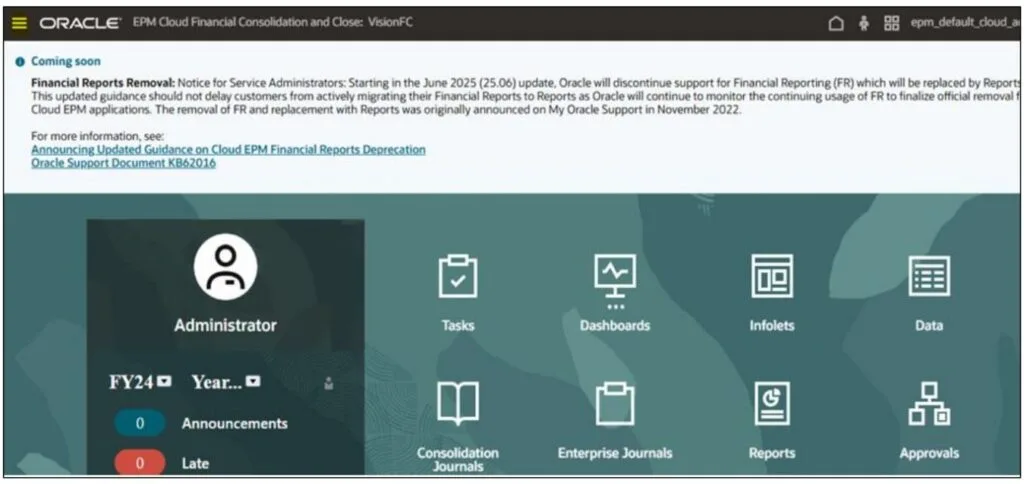
1. Login to FCCS application and click on Navigator (three lines on top left corner).
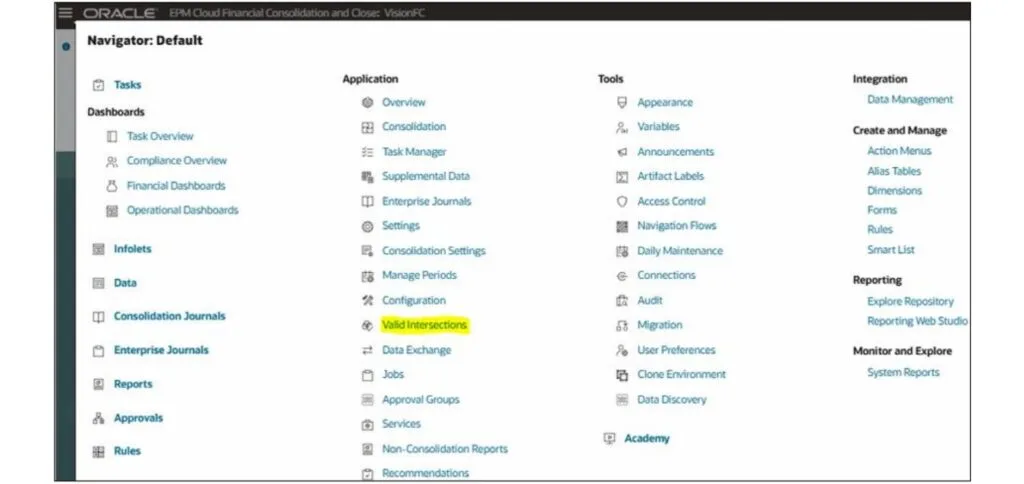
2. Click on Valid Intersection (under Application).
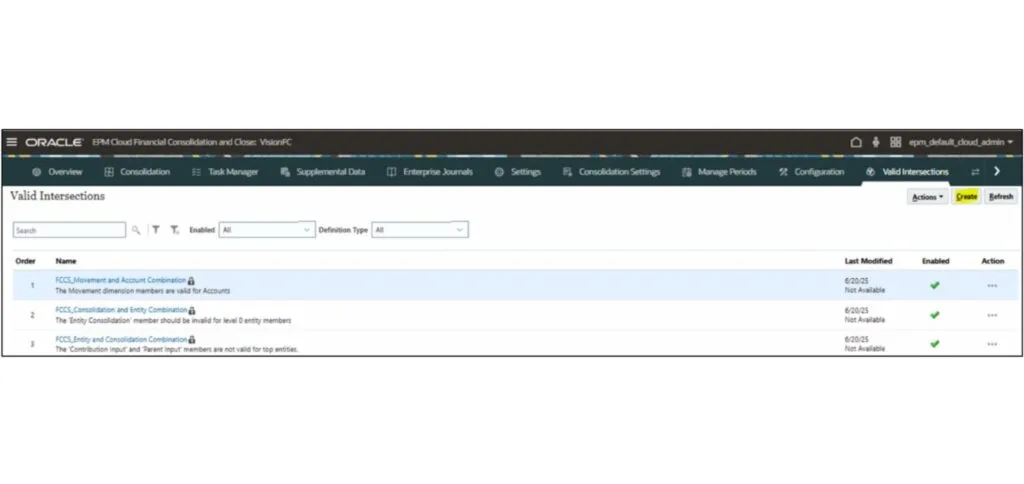
3. Click on Create.
4. Enter the title as 'Acct Payable_LE01' and ensure that definition type is 'Valid Intersection'.
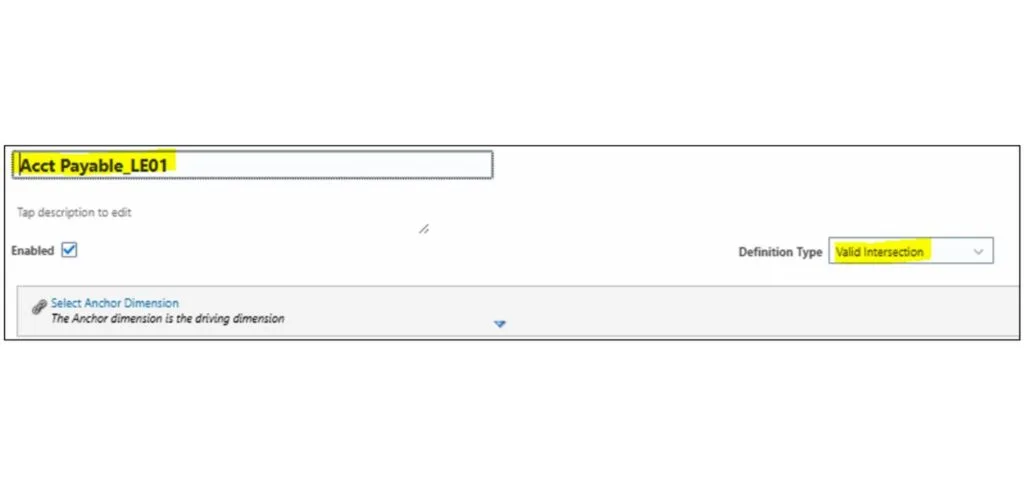
5. Click on 'Select Anchor Dimension' and select 'Entity'.
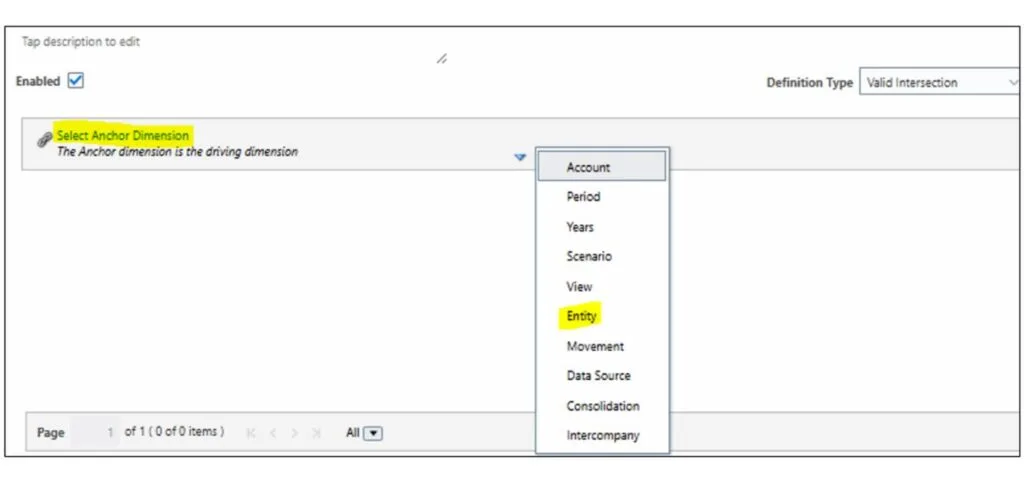
6. Click on 'Add Rule' and click on down arrow beside Entity. Click on 'Edit'.
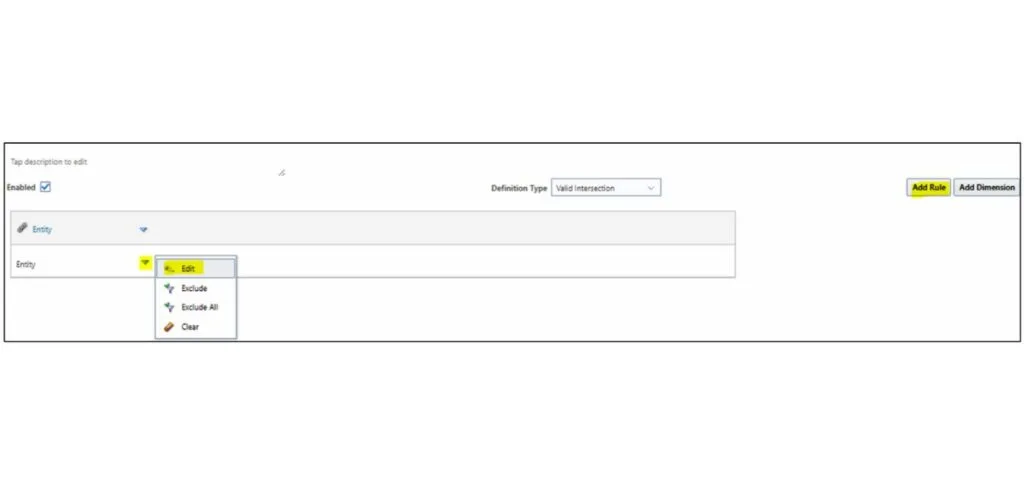
7. Expand 'Total Geography' and select 'LE01' Entity. Then click on 'Ok'.
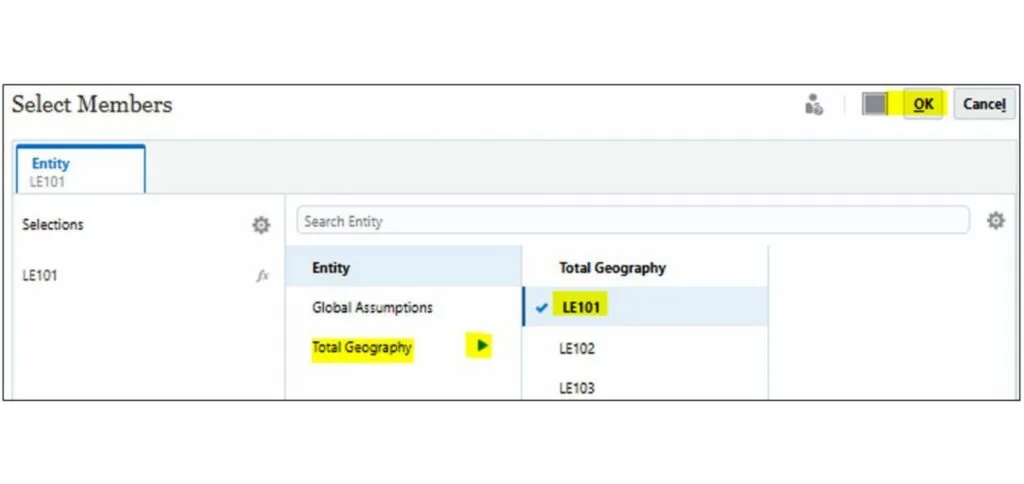
8. Click on 'Add Dimension' and tick 'Account'.

9. Click on arrow beside account and click on 'Edit'.
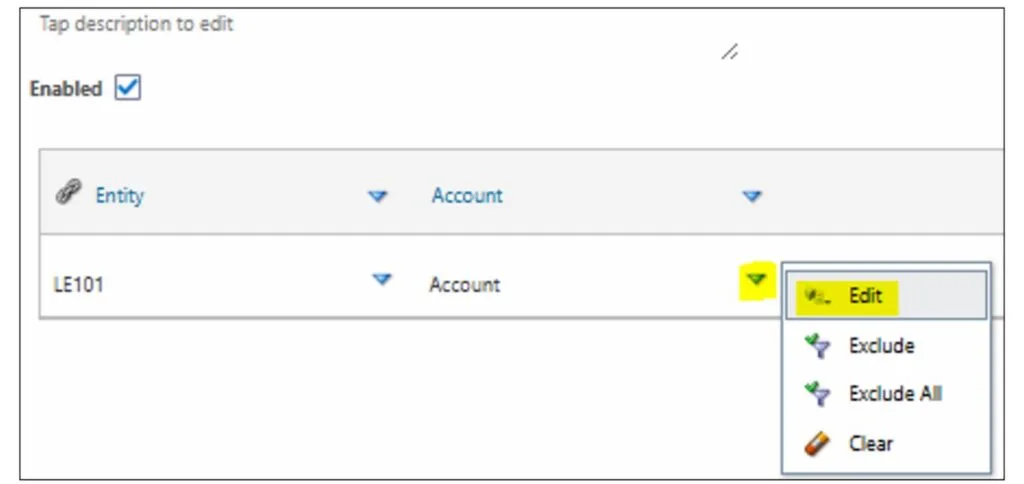
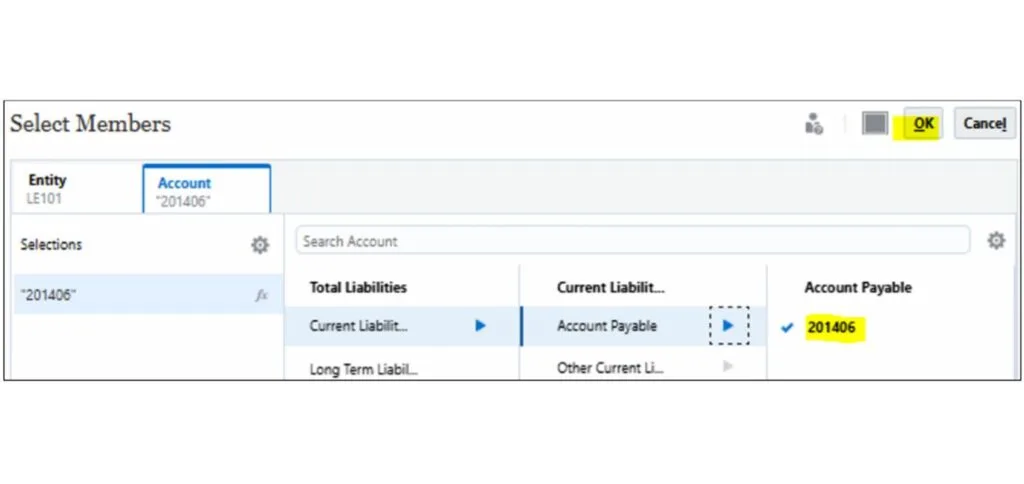
10. Expand Balance Sheet till 'Account Payable' and select '201406' and click on 'Ok'.
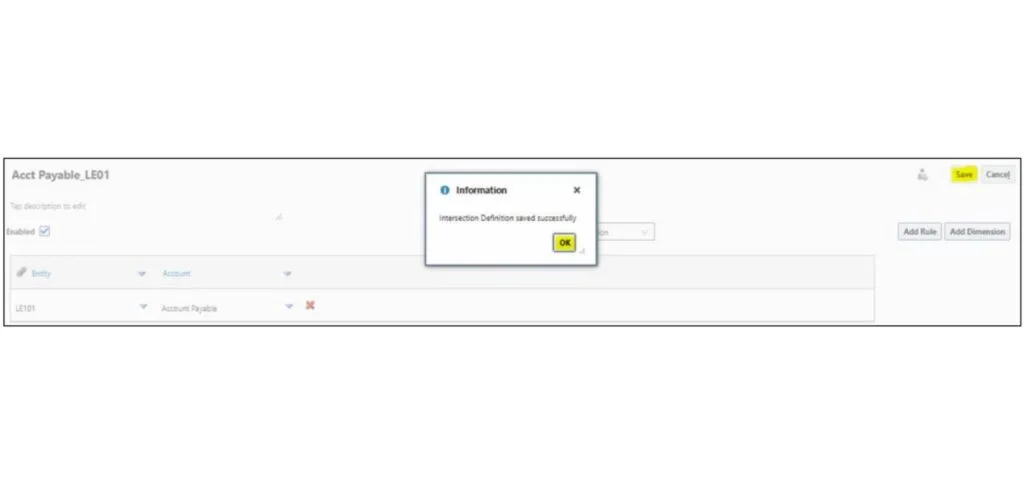
11. Click on 'Save' and then click on 'Ok'.
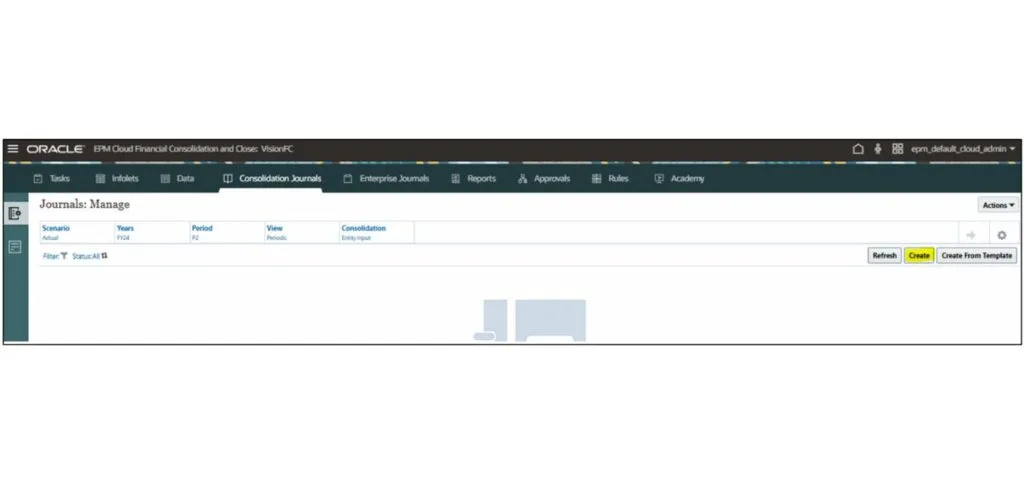
12. Click on 'Navigator' and select 'Consolidation Journals'. Then click on 'Create'.
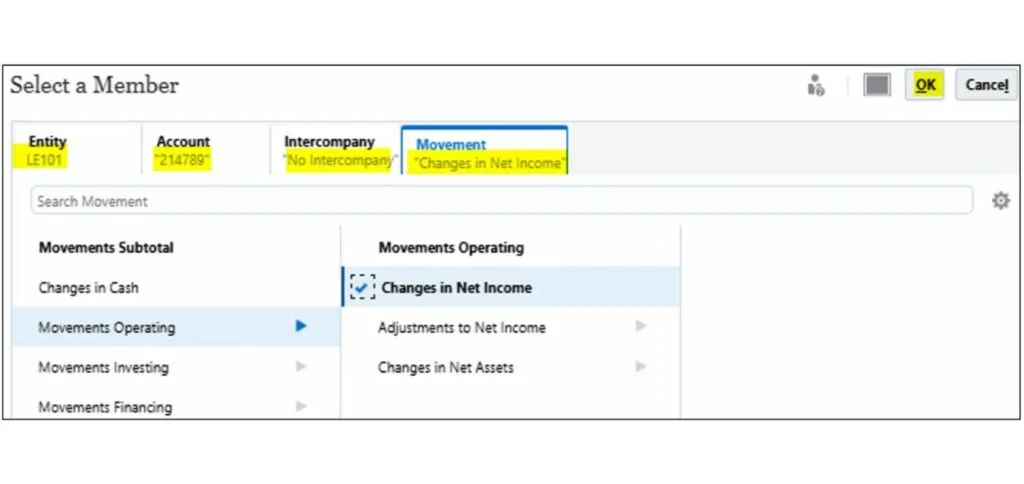
13. Enter the label as 'Test_Valid Intersection', Journal Type as 'Regular' and Data Source as 'Journal Input'. Click on Create > Settings icon > Pick Members.
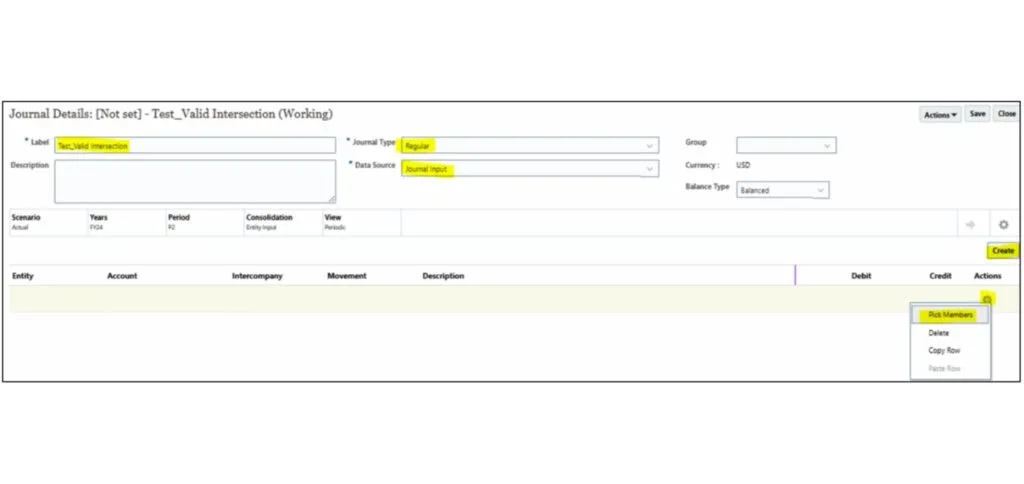
14. Select members as follows and then click on 'Ok': Entity – LE101, Account – 214789, Intercompany – No Intercompany, Movement – Changes in Net Income.
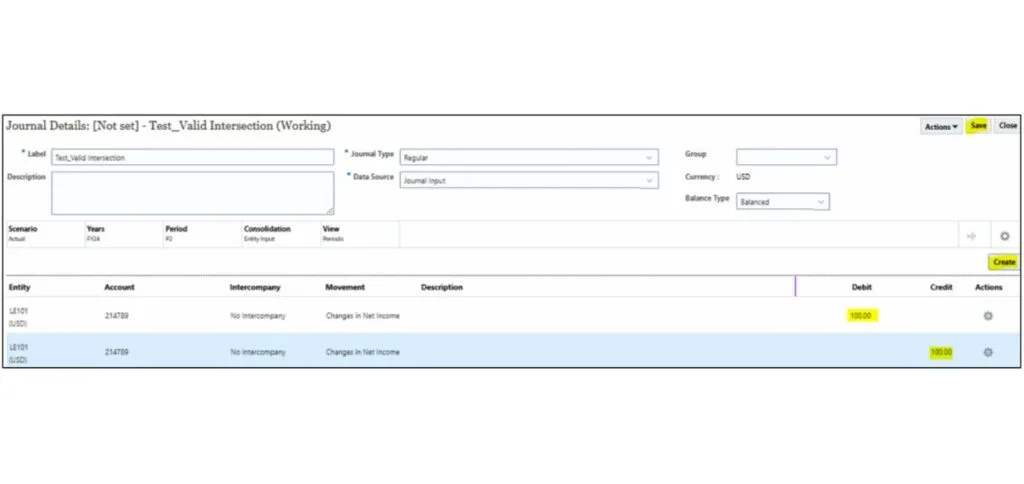
15. Enter Debit amount as 100 and click on 'Create' and enter Credit amount in second row as 100 and click on 'Save'.
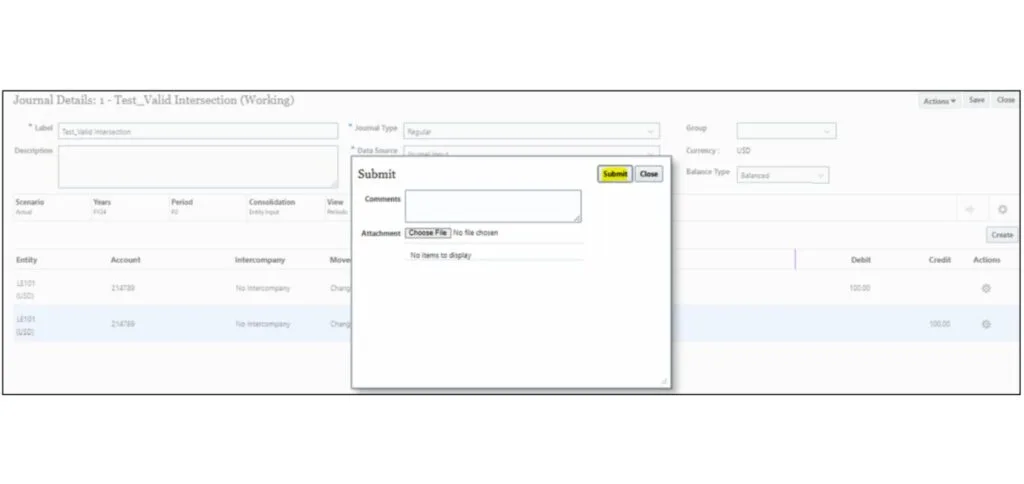
16. Click on Actions and then click on 'Submit'.
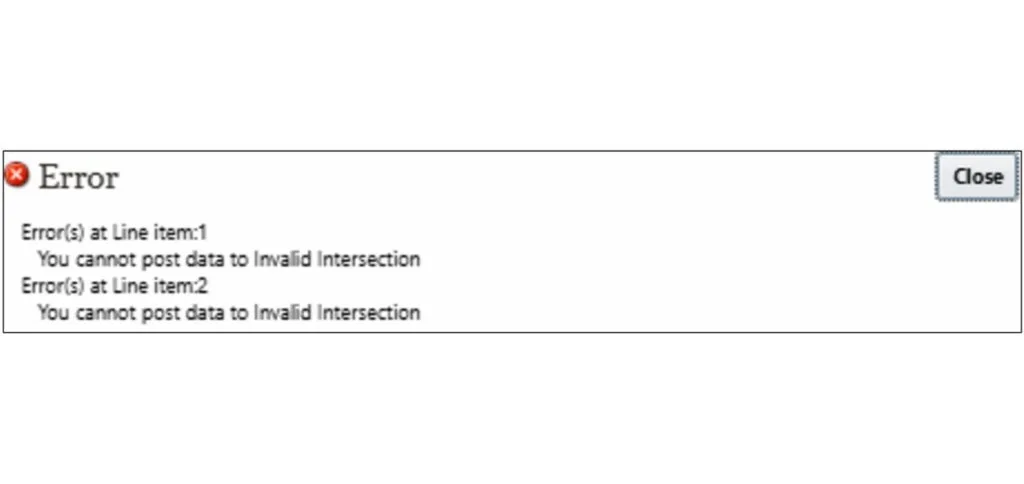
17. Since we are trying to submit for entity LE101 at an account other than '201406' as mentioned in the Valid Intersection rule, the following error will be displayed.
Conclusion
- Valid Intersections in FCCS control where data can be entered or loaded.
- They optimize data integrity, reduce storage waste, and prevent user errors.
- Proper configuration is essential during metadata setup and must be aligned with business requirements.