
A Step-by-Step Guide
Descriptive Flex Fields (DFF) serve as an essential tool for extensibility within Oracle Fusion Cloud, especially when businesses find that standard data fields are insufficient to capture the unique nuances of their daily operations. By integrating these customizable attributes into various forms ranging from journal headers to specific invoice lines, organizations can effectively streamline data entry and enhance search capabilities across the platform. Within specific modules like Oracle Cloud Payables and Oracle Cloud Payments, these additional data points do more than just store information; they can actively influence accounting setups and downstream financial reporting, ensuring that the system adapts to complex business requirements rather than forcing the business to adapt to the software.
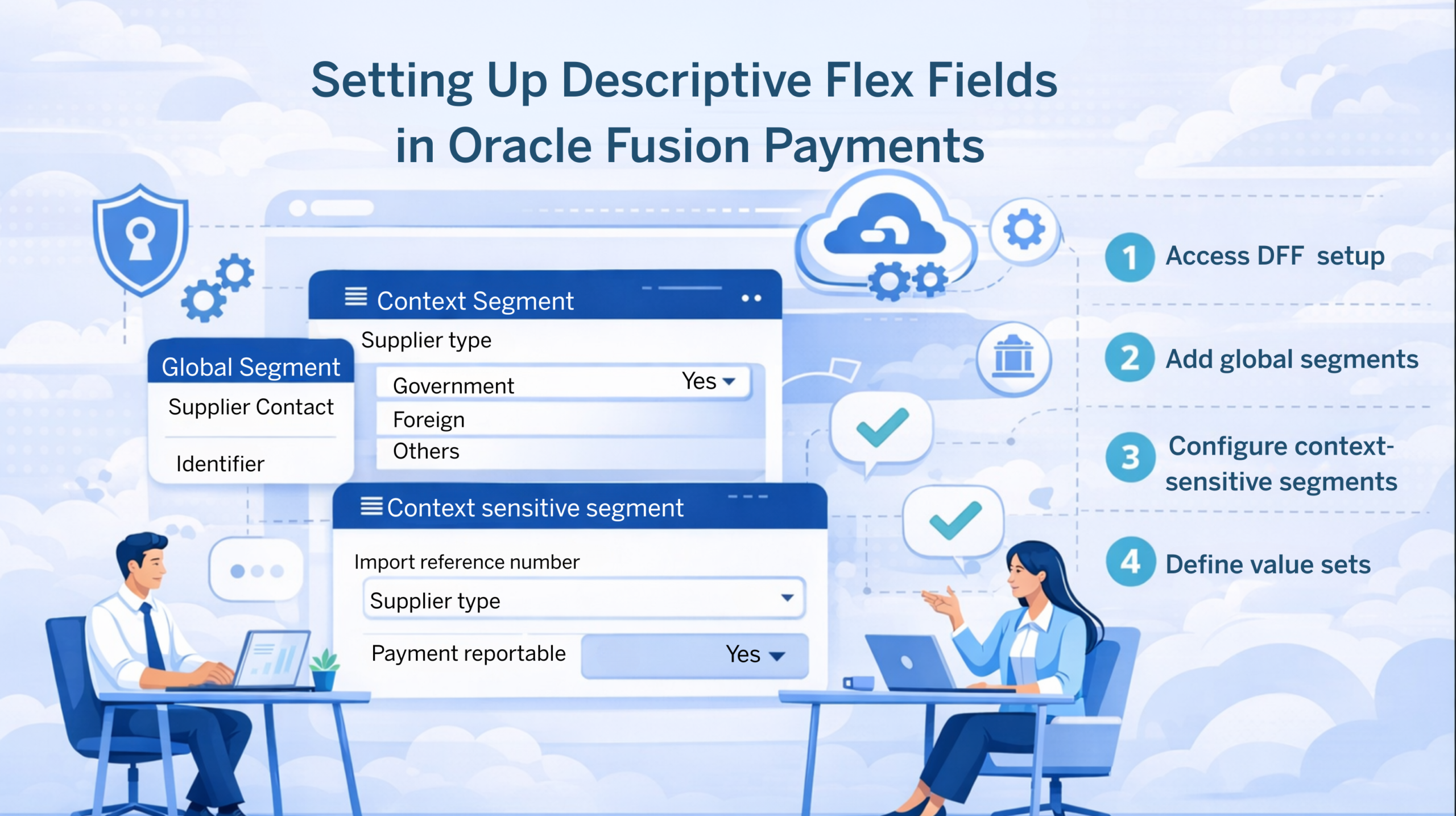
To effectively configure DFFs in Oracle Fusion, it's important to understand how different segments work together within the wider Oracle Fusion Financials ecosystem. Whether you are working in Oracle Payables to manage vendor liabilities or utilizing the centralized disbursement engine of Oracle Fusion Payments, you will encounter three primary components: the global segment, which remains visible for all transactions; the context segment, which acts as a conditional trigger; and the context-sensitive segment, which appears dynamically based on user selection. These distinctions are essential for Oracle Fusion Payables administrators to collect the right data at the right time without overloading the user interface.
This guide walks you through setting up descriptive flex fields in Oracle Fusion Payments using global segments and context-sensitive segments. If you want hands-on training that covers DFF configuration along with the full Payables and Payments setup process, explore the Oracle Fusion Financials Training at OEG.
Understanding Descriptive Flex Fields
Global Segments
Global segments are static fields that are always visible on the form, regardless of user selection. A global segment is ideal for information that must be captured for every transaction, such as universal identifiers.
Context-Sensitive Segments
Context-sensitive segments are fields whose visibility depends on a selected context segment value (for example, supplier type). Only one context segment per descriptive flex field is allowed, but multiple context-sensitive segments can be defined under different context values.
When configuring a descriptive flex field (DFF) in Oracle Fusion, the global segment and context-sensitive segments work together under a single DFF.
Scenario Overview
Suppose you need to enter the following additional information on your payments:
| Sr No. | Field Name | Visibility | Segment Type |
|---|---|---|---|
| 1 | Name of Supplier Contact | Always visible | Global Segment |
| 2 | Supplier Contact Identifier | Always visible | Global Segment |
| 3 | Supplier Type | Always visible – determines which context sensitive fields are shown | Context Segment |
| 3.1 | If Supplier Type is "Government" – Contract Reference Number – Whether the Payment is under dispute – Y/N | Visibility Depends upon the selected Context Value | Context Sensitive Segments |
| 3.2 | If Supplier Type is "Foreign" – Import Reference Number – Whether the Payment is reportable by Supplier – Y/N | Visibility Depends upon the selected Context Value | Context Sensitive Segments |
| 3.3 | If Supplier Type is "Other" – No further information required | Visibility Depends upon the selected Context Value | Context Sensitive Segments |
Step 1: Access the Manage Payables Descriptive Flex Field
- Log in to your Oracle Fusion instance.
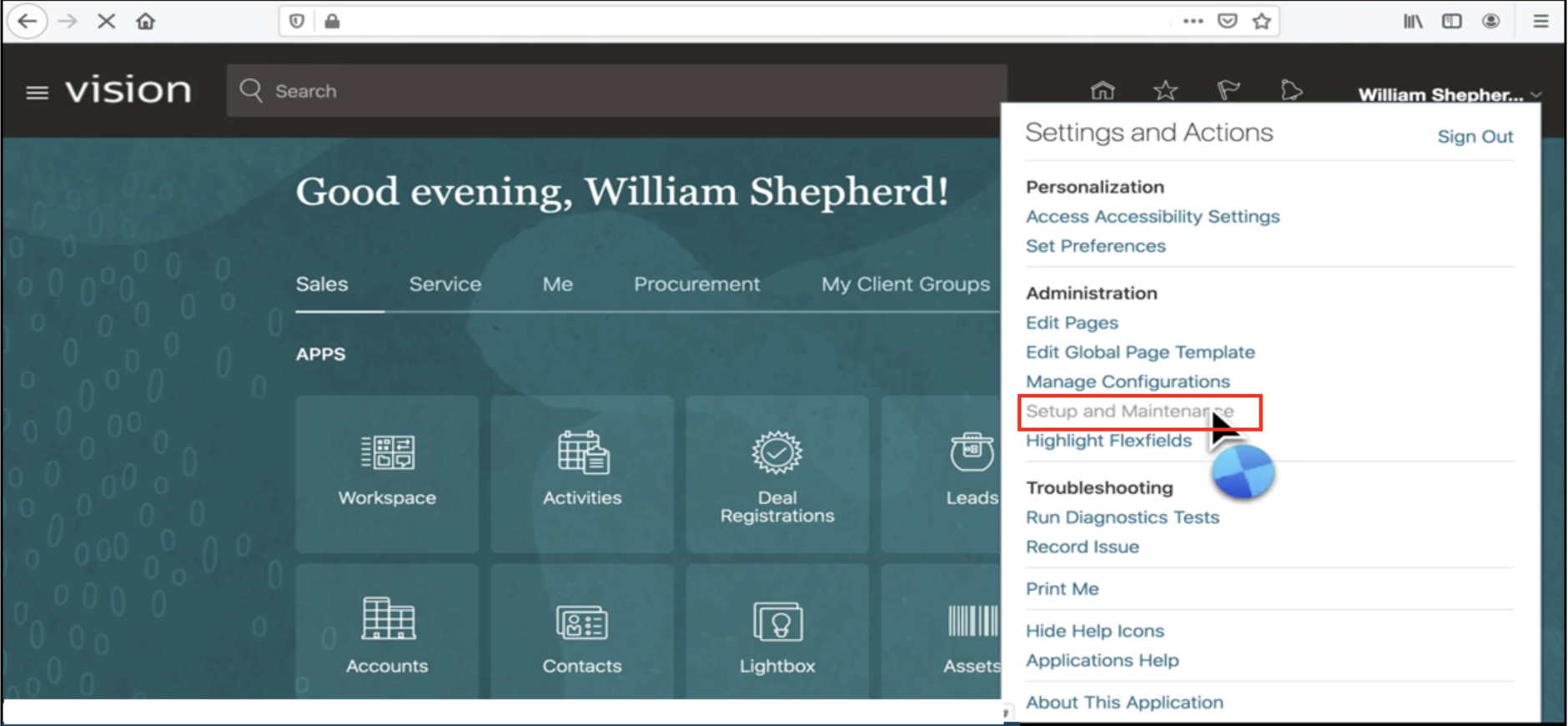
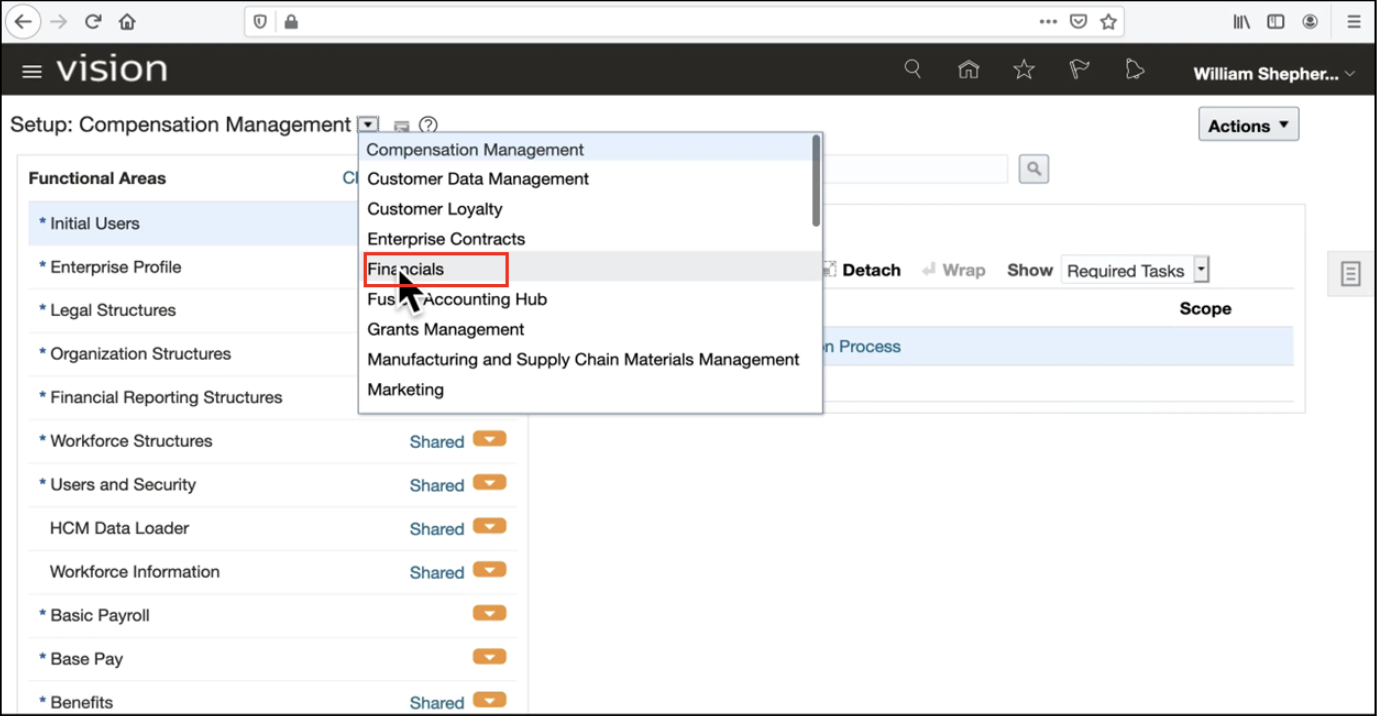
- Navigate to Setup and Maintenance and select Financials.
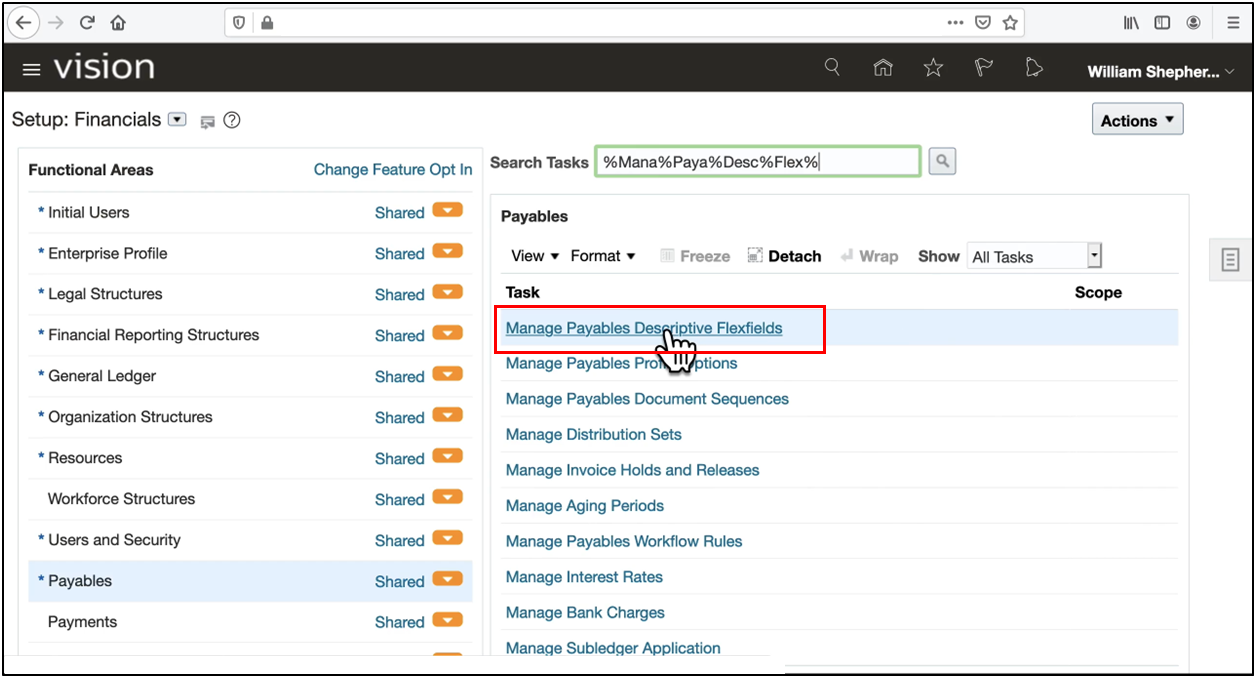
- Search for the task of the "Manage Payables Descriptive Flex Fields" option.
-
Click on the Search button.
-
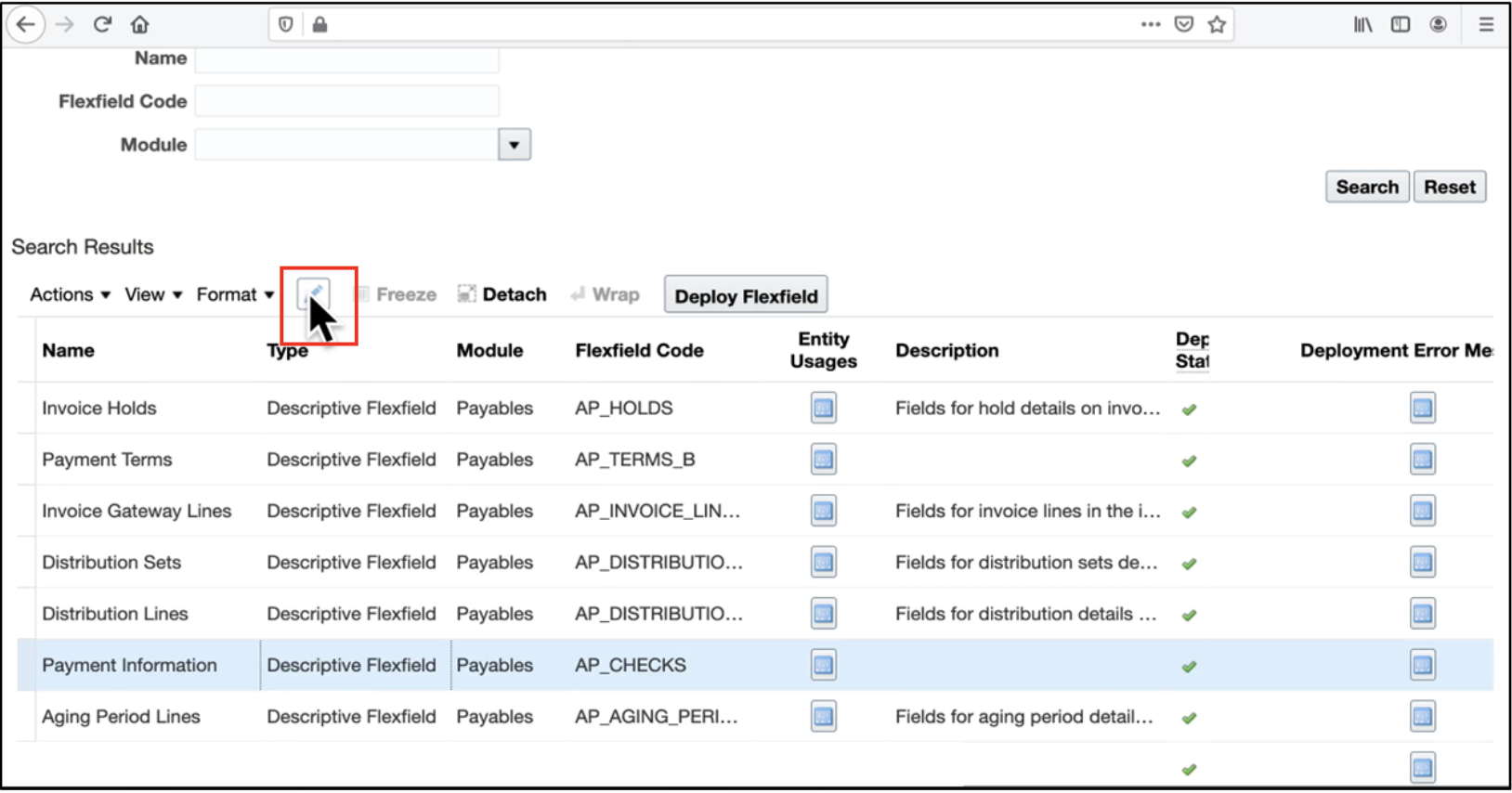
Locate Payment Information (Oracle Fusion Payments DFF) and click Edit to configure the descriptive flex field.
Step 2: Create Global Segments
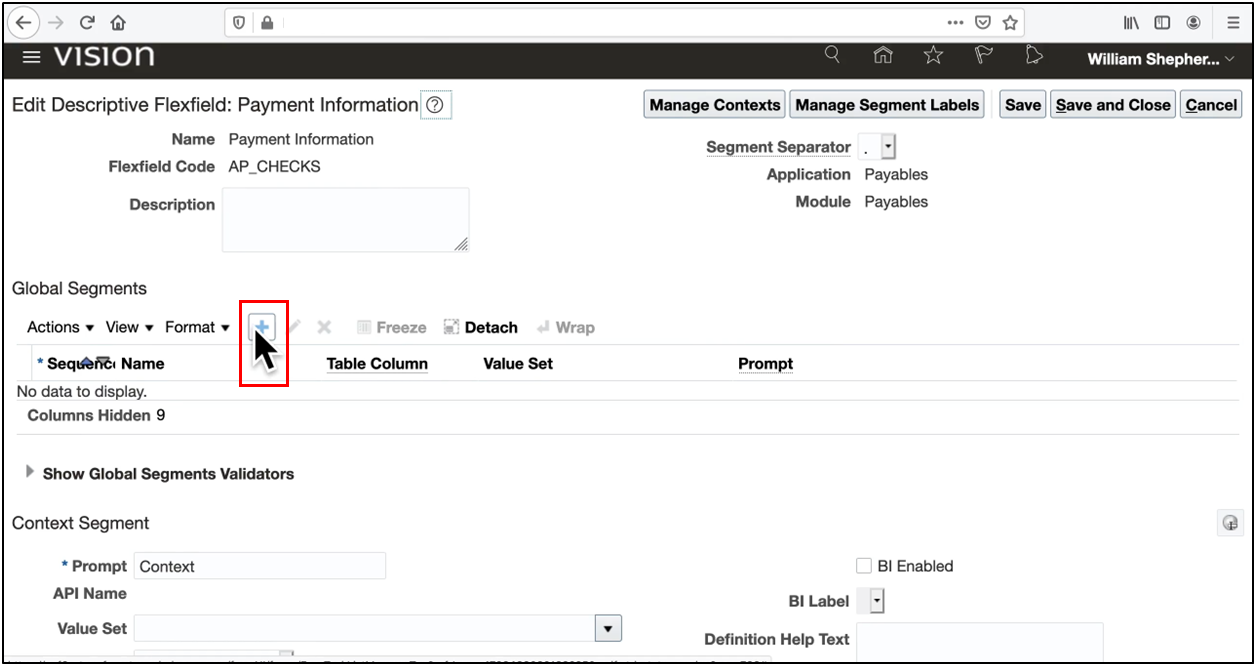
- In the Payment Information descriptive flex field, click the + icon to add a new global segment.
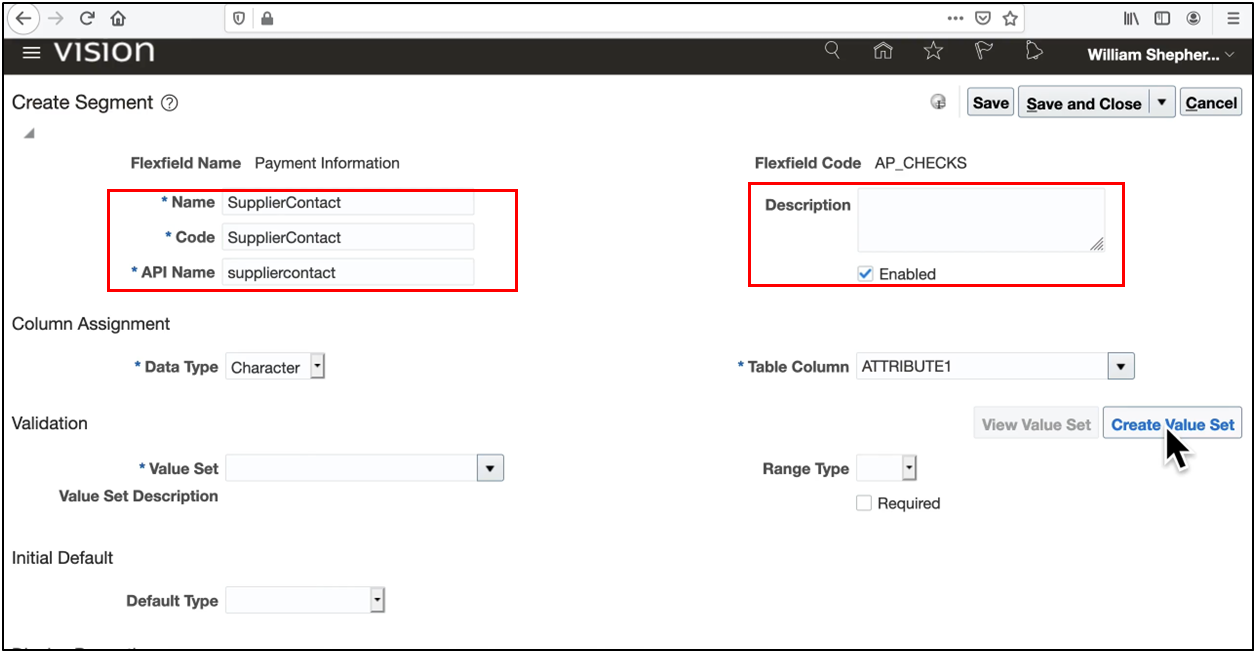
- Enter a name, code, and description (e.g., supplier contact name).
-
Set Data Type to Character.
-
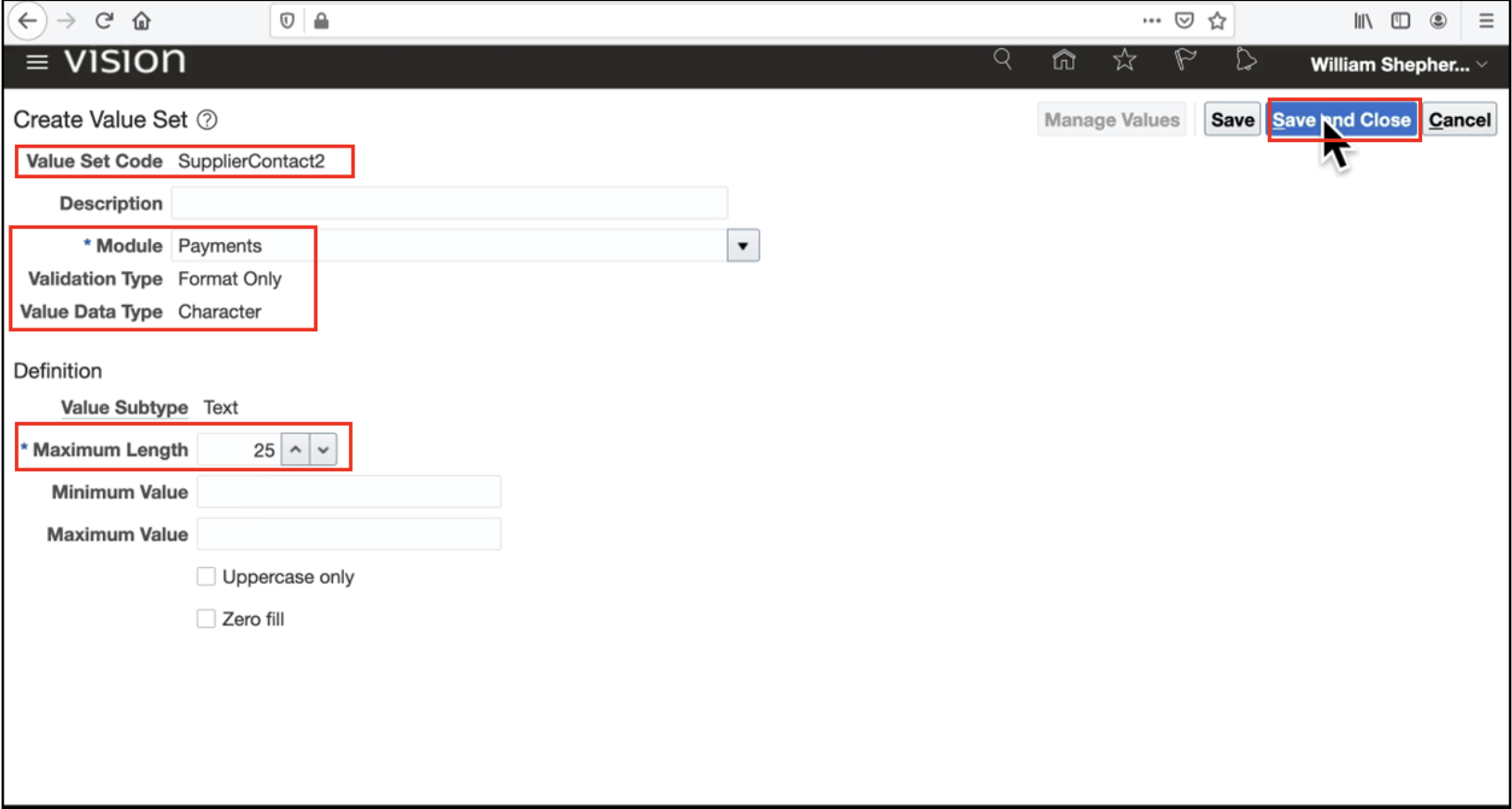
Click Create Value Set, provide a Value Set Code, and select Payments as the Module.
-
Set validation type to format only, subtype to text, and maximum length (e.g., 25 characters).
-
Save and close the value set.
- Set Display Type to Text Box and enter the user-facing prompt.
Repeat for Supplier Contact Identifier (global segment, max length 10 characters).
Save and deploy the DFF Oracle Fusion global segment to become active in Oracle Cloud Payables.
Step 3: Configure Context-Sensitive Segments
- Set the Context Prompt to Supplier Type (your context segment).
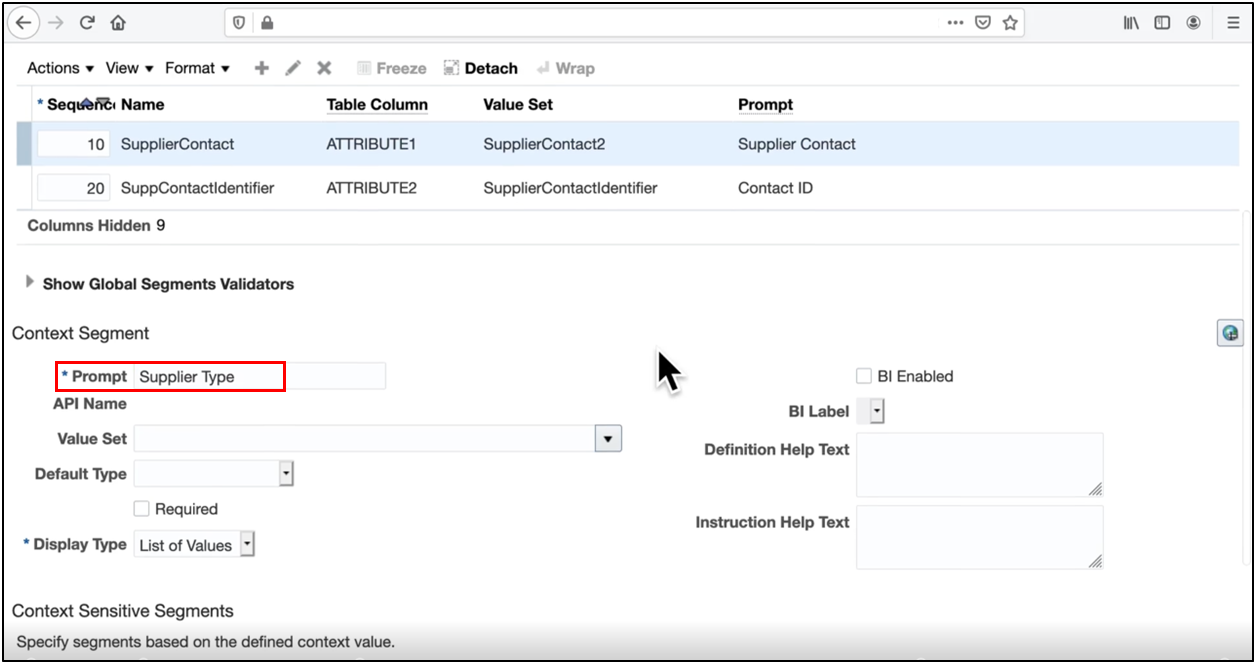
- Click Manage Contexts and create context values: Government, Foreign, and Other.
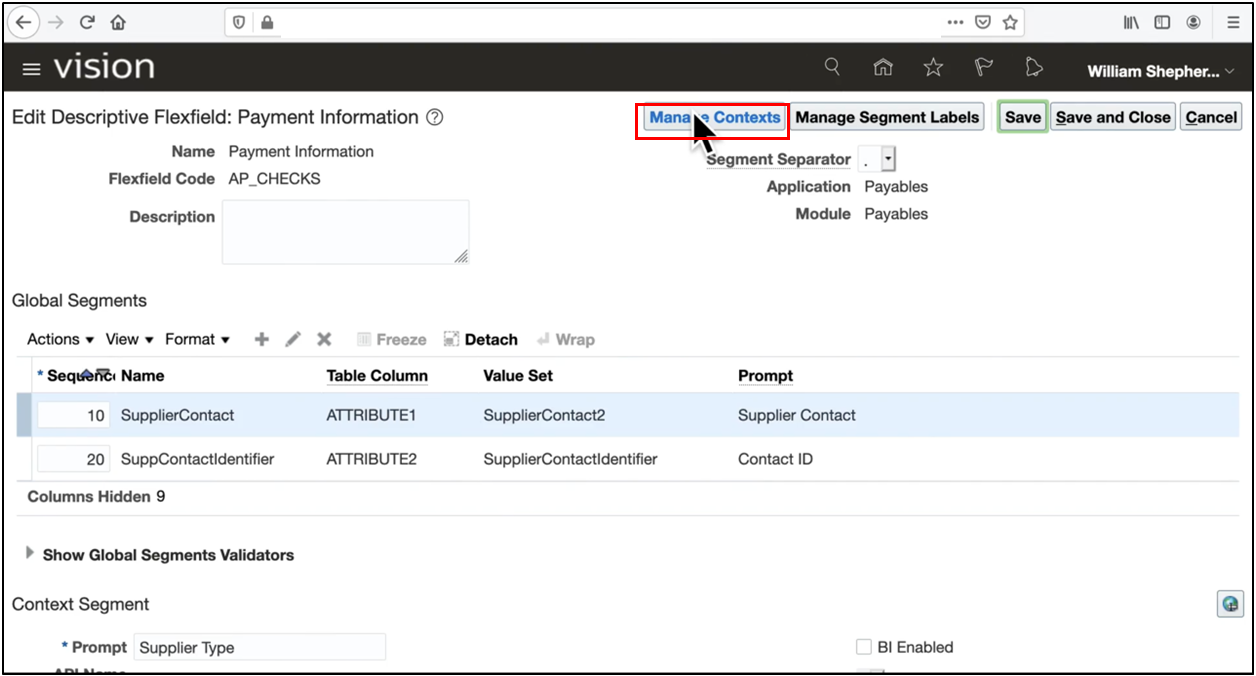
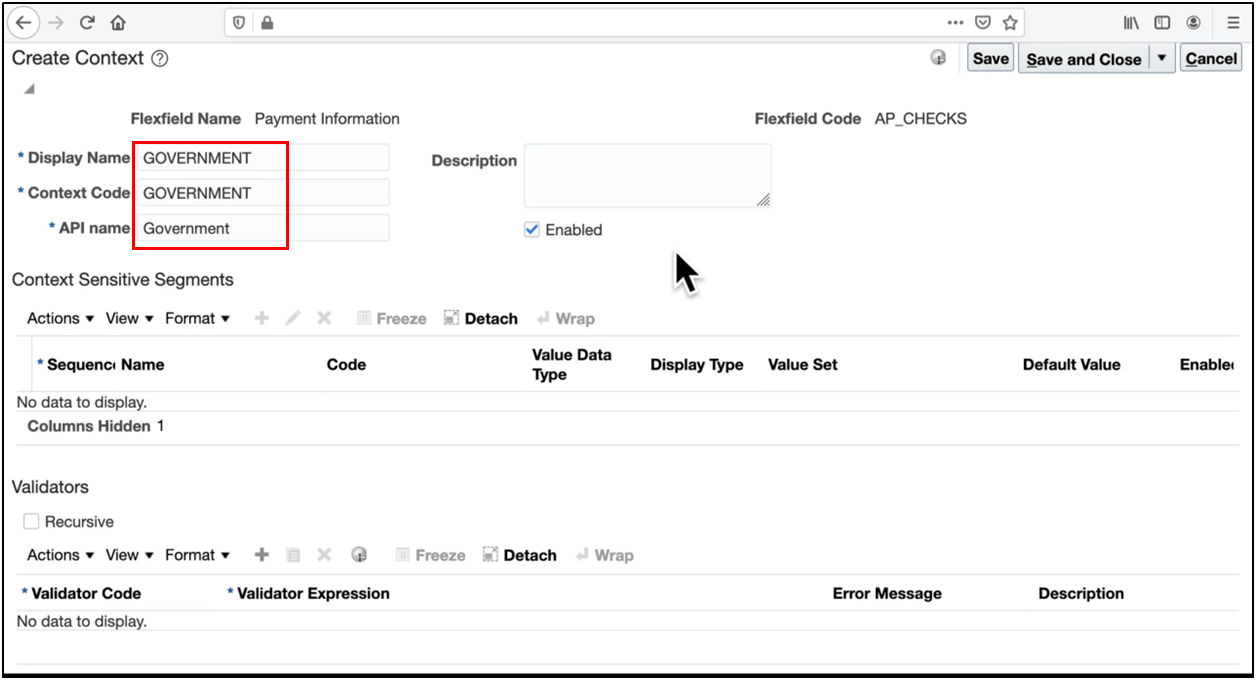
- Click Manage Contexts and create context values: Government.
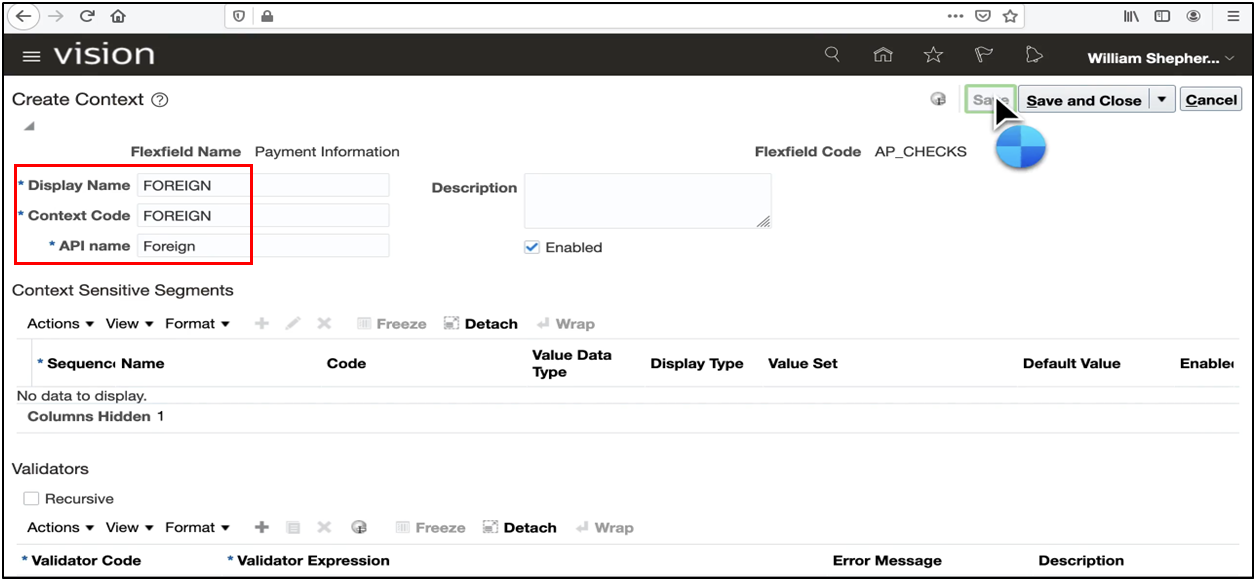
- Click Manage Contexts and create context values: Foreign.
- Click Manage Contexts and create context values: Other
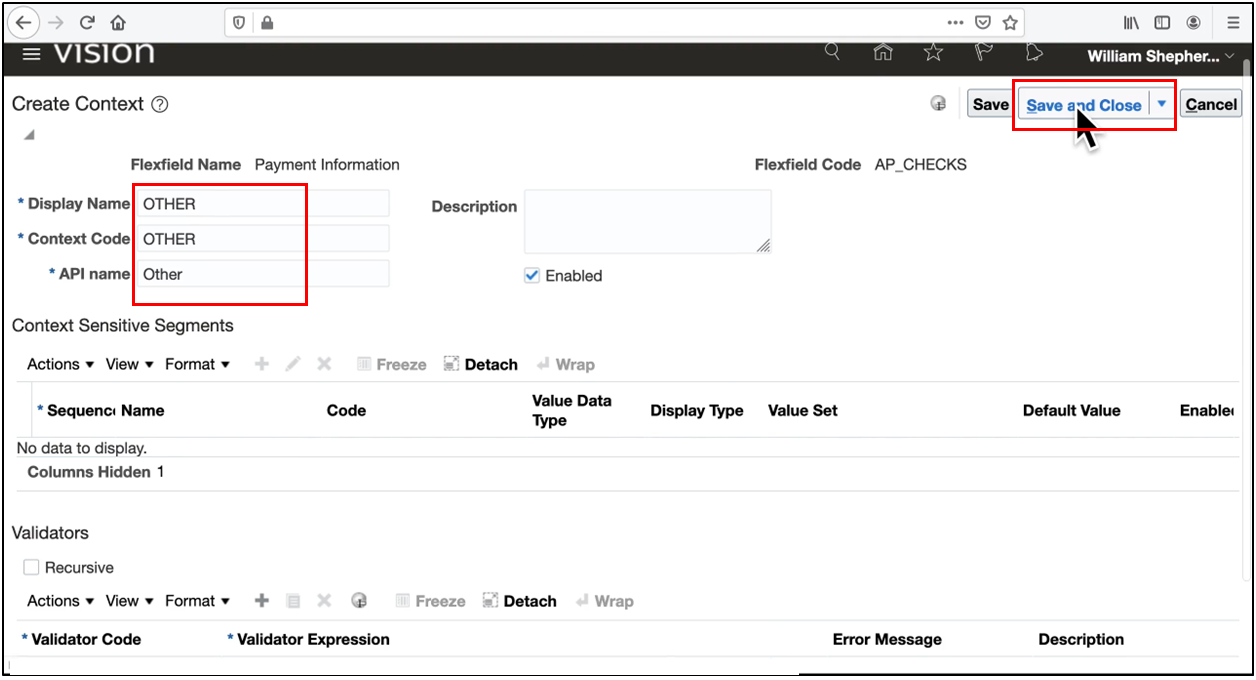
- Define context segments for each:
-
Government (context segment value)
-
Contract Reference ID (free-form text, Format Only)
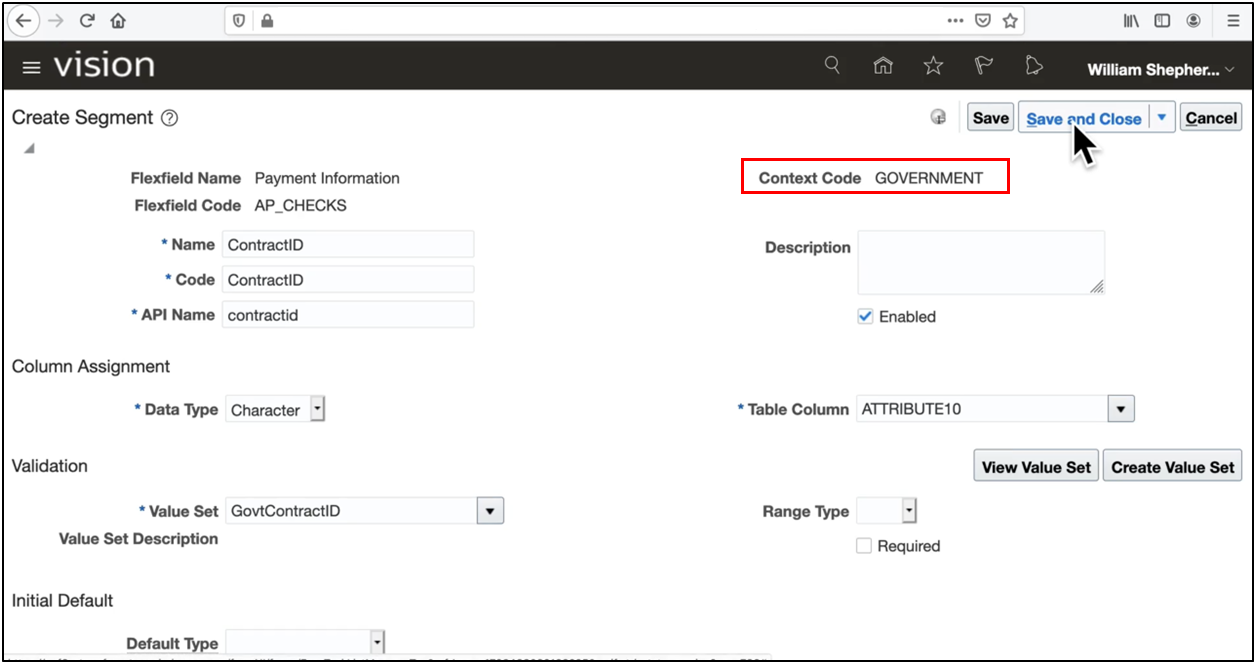
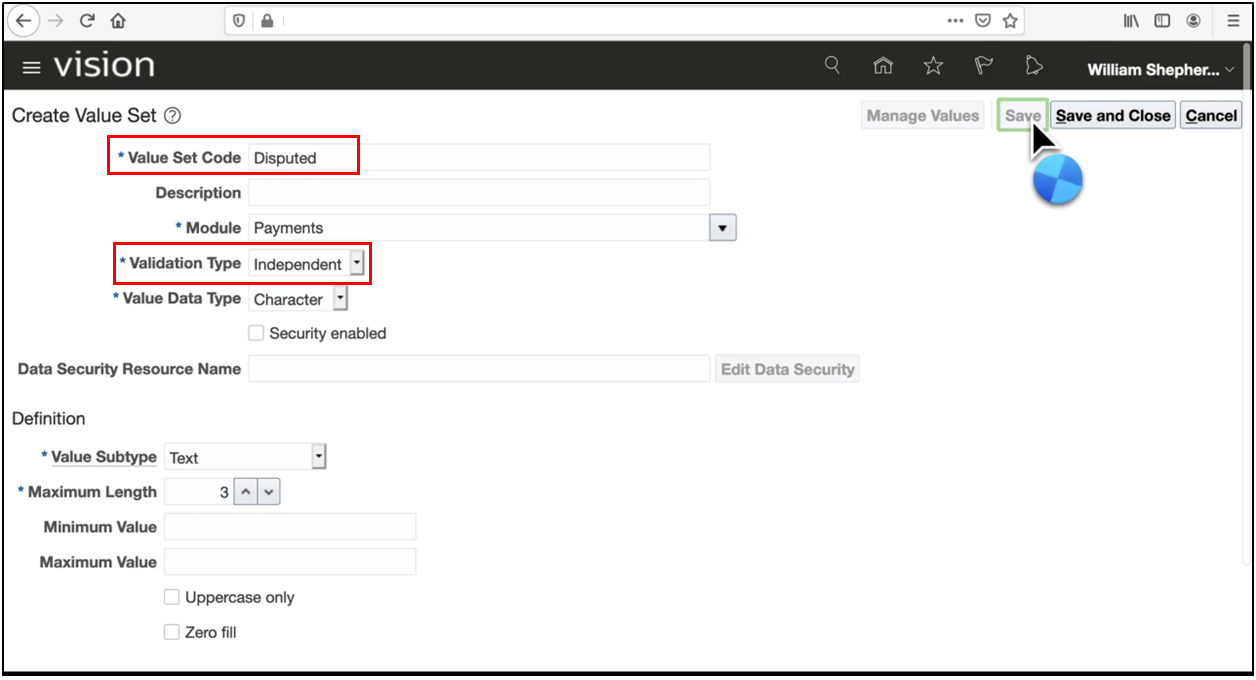
- Payment Under Dispute (dropdown, independent validation)
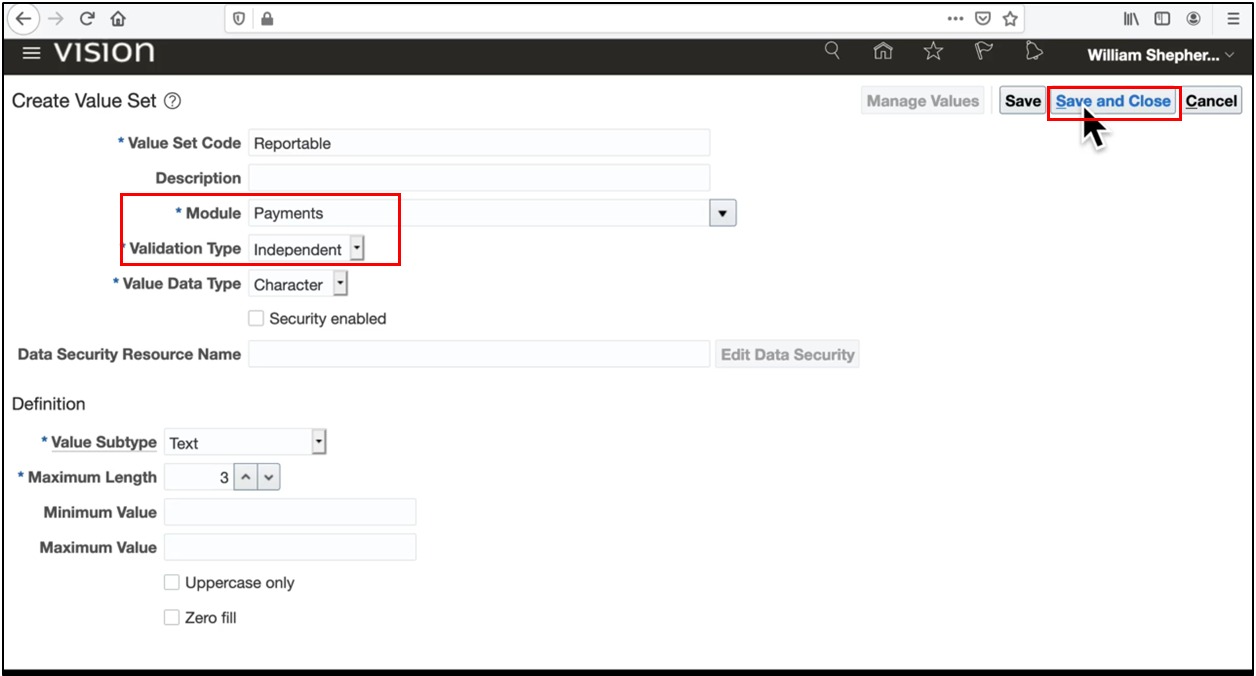
- Payment Reportable (dropdown, Independent)
- Import Reference Number (free-form text)
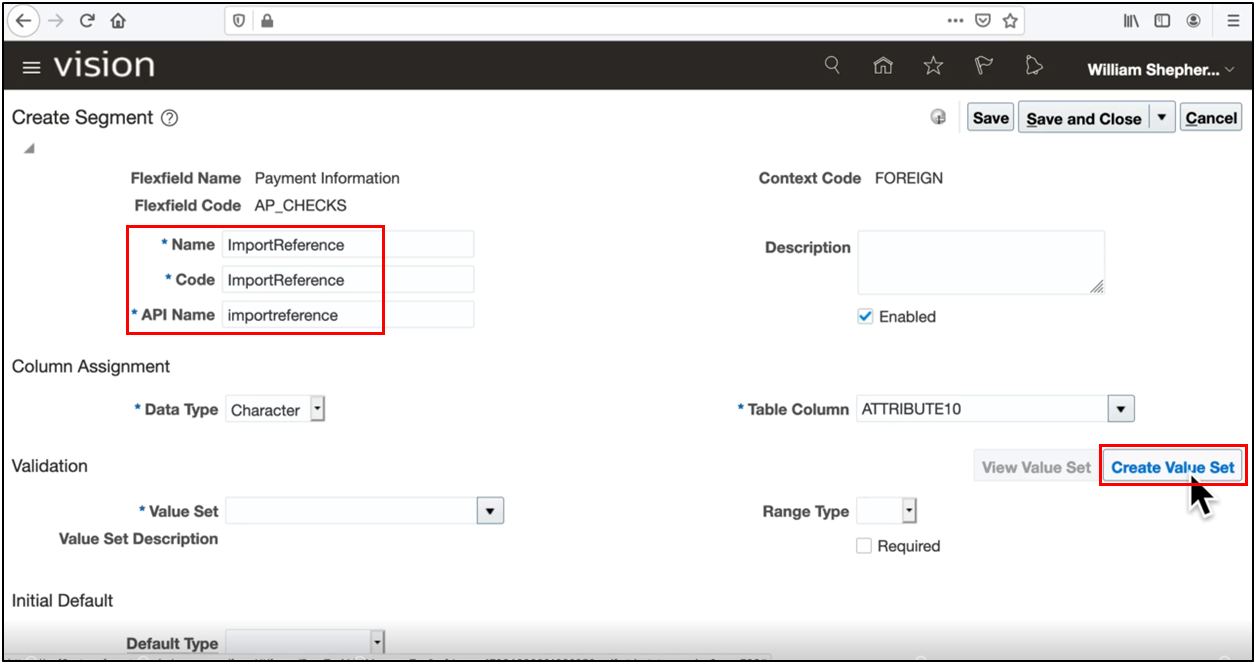
- For each context-sensitive segment, create value sets and deploy the descriptive flex fields.
Step 4: Define Independent Value Set Values
For independent validation dropdowns (context-sensitive segment fields):
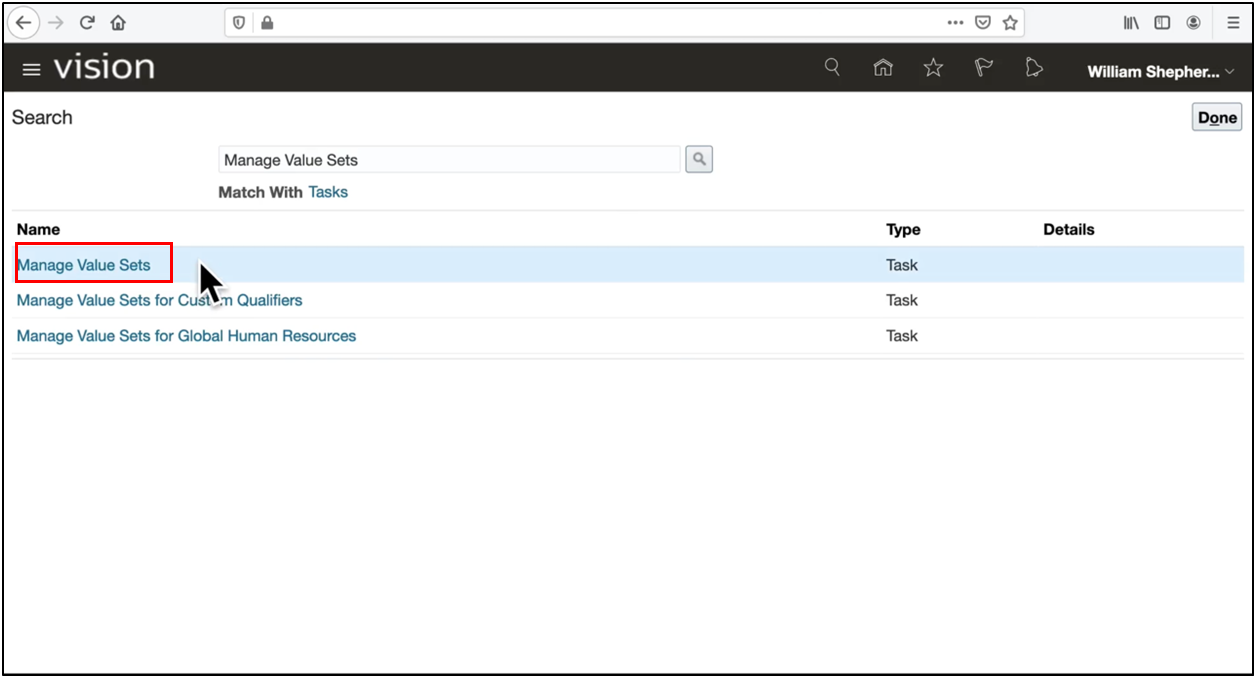
- Open the Manage Value Sets task.
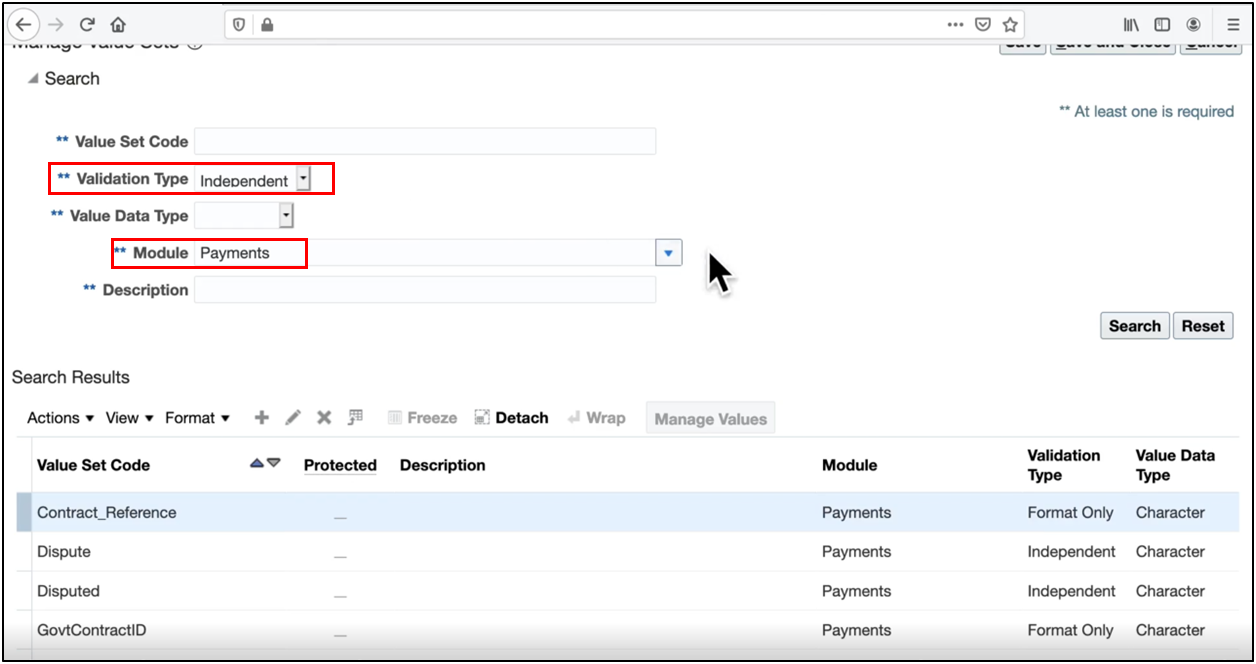
- Filter by the Payments module and independent validation.
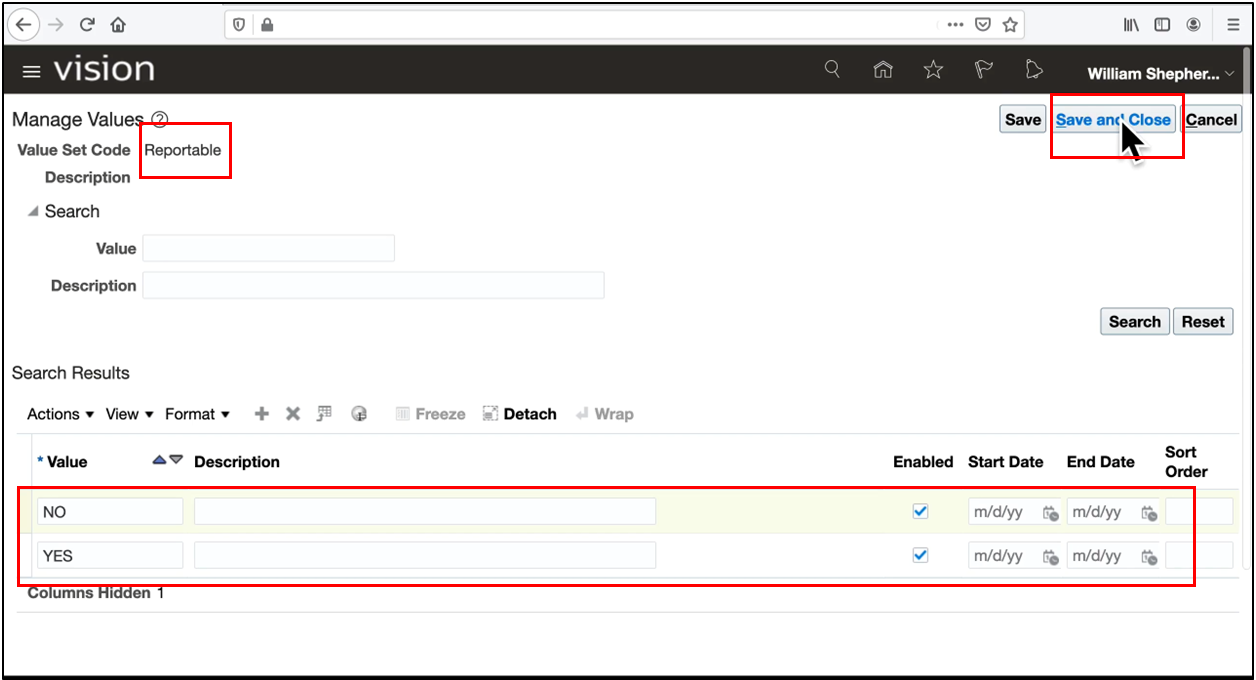
- Add the enabled values YES and NO. It populates the dropdown lists in your Oracle Fusion DFF configuration.
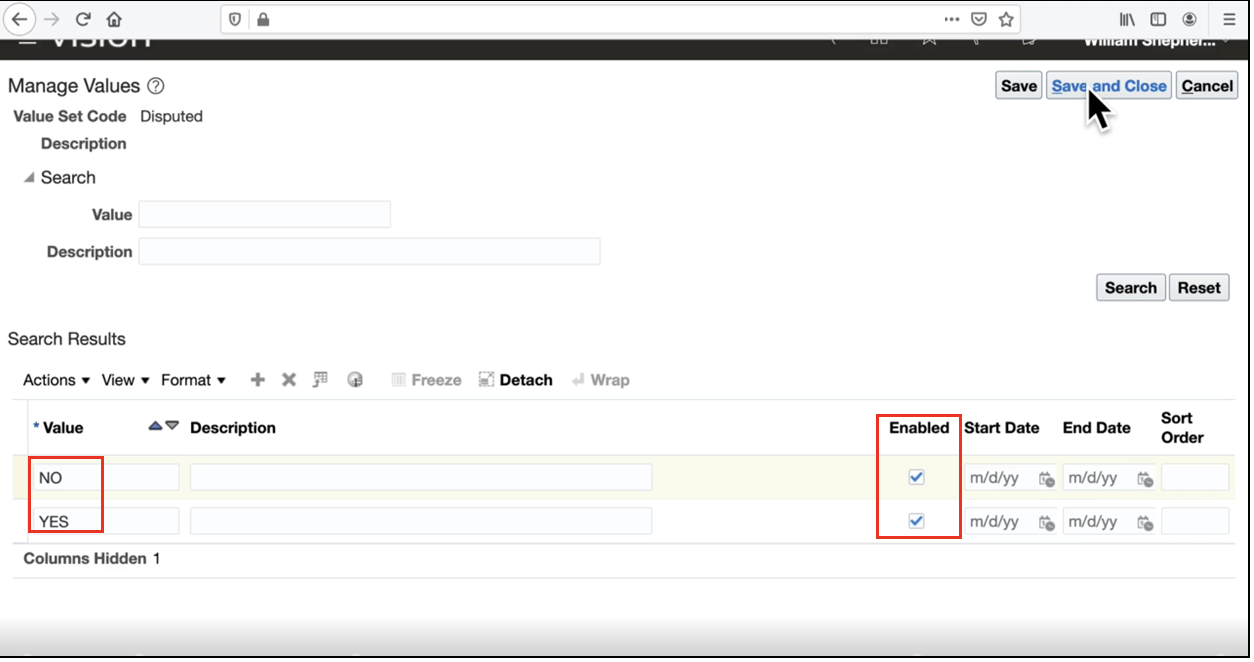
- Apply the same approach to the other value set, namely Reportable
Using Descriptive Flex Fields in Payments
- Navigate to Payments → Create Payment in Oracle Fusion Financials.
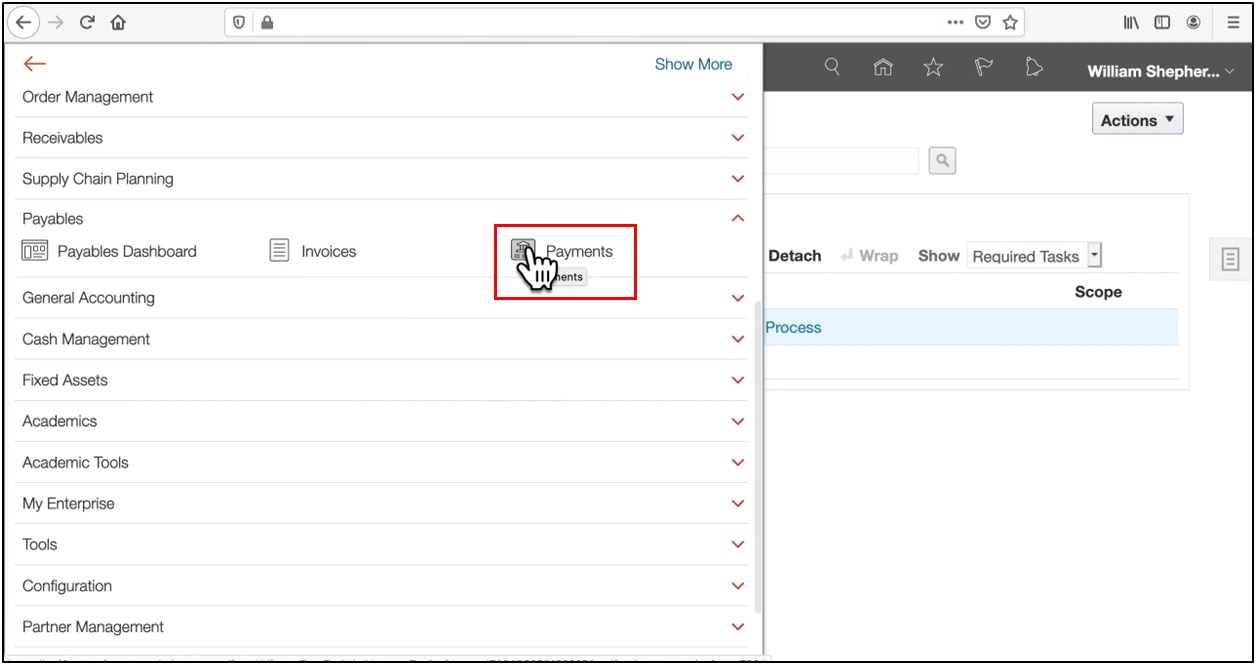
- Click the task and select Create Payment, then choose the business unit, supplier, and supplier site
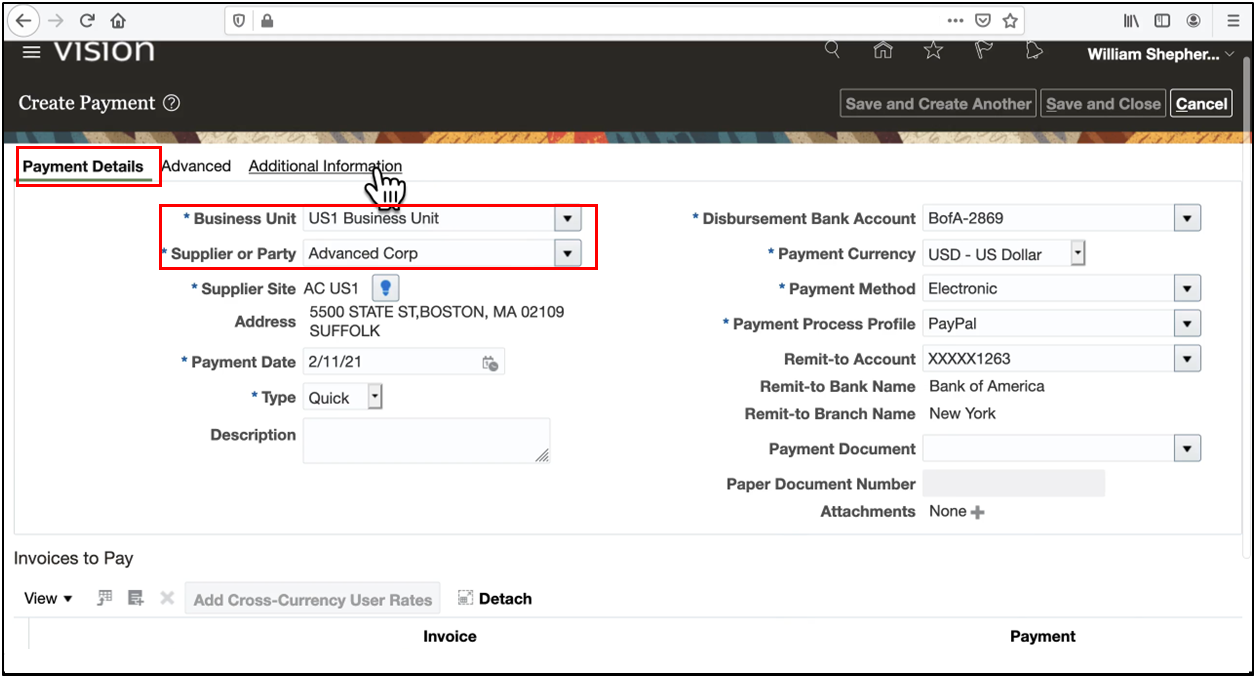
- In the Additional Information tab, you will see:
- Enter all required details according to the values shown in the image
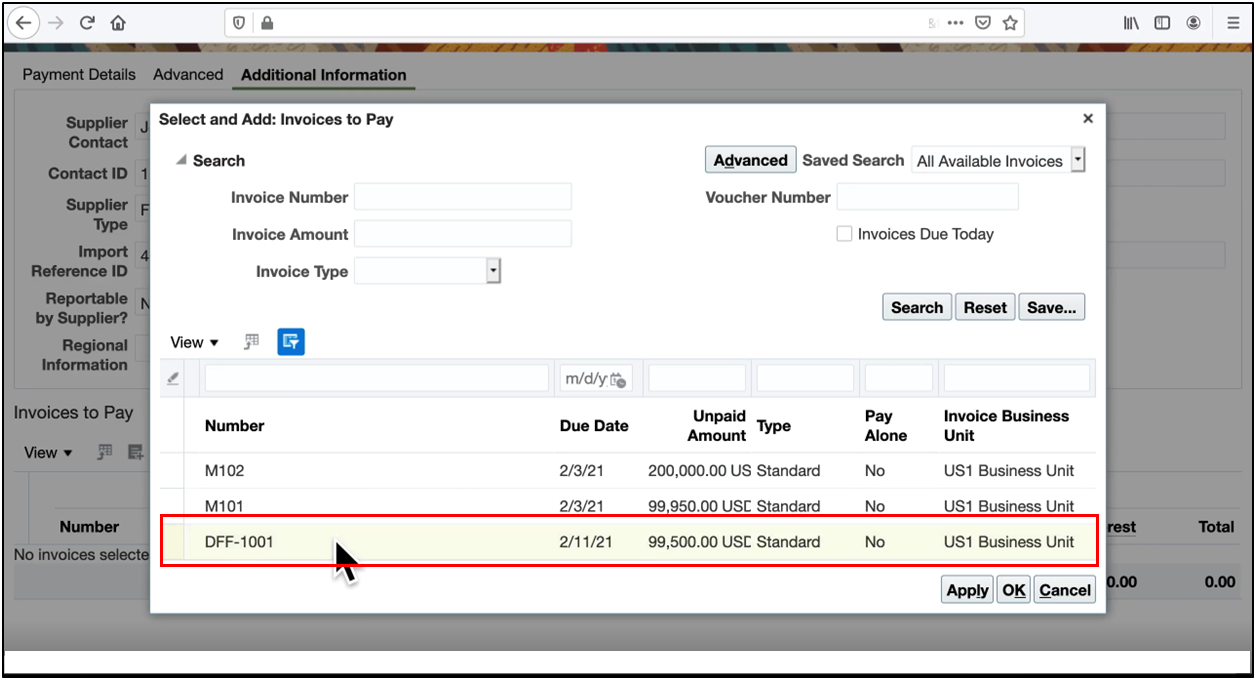
- Select an invoice to pay
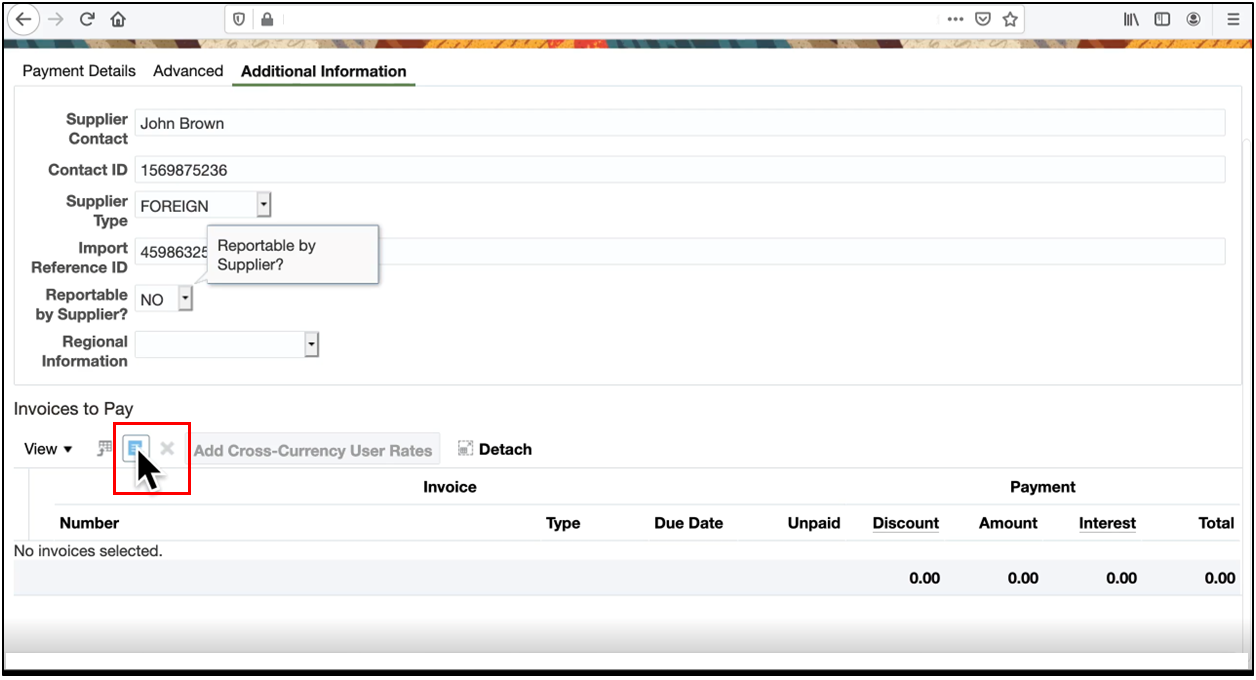
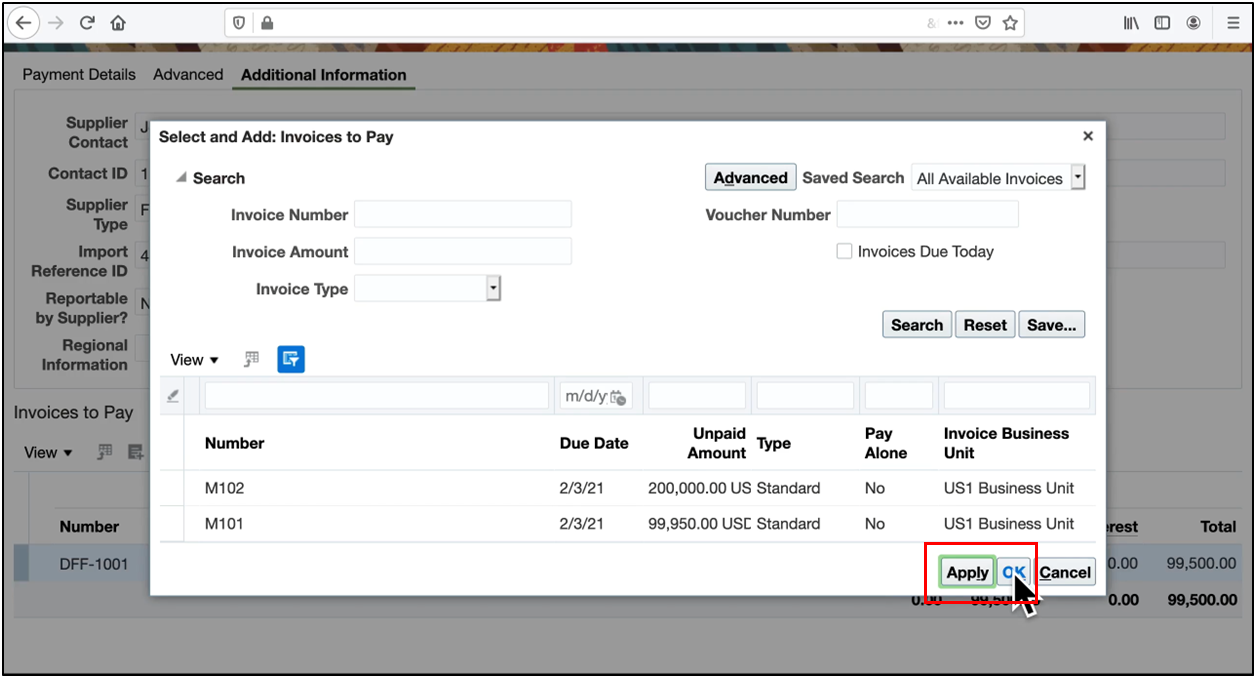
- Click Apply
- Click OK
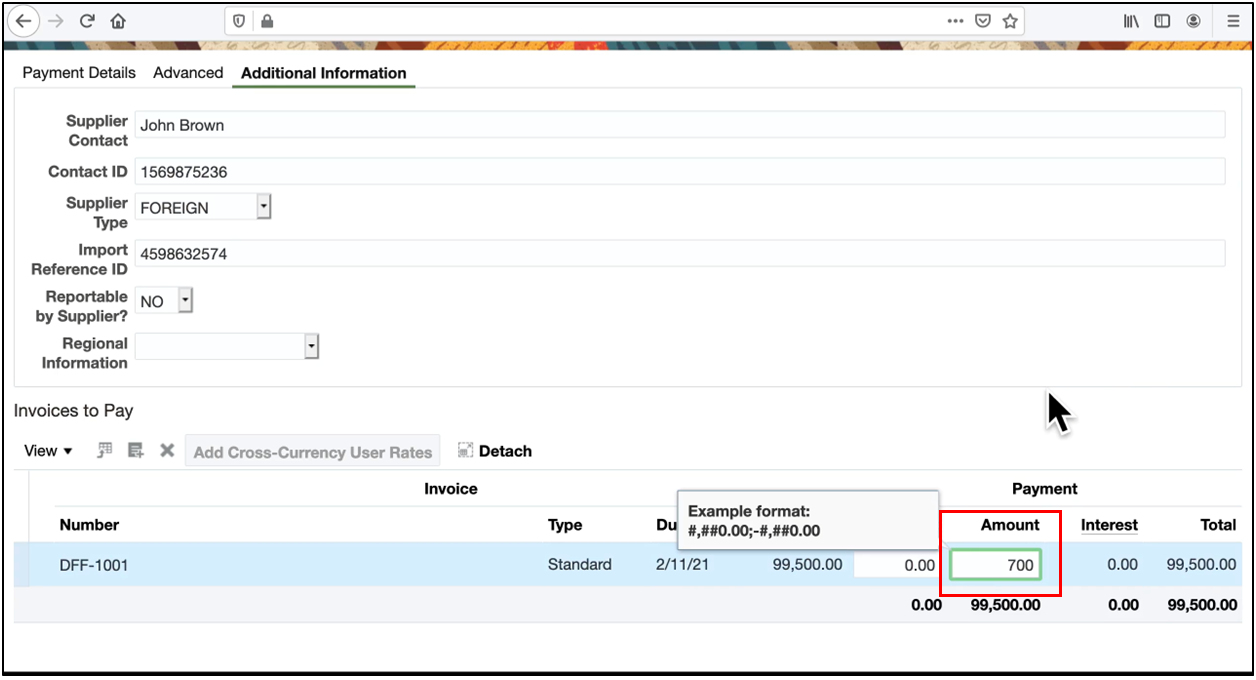
- Enter the amount of the payment
- Note the system-generated payment number
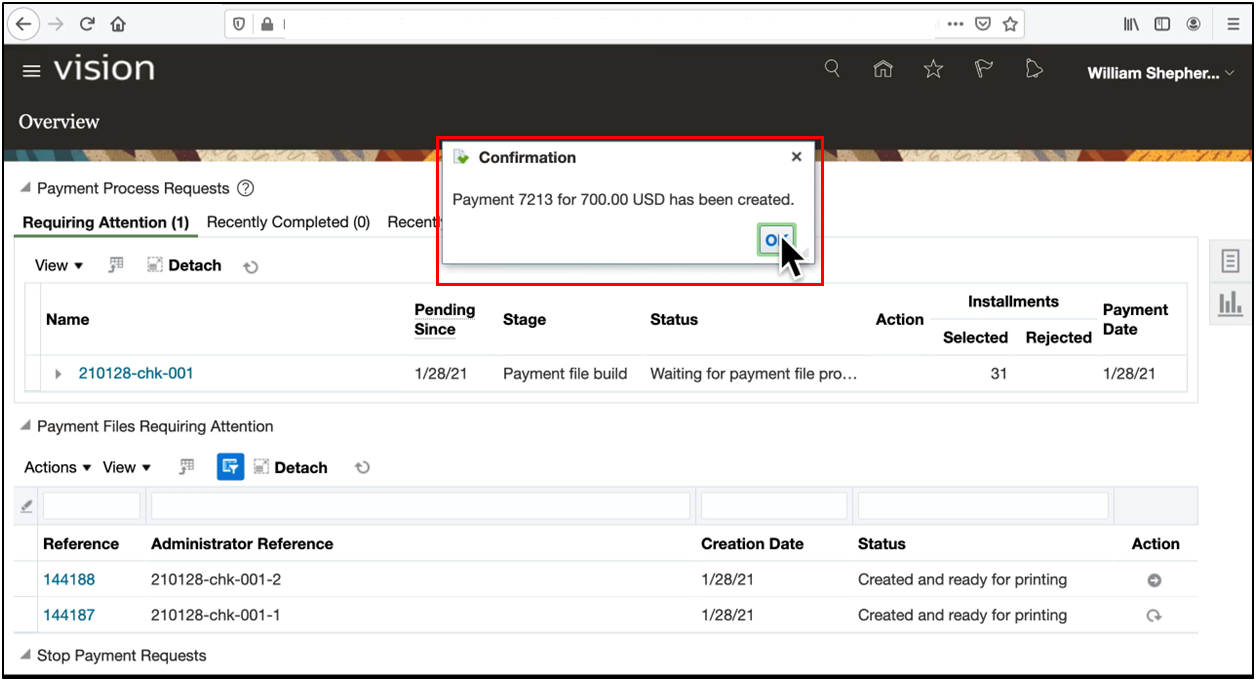
Selecting Government reveals its context-sensitive segments.
Optimizing Searches with Descriptive Flex Fields
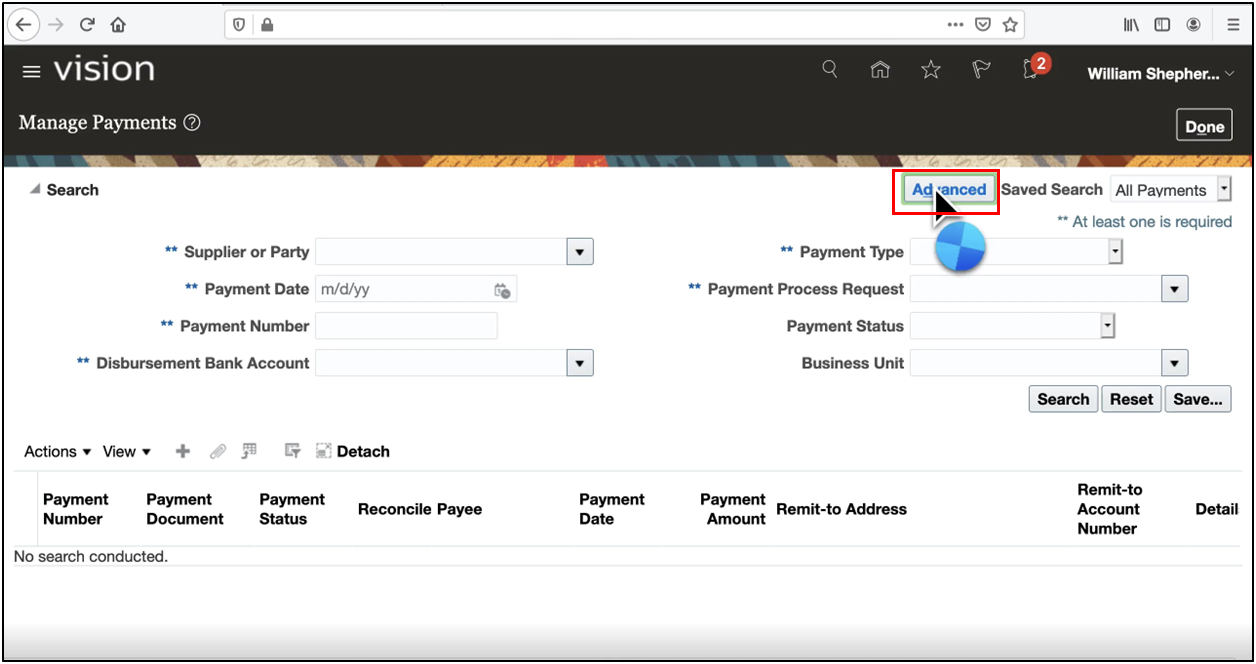
- Go to Manage Payments → Advanced Search
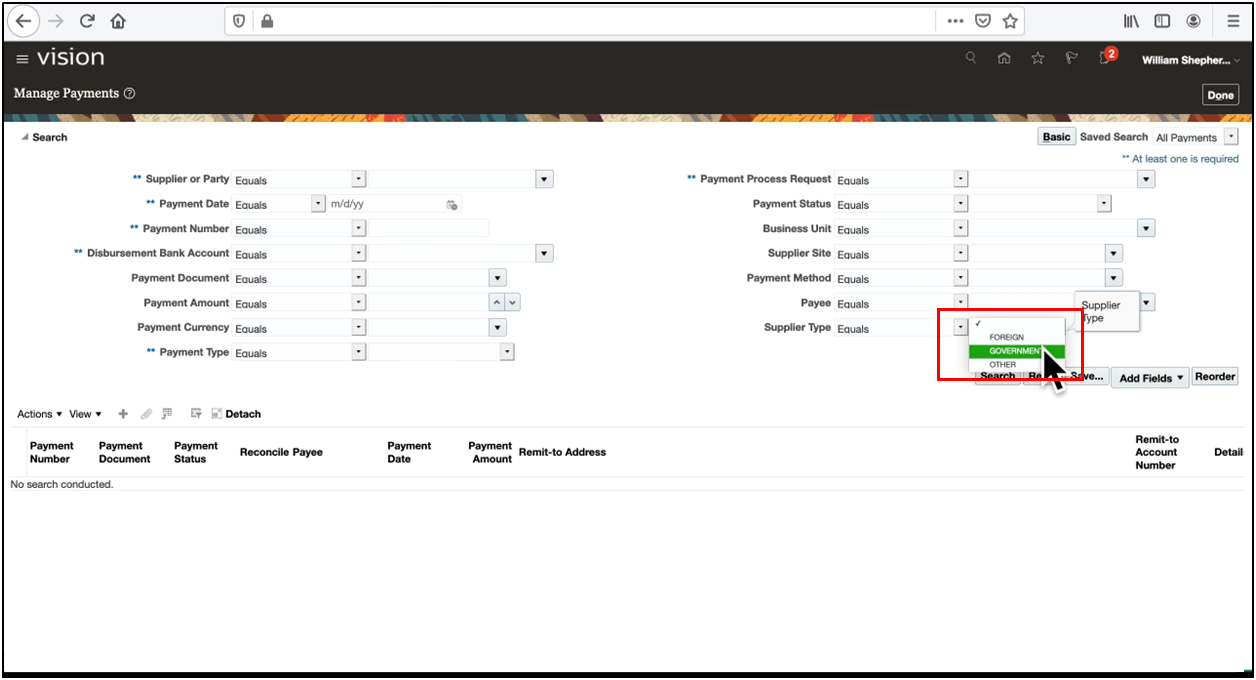
- Select a context value: Government
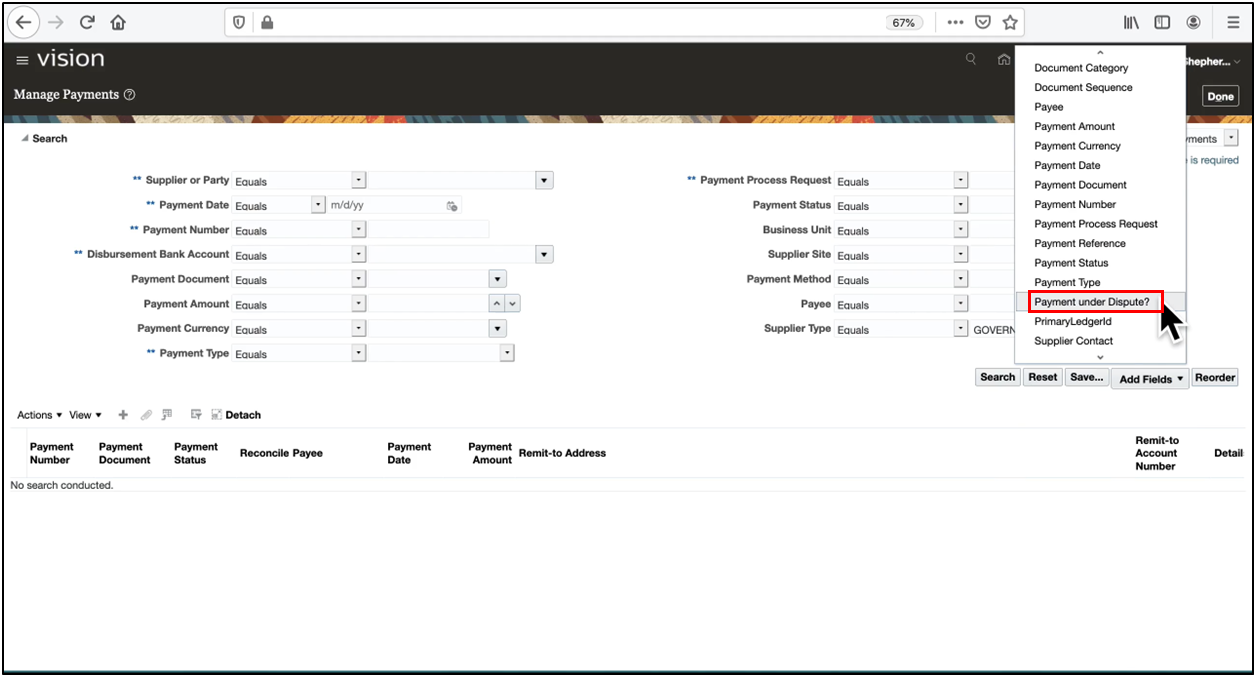
- Add fields related to descriptive flex field attributes (for example, Payment Under Dispute or Import Reference Number)
- Click on Search
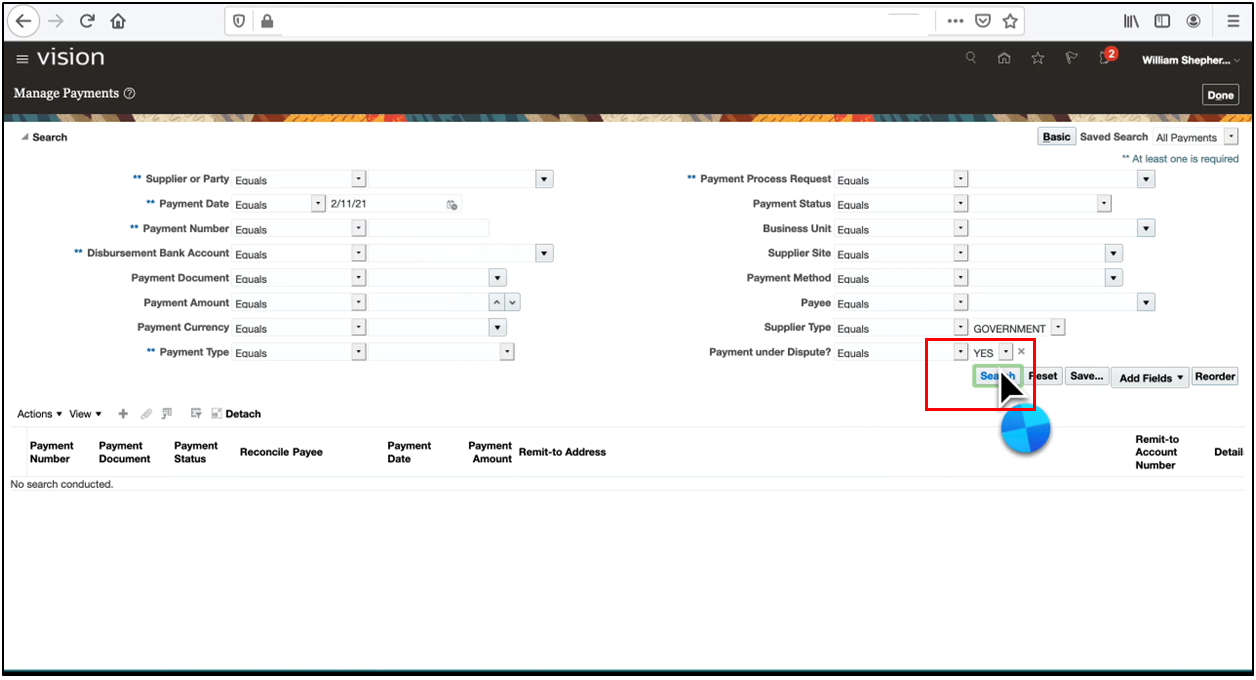
- Manage Payments—Search Results Displayed
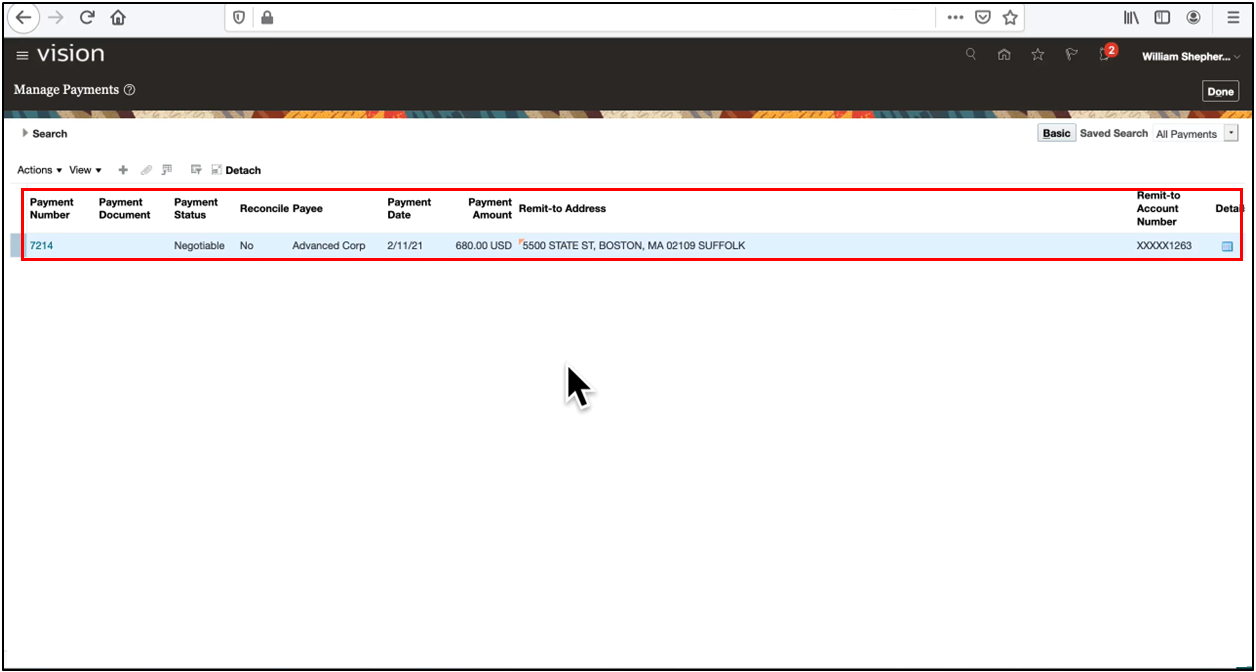
- Filter results using context segment values and context-sensitive segment data to locate payments quickly.

Conclusion
Descriptive Flex Fields (DFF), global segments, context segments, and context-sensitive segments make Oracle Fusion Payments and Oracle Fusion Payables highly flexible for business-specific requirements across Oracle ERP Cloud. By using global and context-sensitive segments, Oracle Fusion Payments DFFs allow businesses to capture critical information efficiently, streamline data entry, and improve reporting accuracy. To master DFF configuration alongside end-to-end Financials module setup, check out the Oracle Fusion Financials Training at OEG.