
A Step-by-Step Guide to Accounts Payable and Fixed Asset Accounting
In Oracle Cloud ERP, the integration between accounts payable and fixed assets is a critical part of modern asset accounting. For accounts payable accountants in large organizations, managing capital purchases within cloud-based payables systems is essential for maintaining financial control, compliance, and audit readiness.
The accounts payable cycle does not end with an invoice or payment and continues into fixed asset accounting. When the purchase involves capital assets, the transaction must seamlessly flow into fixed asset management. Oracle Fusion delivers this capability by tightly integrating Oracle Payables and Fixed Assets, ensuring a streamlined and reconciled accounting process. For hands-on training covering this entire AP-to-FA flow and more, explore the Oracle Fusion Financials Training at OEG.
What Is FA–Payables Integration?
Capital asset acquisitions, including laptops, vehicles, and machinery, originate in Oracle Fusion Payables (AP) as payable invoices. In the absence of integration, a payables accountant would be required to manually duplicate this information in the fixed asset system, which increases the likelihood of data inconsistencies and errors.
Through FA–Payables integration, invoice lines can be flagged as asset-related, which streamlines the overall process. Once identified, Oracle automatically transfers the cost information to fixed asset accounting software through the Create Mass Additions process, ensuring accurate capitalization within the fixed asset management system.
Key Benefits of AP to FA Integration
| Benefit | Description |
|---|---|
| Accurate AP Processing | Minimizes duplicate entries between accounts payable and asset accounting. |
| Audit-Ready Traceability | Maintains a seamless audit trail from the initial vendor invoice through to the capitalization of the asset. |
| Process Efficiency | Accelerates asset creation through automated, bulk processing. |
| Financial Governance | Strengthens financial control by linking payments directly to capitalized assets and depreciation schedules. |
Phase 1: Creating and Validating the Payables Invoice
The process begins with Oracle Payables, which forms the foundation of the payable cycle.
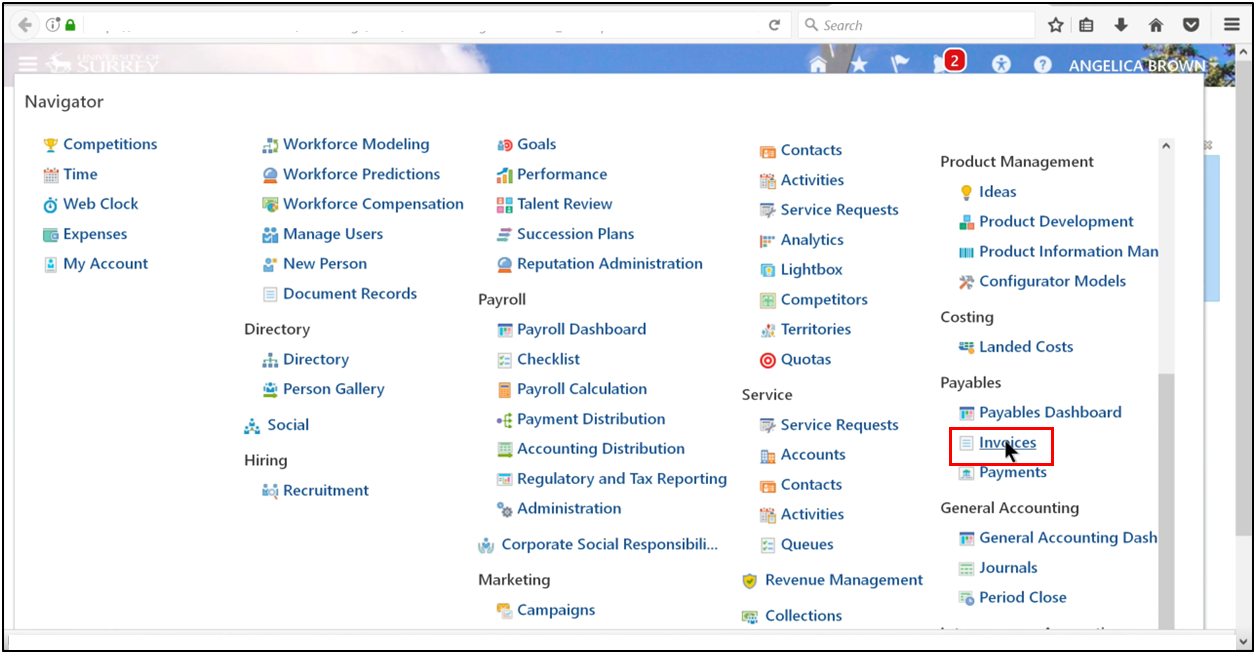
Step 1: Navigate to Invoices
- Navigator → Payables → Invoices
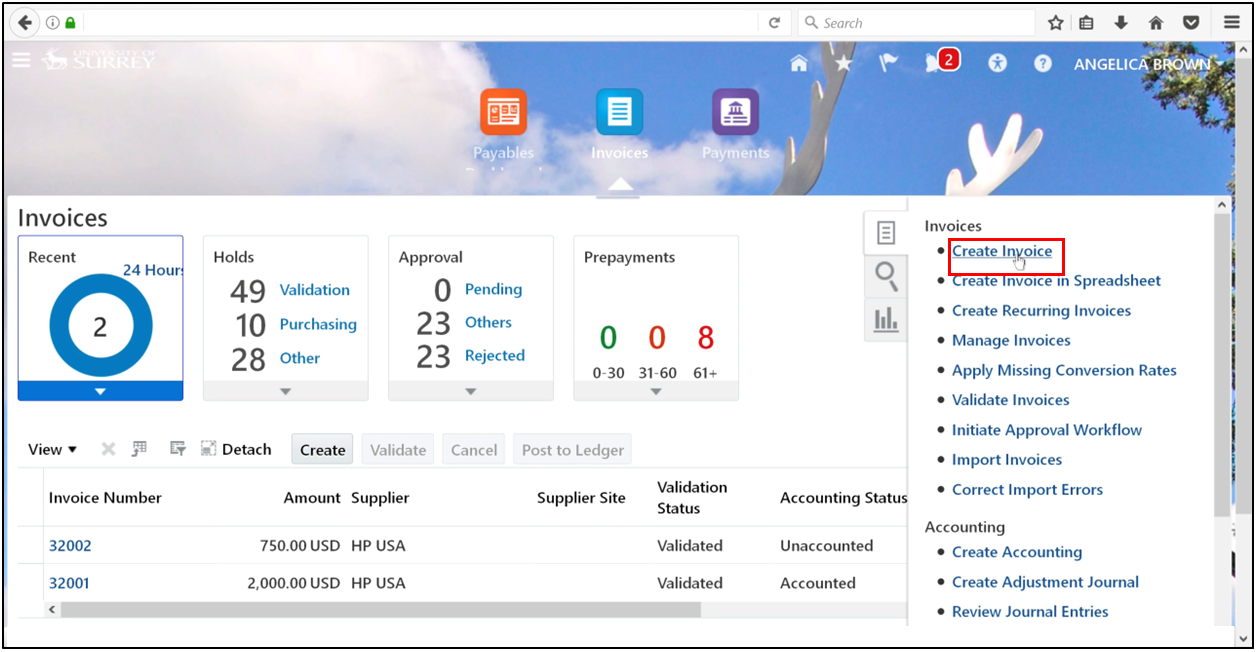
- Open the Task Pane and click Create Invoice
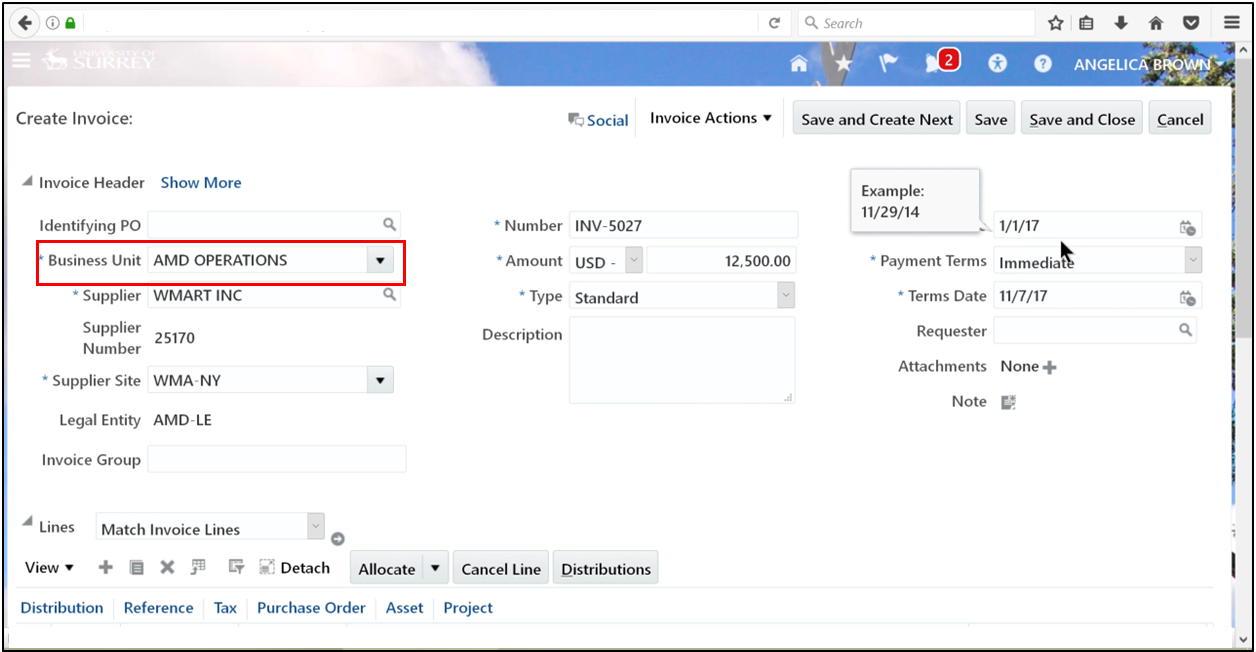
Step 2: Enter Invoice Header Details
- Select the business unit.
-
Enter a unique invoice number
-
Ensure the invoice date falls within an open fixed assets period
Step 3: Enter Invoice Lines
- Enter the invoice amount
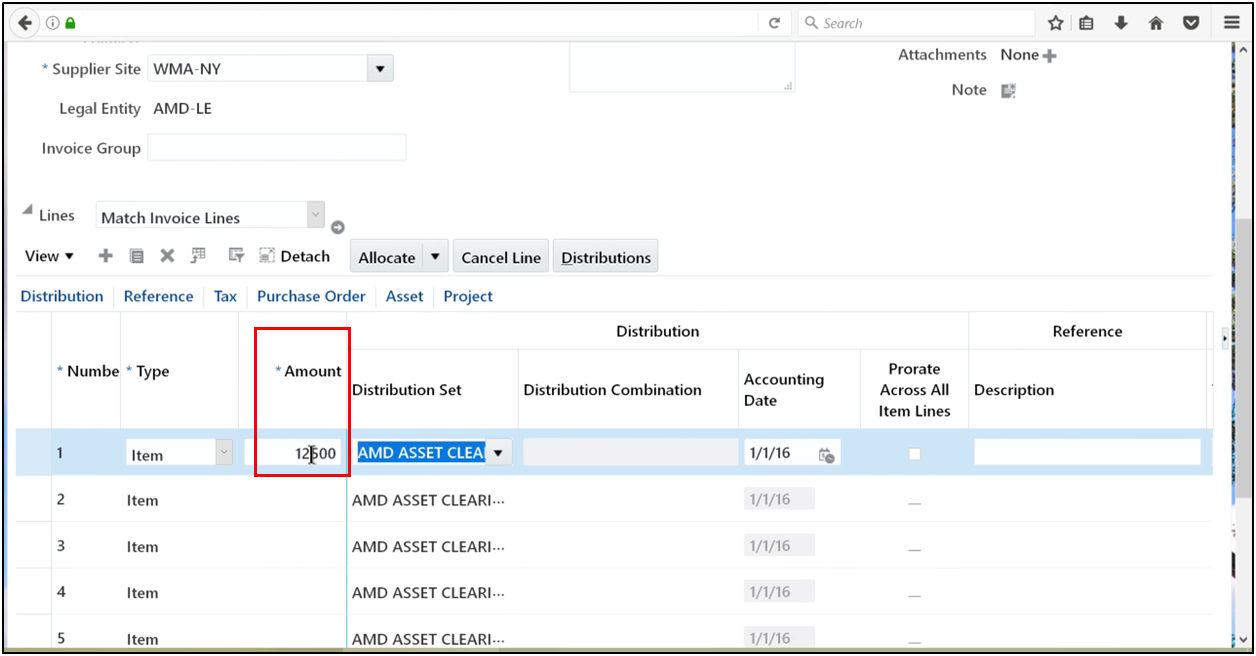
- Confirm the Asset Clearing distribution defaults correctly
Step 4: Enable Asset Tracking
- Open the Asset tab
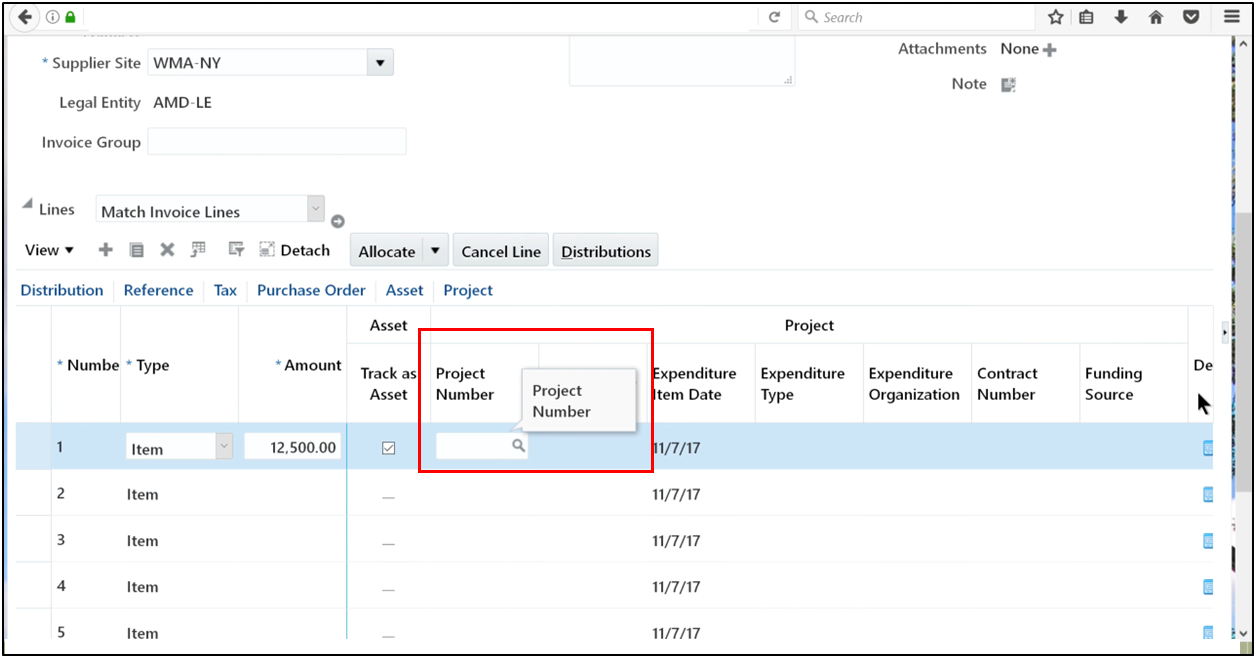
- Select Track as an Asset
This step identifies the line as part of asset accounting and enables transfer to the fixed asset accounting system.
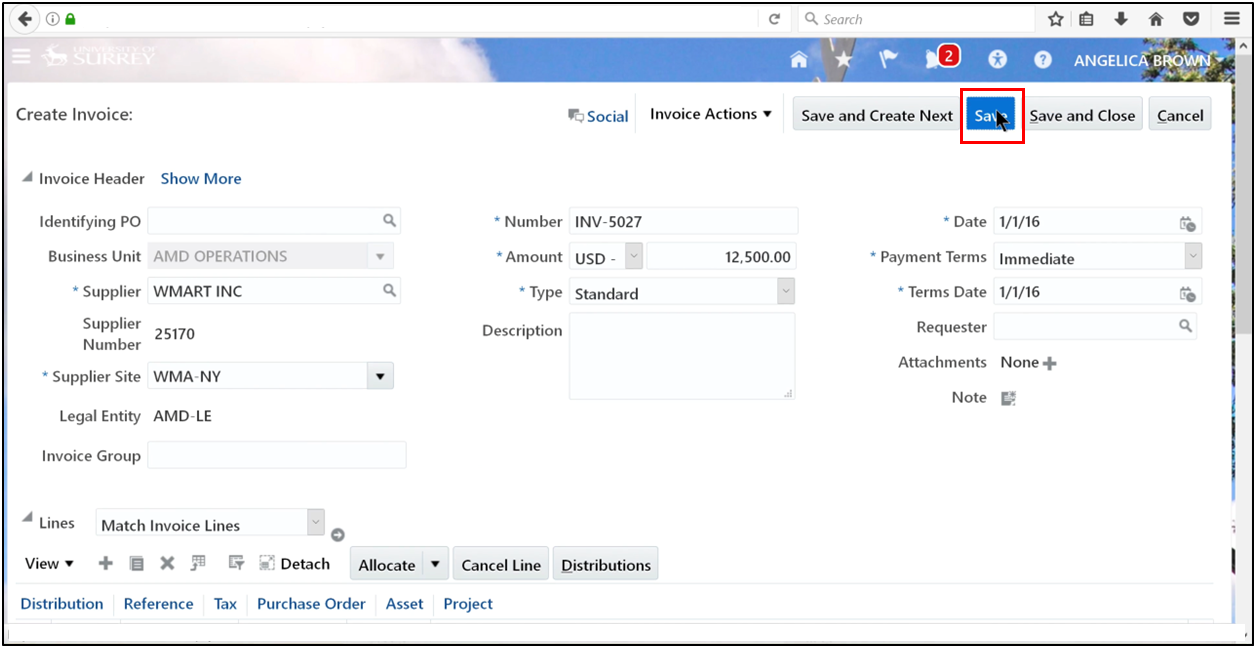
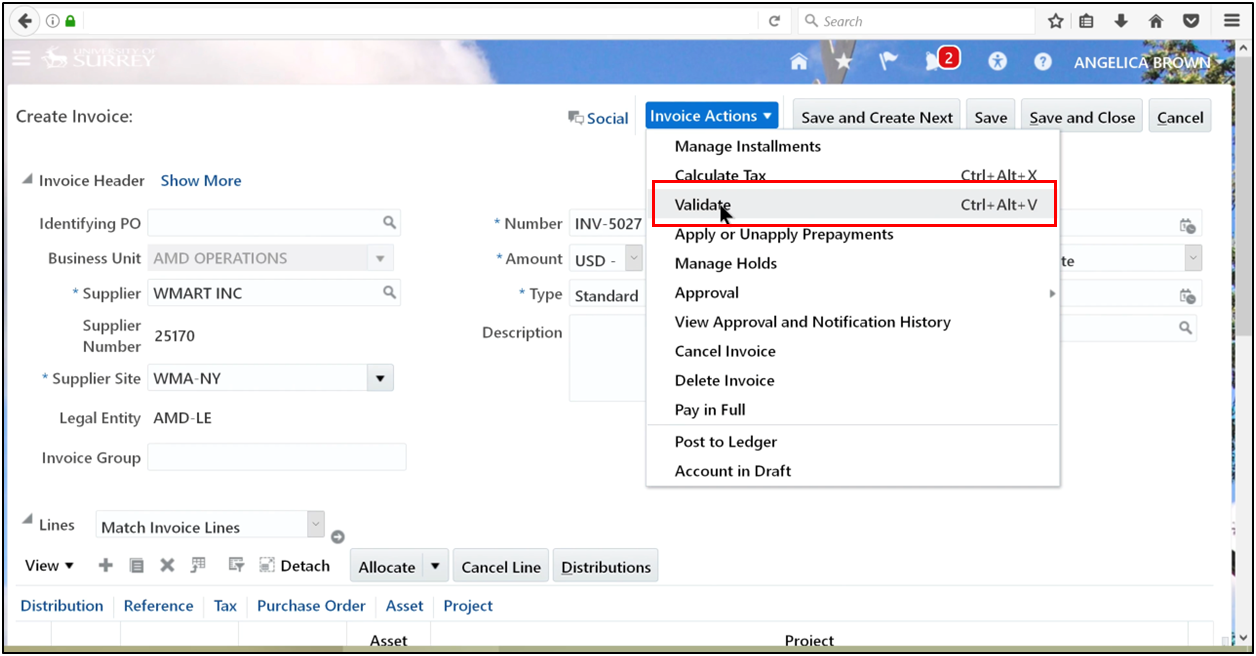
Step 5: Validate and Approve
- Save the invoice.
- Validate the invoice.
-
Approve the AP transaction.
-
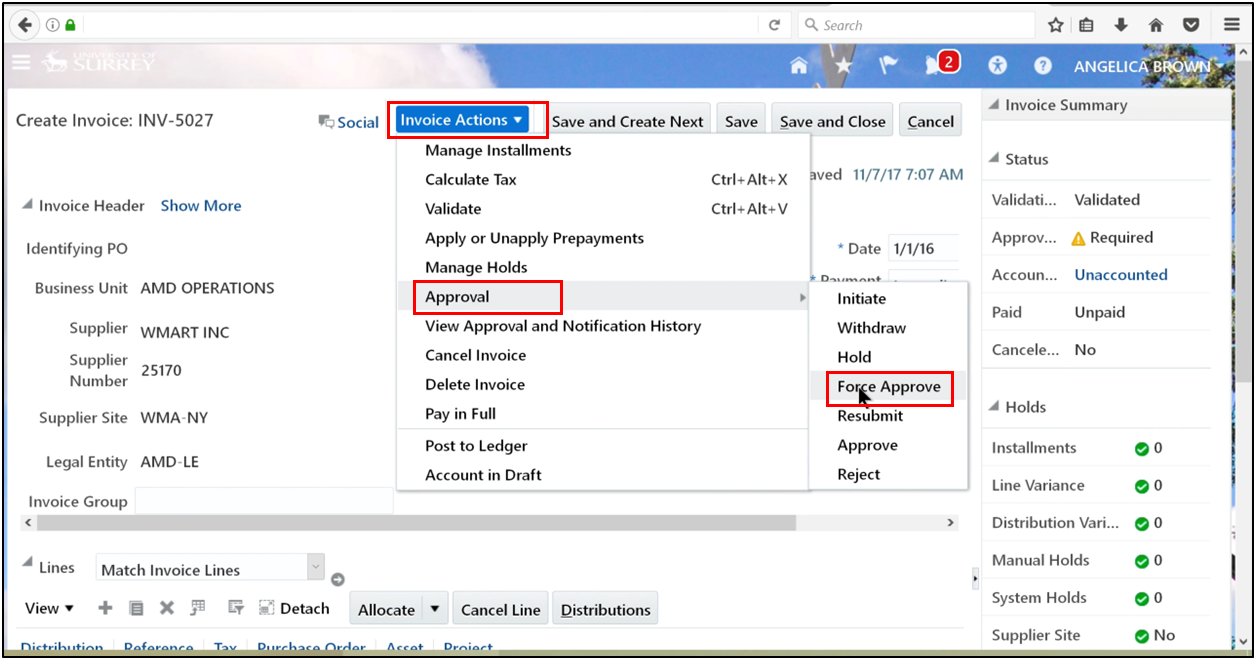
Click Invoice Actions → Approval, then select Force Approve.
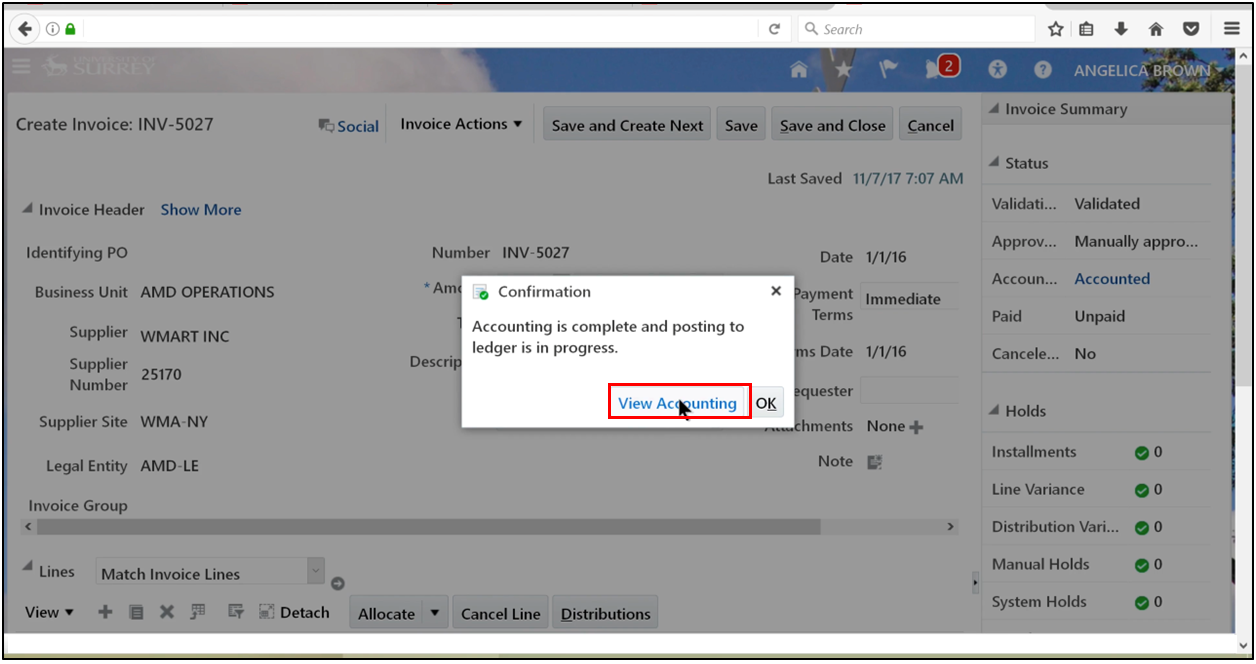
- Click on View Accounting.
Phase 2: Accounting and Mass Additions
Step 6: Review Accounting
-
Verify that the AP account posts to the Asset Clearing account
-
Confirm correct AP accounting entries
Step 7: Run Create Mass Additions
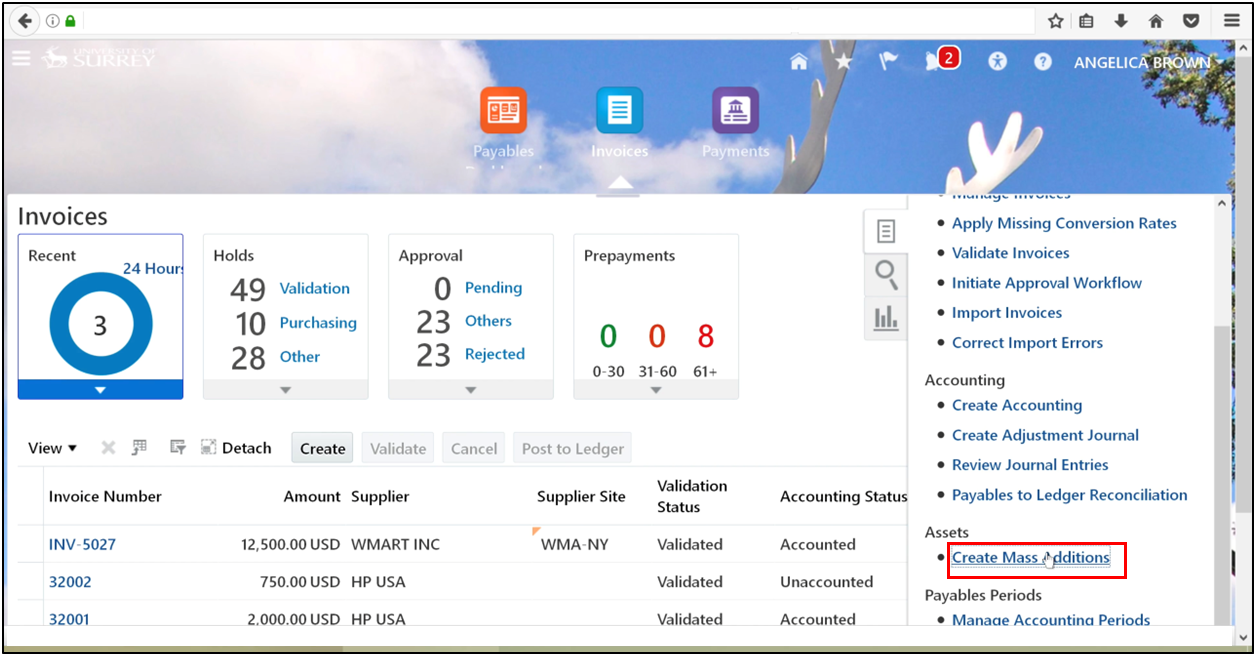
- From the Task Pane, select Create Mass Additions
-
Enter the accounting date
-
Select the Asset Book
-
Submit the process
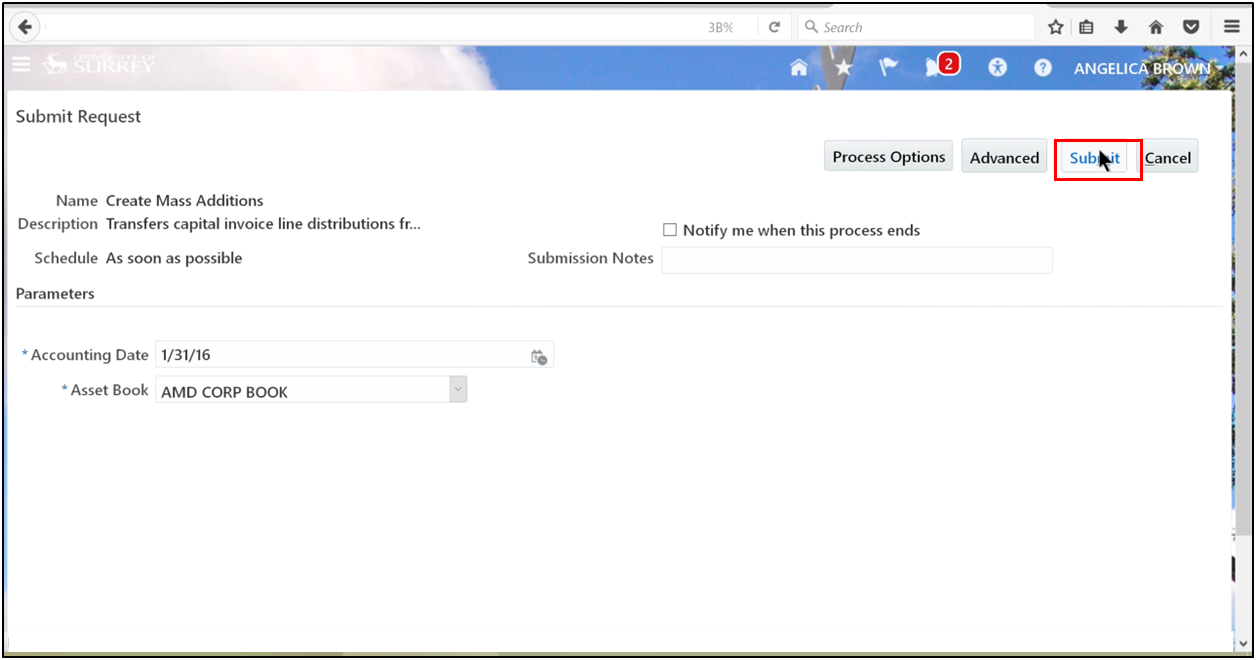
This step bridges AP Fusion and fixed asset accounting software.
Phase 3: Monitoring the Process
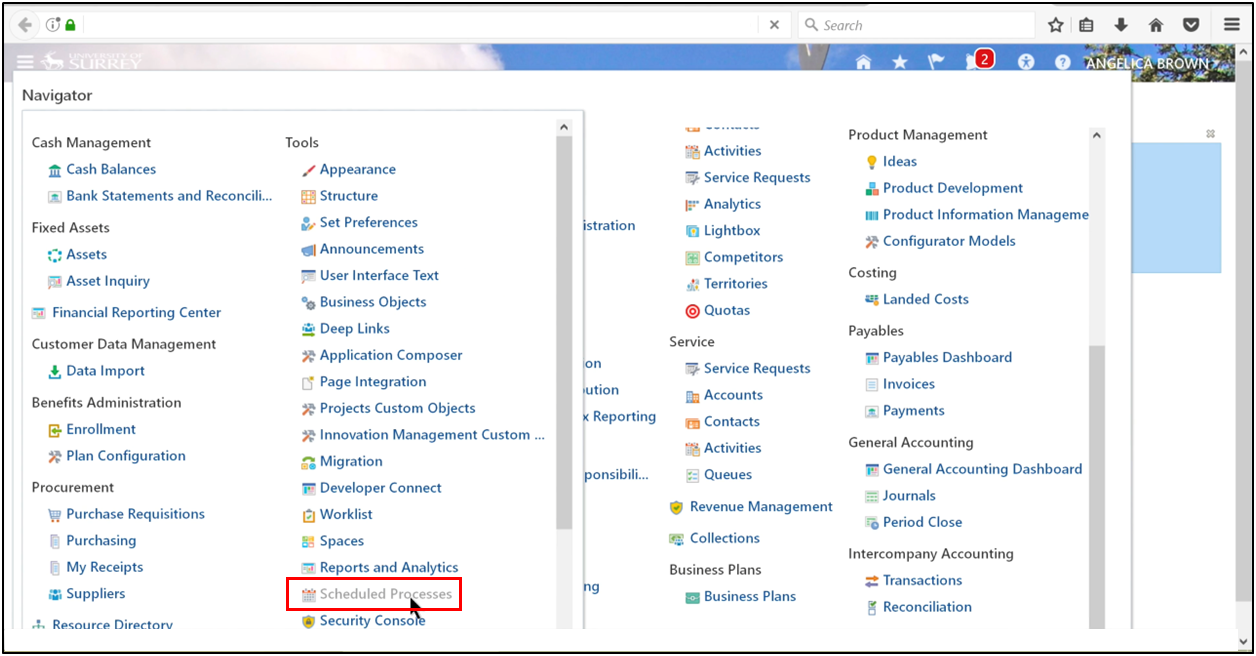
Step 8: Check Scheduled Processes
- Navigator → Tools → Scheduled Processes
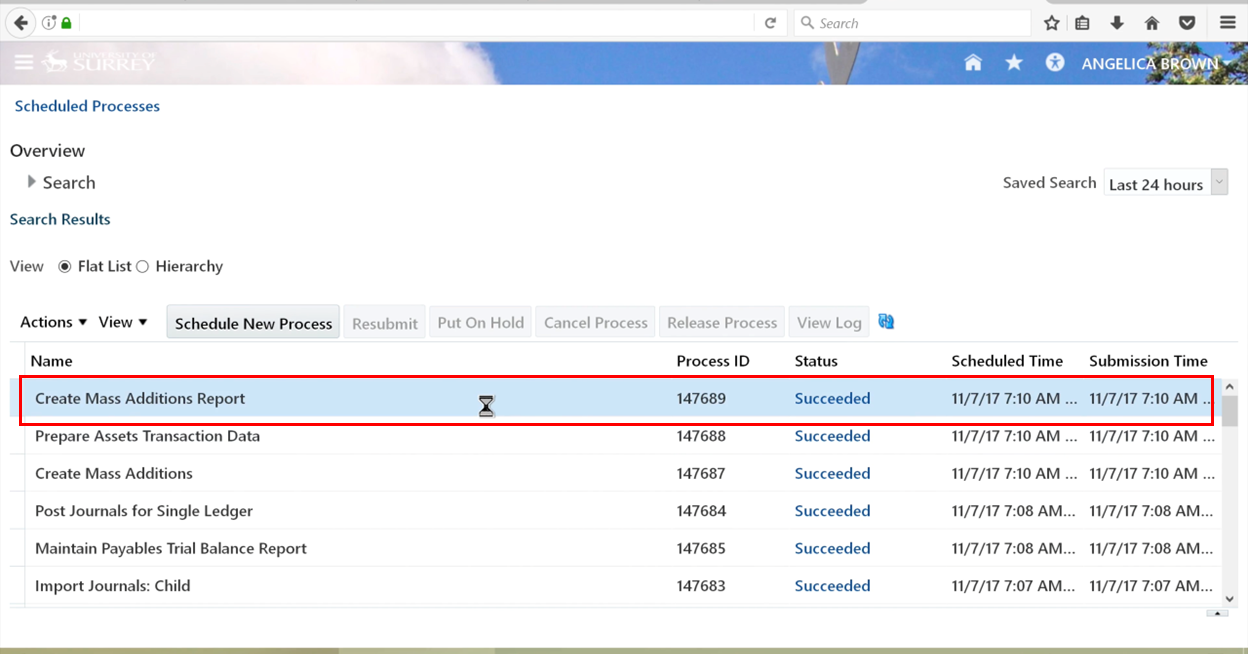
- Ensure the process completes successfully
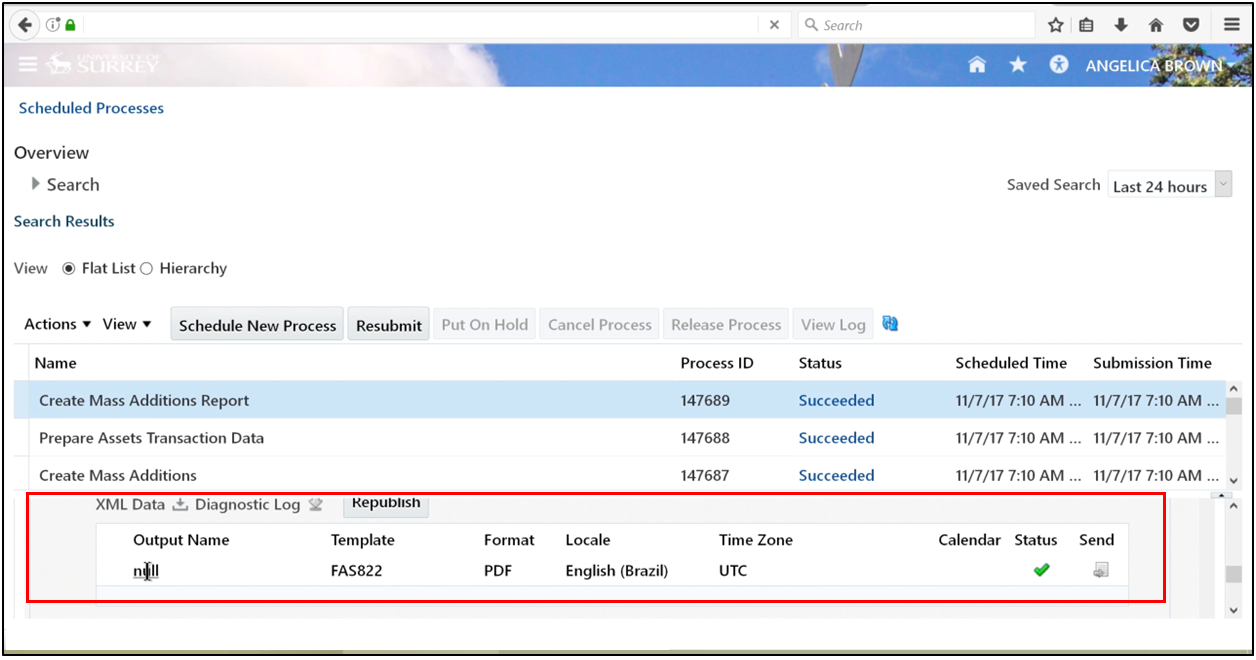
Step 9: Review Output
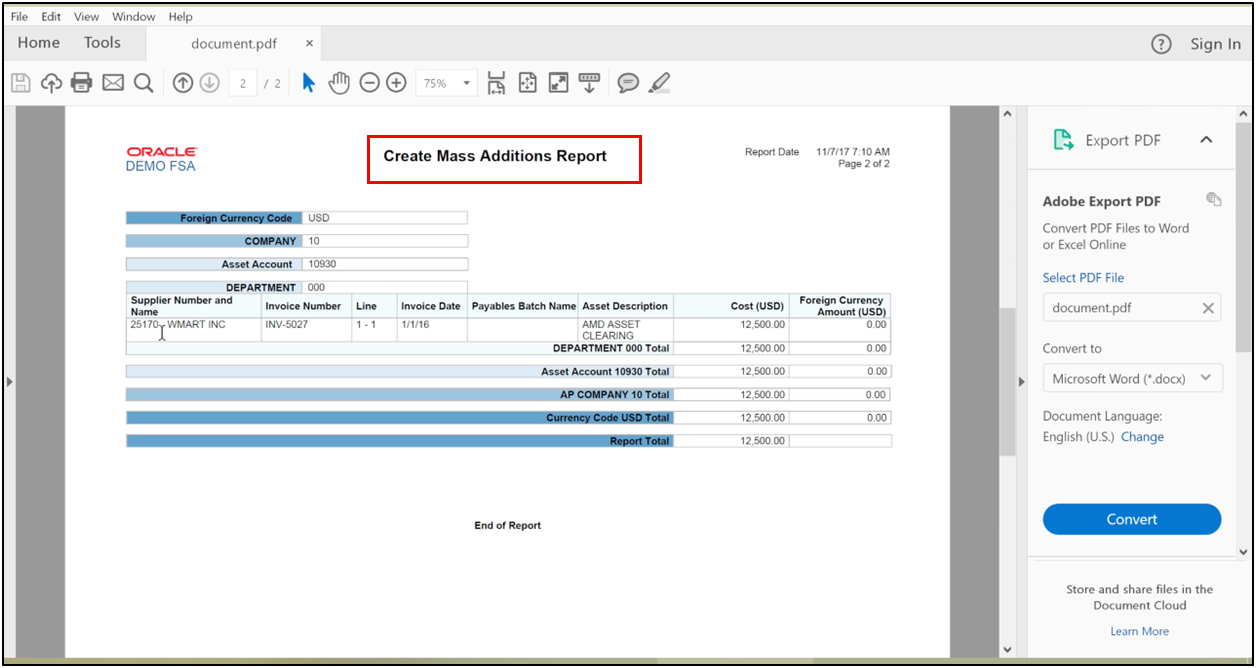
- Open the Create Mass Additions Report
- Confirm your accounts payable invoice appears
Phase 4: Preparing Source Lines in Fixed Assets
Once interfaced, the data is available in the fixed asset management system.
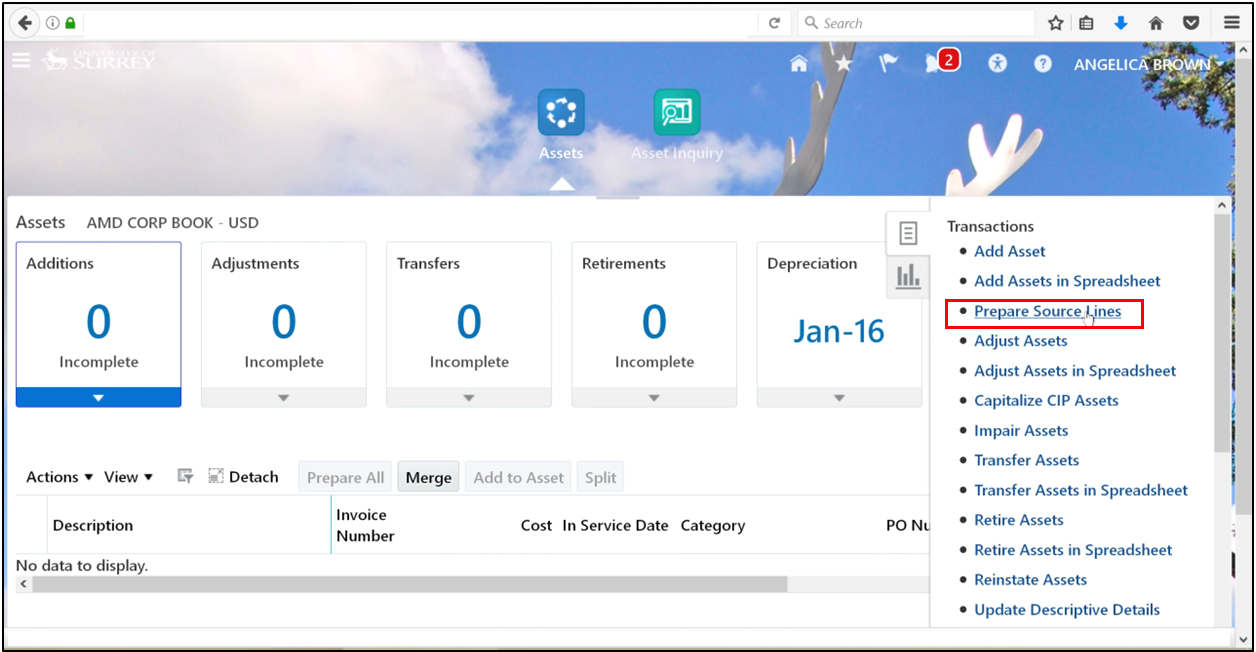
Step 10: Navigate to Fixed Assets
- Navigator → Fixed Assets → Assets
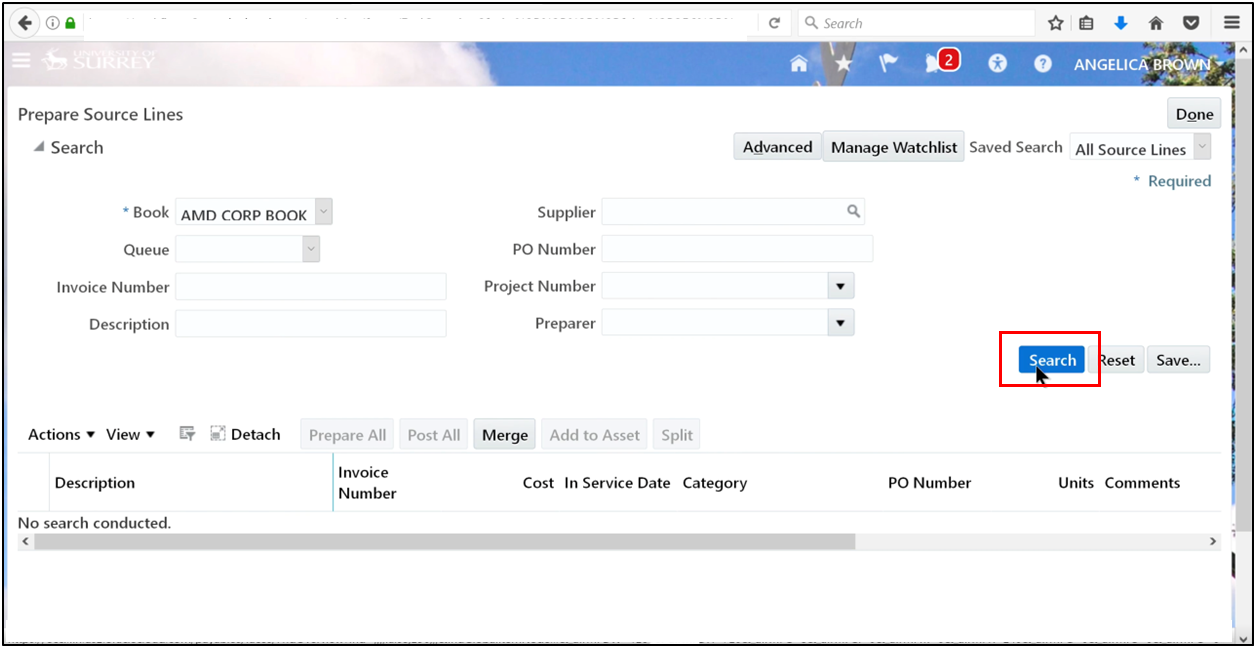
Step 11: Prepare Source Lines
- Select Prepare Source Lines
- Search by Asset Book
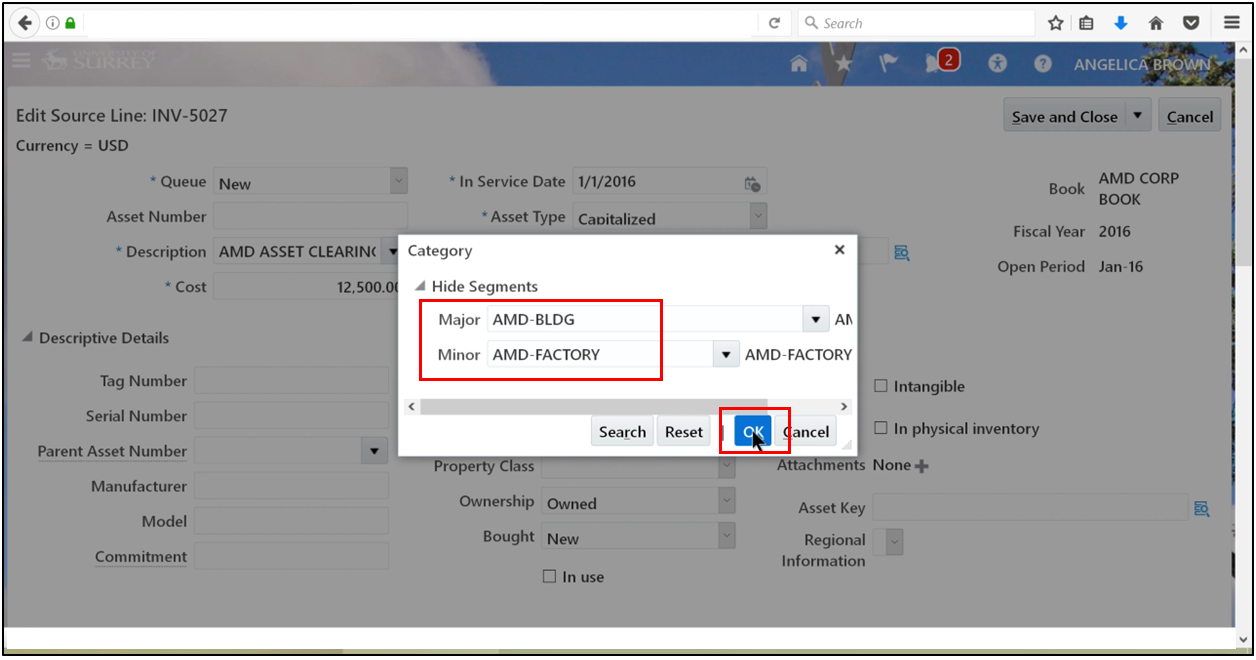
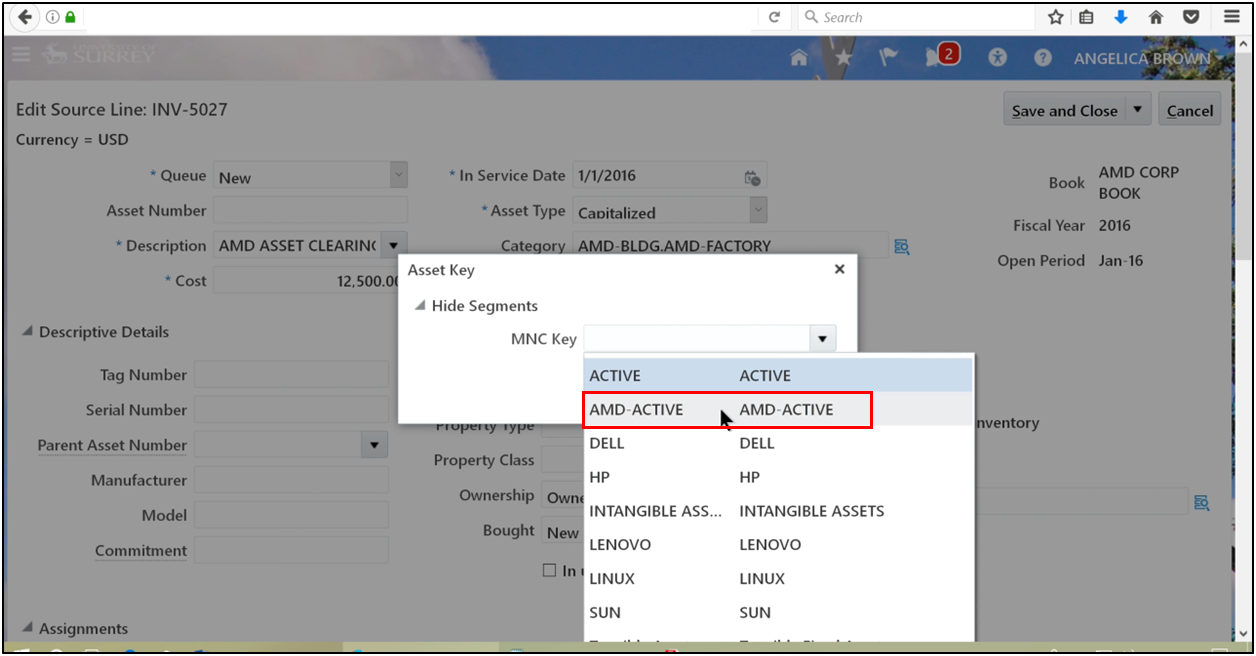
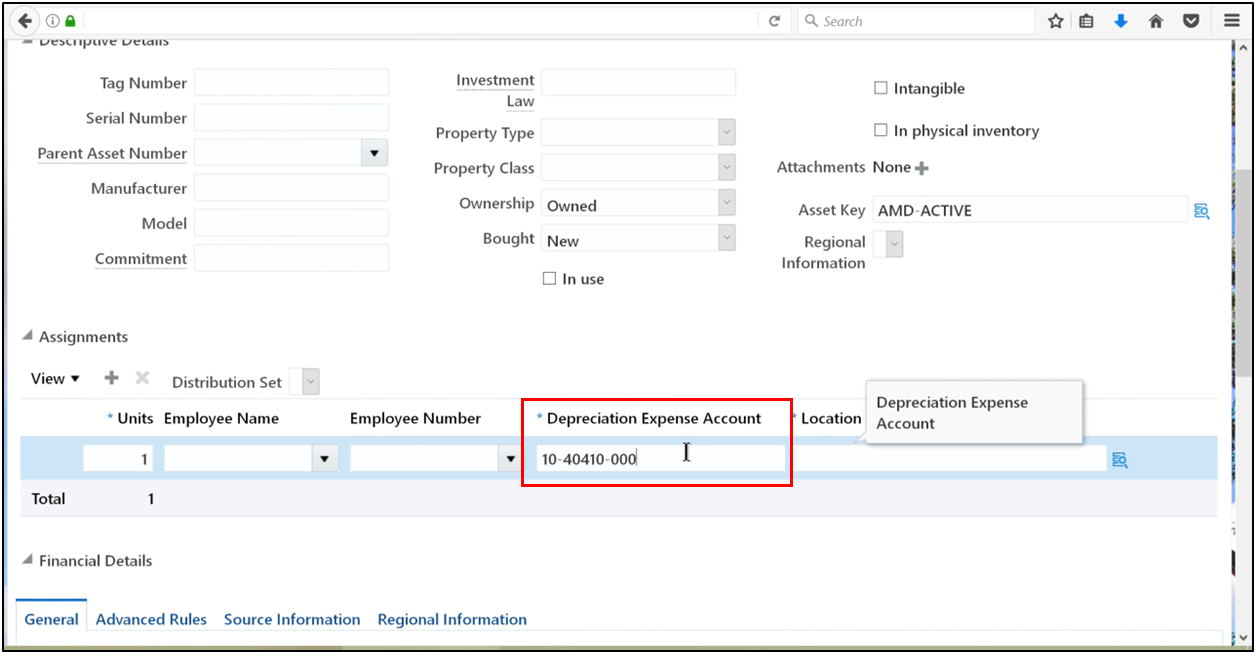
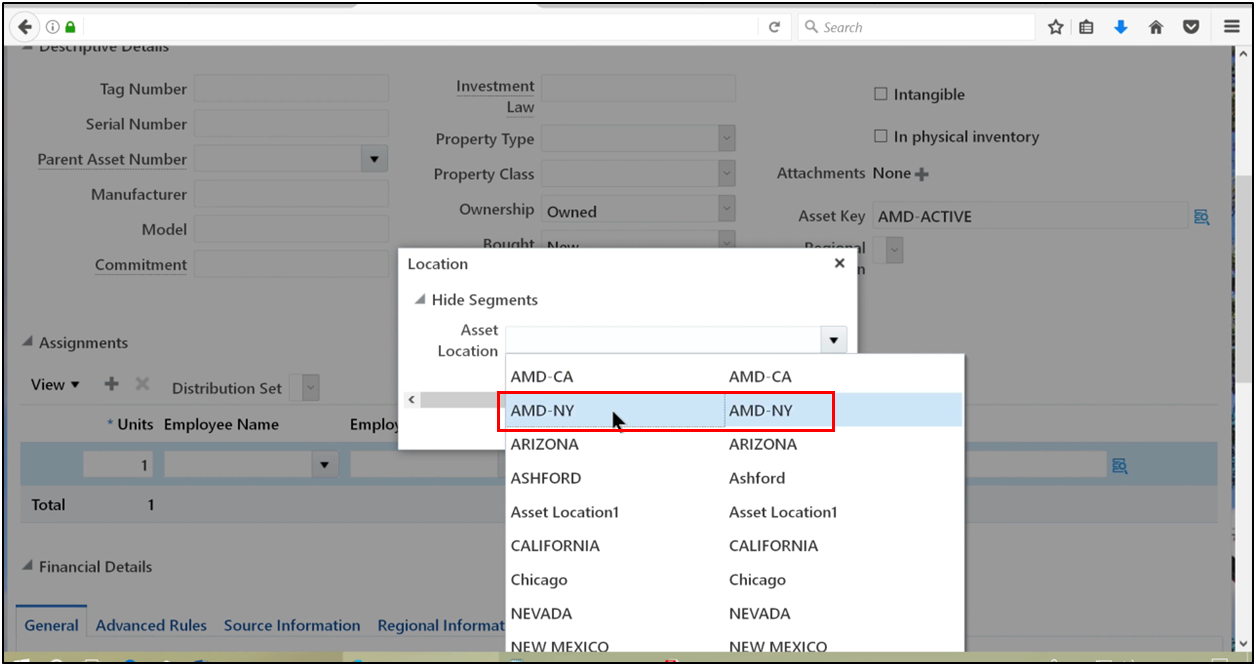
Step 12: Enter Asset Details
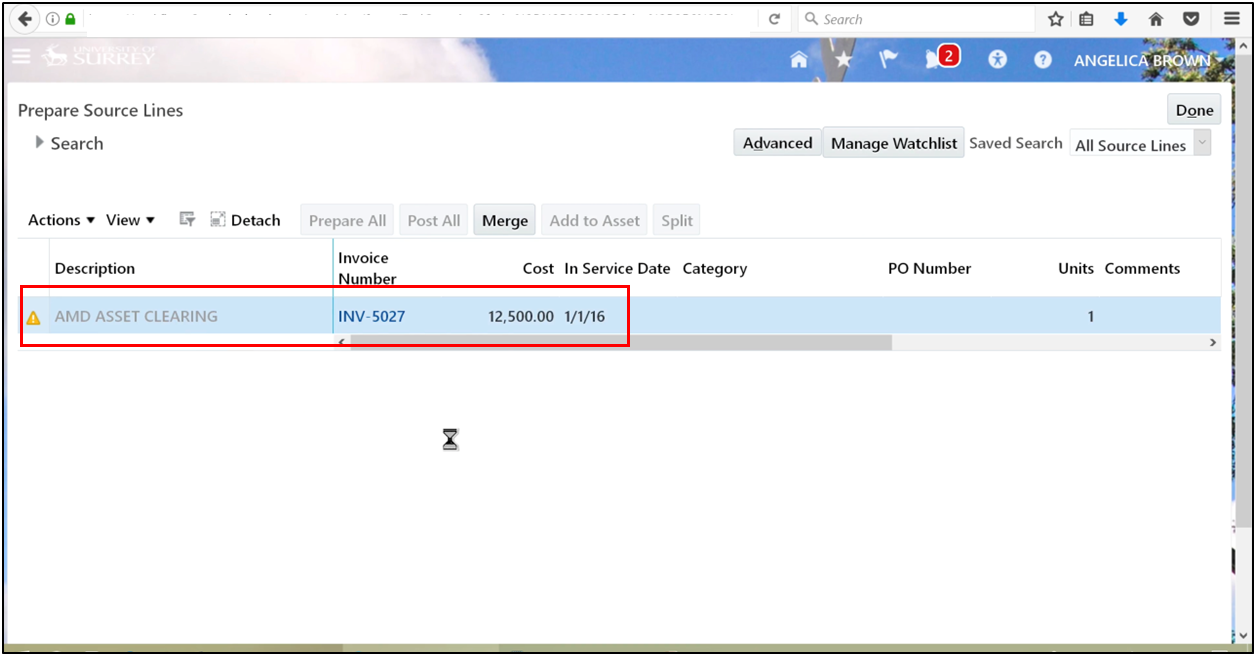
- Asset Category
- Asset Key
- Depreciation Expense Account
- Location
Oracle automatically derives depreciation rules based on the selected category, ensuring consistency within the fixed asset accounting system.
Phase 5: Posting the Asset
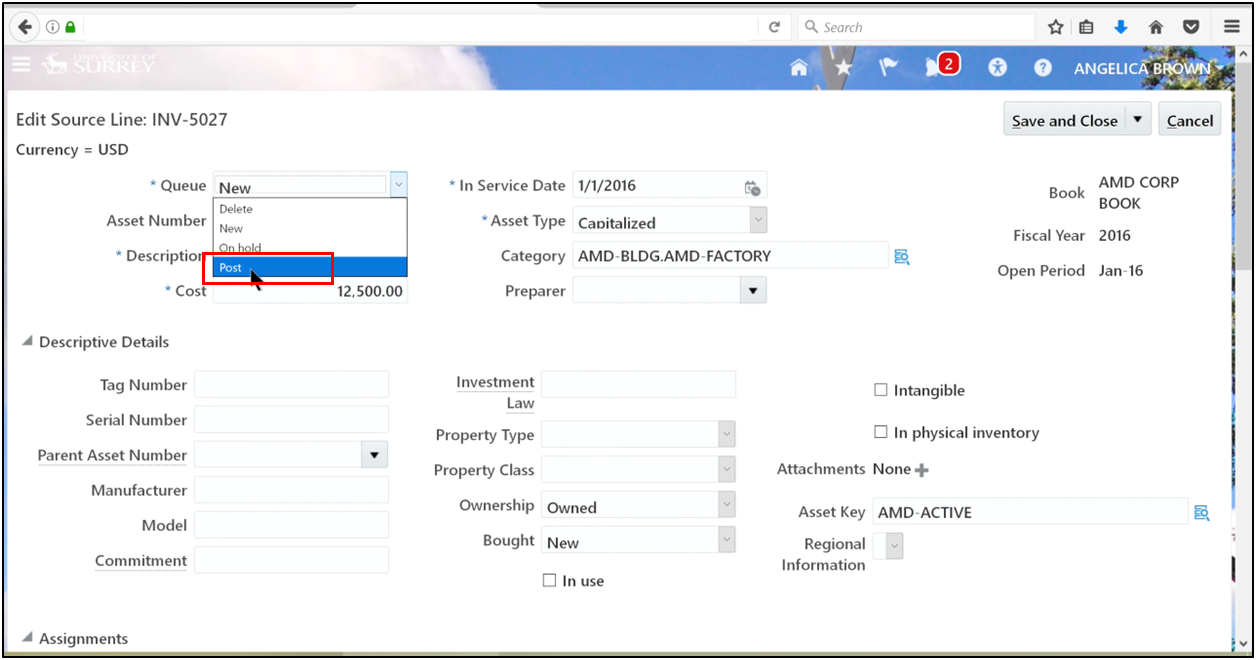
Step 13: Post the Asset
- Change Queue Status to Post
-
Review details
-
Save and close
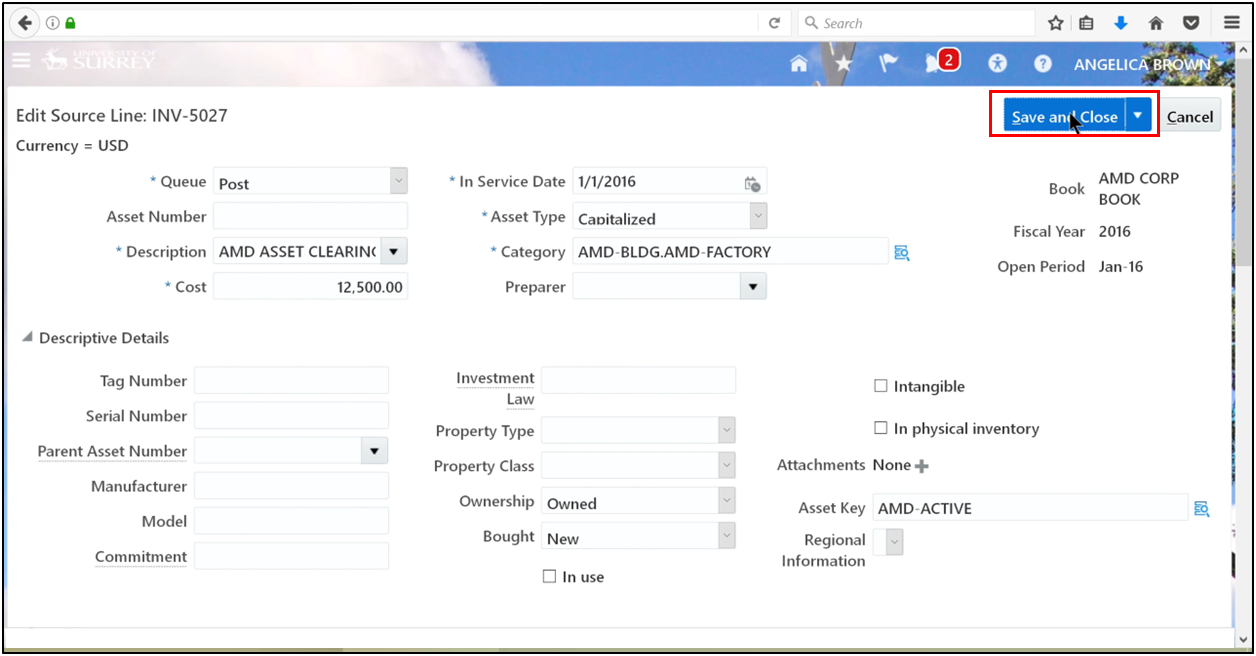
The fixed asset is now capitalized and linked to Oracle Payables payment records.
Conclusion
The FA–Payables integration in Oracle Cloud ERP ensures a seamless transition from accounts payable to fixed asset management. A well-aligned AP cycle and payable framework that flows directly into fixed asset accounting strengthens overall financial governance. It also supports audit transparency and ensures consistent, accurate depreciation.
For an accounts payable accountant, understanding this process is critical when handling capital purchases in Oracle Fusion. It enables accurate AP accounting while ensuring a seamless transition into fixed asset accounting. This integration connects cloud accounts payable, asset accounting software, and fixed asset management software into a single, reliable financial process. To master this workflow with guided demos and real-world scenarios, check out the Oracle Fusion Financials Training at OEG.
Frequently Asked Questions
How does the accounts payable cycle connect to fixed asset management in Oracle Cloud ERP?
The accounts payable cycle continues beyond payment when a capital purchase is involved. Asset-related invoices flow from accounts payable in accounting into fixed asset management for capitalization and depreciation.
What is the role of an accounts payable accountant in capital purchases?
An accounts payable accountant ensures that capital-related accounts payable invoices are correctly coded to the AP account and tracked for asset creation in Oracle Fusion.
How do accounts payable systems help streamline asset capitalization?
Accounts payable systems like Oracle Fusion automatically transfer asset-related invoice data to fixed asset management, reducing manual effort and improving accuracy.
Why is the correct invoice processing configuration important for financial accuracy?
Correct invoice processing configuration ensures smooth posting from the AP account to fixed asset management, enabling accurate capitalization and consistent depreciation.