Cyber Week Deals are Live !

Oracle E-Business Suite R12 Financials - Complete eBook Set

Comprehensive self-paced learning guides for hands-on expertise on Oracle EBS R12 Financials. Step-by-step setups and transaction flows with executed examples and abundant screenshots - now available in convenient digital format.

21 Books
12 Modules
3500+ Pages
6000+ Snaps
  • Self-paced learning with comprehensive guides
  • Fundamentals to deep dive – from basics to advanced configurations
  • Executed examples with real transaction flows and actual screenshots
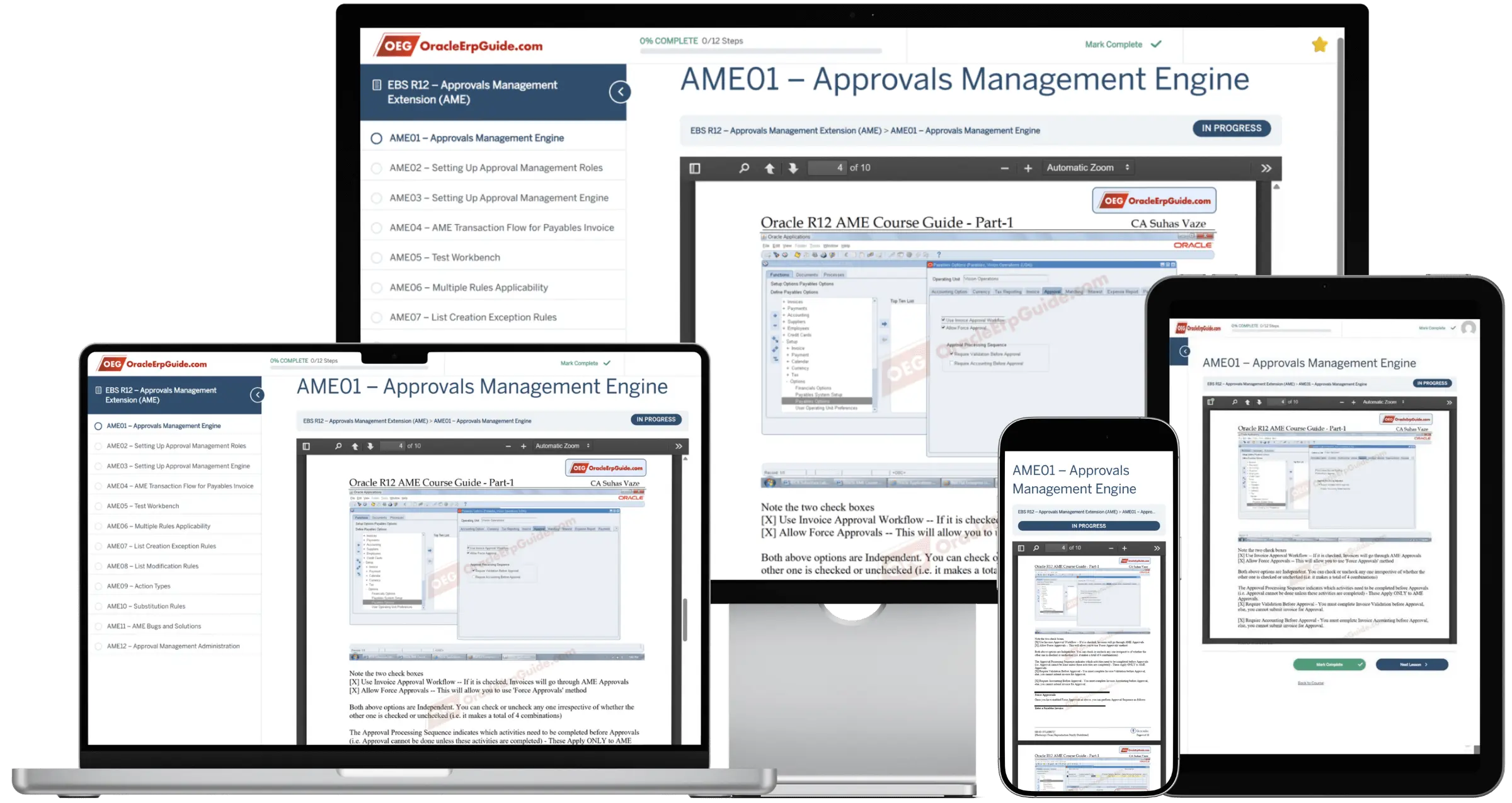
  • Learn anywhere, anytime – Access on laptop, tablet, or mobile

Complete EBS R12 Financials Module Coverage

12 comprehensive modules spanning all core EBS Financials functionality

Included in Full Set

General Ledger

Included in Full Set

Sub-Ledger Accounting

Included in Full Set

Financial Accounting Hub

Included in Full Set

Accounts Payable

Included in Full Set

Internet Expenses

Included in Full Set

Approvals Management

Included in Full Set

Accounts Receivable

Included in Full Set

iReceivables

Included in Full Set

Advanced Collections

Included in Full Set

Fixed Assets

Included in Full Set

Cash Management

Included in Full Set

EBS Tax

Included in Full Set

System Administrator

Included in Full Set

Additional EBS Features

Free Sample Chapters Available

Preview a sample chapter from each module before purchasing. Sign up free to access sample chapters and experience the quality and depth of our documentation.

Sign Up Free - Access Samples

Complete Content List

12 modules covering fundamentals and deep dive for Oracle EBS R12 Financials

Creating Chart of Accounts
  • Value Sets and Values
  • Flexfield Qualifiers and Segment Qualifiers
  • Parent and Child Values, Account Hierarchy Manager
  • Security Rules
  • Cross Validation Rules
Creating Primary Ledgers
  • Setting up Legal Entity, Primary Ledger and GL Responsibility
  • Profile Options
Manual Journals
  • Journal Sources and Categories
  • Account Aliases
  • Daily Currency Exchange Rates
  • Foreign Currency Journals
Journal Approvals
  • Supervisory Hierarchy
  • Approval Limits
  • Approval Profile Options
  • Setting up Approvals
  • Approval Transaction Flow
  • Approval Communication History
Creating Document Sequences
  • Document Sequences and Categories
  • Sequence Assignments
  • Document Sequence Profile Options
  • Journal Sequence Number Generation
Recurring Journals
  • Recurring Journal Formula
  • Generating Recurring Journals
  • Recurring Journal Formula based on Account Balances
  • Simple Allocations using Recurring Journals
Journal Reversals
  • Reversing a Journal
  • Marking Journals for Reversal
  • Setting up Auto Reversing Journals
  • Reversal Profile Options
  • Reversal Concurrent Program
Uploading Journals using WebADI
  • WebADI Profile Options
  • Downloading WebADI Templates
  • Setting up Excel
  • Setting up Browser
  • Entering/Copying Journals in Excel
  • Uploading Journals
Journal Line Reconciliation
  • Concept: Zero Balance Accounts
  • Example: Accrual Accounts
  • Reconciliation Segment Qualifier
  • Reconciliation References
  • Enabling Journal Line Reconciliation
  • Simulating Manual Journal for Receipt Accruals
  • Simulating Manual Journal for Invoices
  • Performing Reconciliation
  • Reporting Un-reconciled Lines
  • Reporting Reconciled Lines
Setting up SLA for JL Reconciliation
  • Create Custom SLAM, AAD, JLD etc
  • Determine Sources for Reconciliation References
  • Setup SLA (Receipt Side) for Importing Recon References
  • Setup SLA (Invoice Side) for Importing Recon References
  • Assign Custom SLAM to Ledger
Journal Line Reconciliation with PO-INV-AP-GL Flow
  • Creating Purchase Orders
  • Receiving Material
  • Generating Receipt Accruals SLA & GJ Journal
  • Entering Invoice in Payables
  • Match Invoice to Receipt
  • Generate Invoice SLA and GL Journal
  • Importing Reconciliation References in GL
  • Reconciling Receipt JE Lines with Invoice JE Lines
  • Reporting Un-reconciled Transactions
  • Accruals and Un-invoiced Receipts
Auto Reconciliation of JE Lines
  • Reconciliation Rules
  • Executing Automatic Reconciliation
  • Verification of Reconciled Lines
  • Reporting Un-reconciled Lines
Mass Allocation
  • Cost Allocation Ratios
  • STAT Journals
  • Mass Allocation Formula
  • Generating Mass Allocation Journal
Reporting Currency Ledgers
  • Currency Rate Types and Daily Rates
  • Creating Reporting Ledgers
  • Data Conversion Levels
  • Data Conversion Initialization
  • Journal Conversion to Reporting Currency
  • Subledger Journal Conversion to Reporting Currency
  • Translation and Reporting Currency Ledgers
Secondary Ledgers
  • Multi-Country GAAP Compliance
  • Subledger Accounting Methods
  • Creating a COA Map
  • Creating Secondary Ledgers
  • Setting up Secondary Ledger Responsibility
  • Primary to Secondary Ledger Mapping
  • Journal Conversion Rules
  • Transaction Flow of Secondary Ledger Journals
Translation
  • Setting up Translation Options
  • Performing Translation
  • Reporting on Translation
  • Translation Reporting Currency Ledgers
Revaluation
  • Foreign Currency Balances
  • Performing Revaluation
  • Revaluation Journal
Consolidation
  • Creating Consolidation Ledger
  • Setting up COA Map
  • Setting up Consolidation Rules
  • Running Consolidation
  • Consolidation Journal
Intercompany and Intracompany
  • Setting up Intracompany Balancing Rules
  • Intracompany Balancing through Parent Companies
  • Intercompany Segment
  • Auto creation of Intercompany Journal Lines
  • Intercompany in Multiple Ledgers
Budgeting and Budgetary Control
  • Enabling Budgets and Budgetary Journals
  • Defining Budget and Budget Organization
  • Setting up Account Ranges and Assignments
  • Setting up Budgetary Control Level
  • Entering Budget Amounts and Creating Budget Journals
  • Encumbrance Journals
  • PO, Requisition Encumbrance
  • Invoice Encumbrance
  • Budgetary Control Groups
Budgeting on Summary Accounts
  • Creating Summary Accounts
  • Creating Summary Budgets
  • Entering Budget Amounts at Detailed Level
  • Transaction Flow of Summary Account Budgets
Accounting Configurations
  • Accounting Setups in General Ledger
  • Accounting Setups in Receivables/Payables
  • Accounting Setups in Assets/Cash
  • Accounting Setups in Purchasing/Inventory
  • Accounting Defaulting
Accounting Events & Journals
  • Accounting Journals in General Ledger
  • Accounting Events/Journals in Receivables/Payables
  • Accounting Events/Journals in Assets/Cash Management
  • Accounting Events/Journals in Purchasing/Inventory
Summary of Accounting Setups
  • Key Accounts required for Setting up Financials
Financial Statement Generators
  • Defining Row Sets
  • Defining Column Sets
  • Defining Reports
  • Defining Row Orders
  • Segment Override on Column Set
  • Segment Override on Reports
  • Using Column Offsets for Relative Period Reporting
  • Control Values and Budget Amounts
  • Creating Content Sets
  • FSGs with Content Sets
  • Publishing FSGs
  • Creating Balance Sheet, Profit & Loss A/c and Schedule
Summary Accounts & Rollup Groups
  • Creating Summary Templates
  • Balances of Summary Accounts
  • Creating Rollup Groups
  • Using Rollup Groups in Summary Accounts
Data Access Sets
  • Securing Data with Data Access Sets
  • Defining and Assigning Access Sets
  • Profile Options
Definition Access Sets
  • Creating Definition Access Sets
  • Assigning Definition Access Sets
  • Securing Data Elements
  • Data Access Sets V/s Definition Access Sets
Advanced Global Intercompany System
  • Setting up Intercompany System Options
  • Setting up Intercompany Transaction Types
  • Setting up Intercompany Accounts
  • Setting up Intercompany Organizations and Users
  • Setting up Intercompany Invoicing
AGIS Transaction Flow
  • Creating Outbound Transactions
  • Receiving and Approving Inbound Transactions
  • Generating Intercompany Journals
  • Initiating Transactions Requiring AP/AR Invoicing
  • Receiving and Approving Inbound Transactions
  • Generating Receivables Invoices
  • Generating Payables Invoices
  • Intercompany Accounting
AGIS & SLA Integration
  • AGIS Transaction Account Definition
  • Creating Account Derivation Rules (ADRs) for Intercompany
  • Generating I/C Receivables/Payables through ADRs
  • Generating Distributions through ADRs
Subledger Accounting (SLA)
  • Introduction and Accounting Flow
  • Subledger Journals and GL Journals
  • SLA Structure
  • Subledger Accounting Method (SLAM)
  • Associating SLAM with Ledger
Subledger Accounting Methods
  • Understanding Application Accounting Definitions (AADs)
  • Understanding Journal Line Definition (JLDs)
  • Understanding Journal Line Types (JLTs)
  • Understanding JLT Conditions and Accounting Attributes
  • How JLD Builds a CCID
  • Understanding Account Derivation Rules (ADRs)
  • Understanding Seeded Sources and Custom Sources
  • Subledger Accounting Methods in Secondary Ledgers
Account Derivation Rules
  • Creating an ADR
  • Creating a Custom SLAM
  • Creating a Custom AAD
  • Creating Required Custom JLDs
  • Associating Custom JLDs with Custom AADs
  • Associating Custom AADs with Custom SLAM
  • Validating Custom AADs
  • Associating Custom SLAM with Ledger
  • Perform Accounting Cycle with Custom SLAM/AAD/JLD and ADR
Mapping Sets
  • Creating Mapping Sets for Custom Accounting Logic
  • Creating Input Output Co-relation
  • Associating Mapping Set with ADR
  • How Mapping Sets allow Custom Accounting without a line of Code
  • Performing Accounting Cycle using Mapping Sets in ADR
Business Flow
  • Introduction to 'Business Flow' in SLA
  • Understanding Prior Entry Business Flow Method
  • Understanding Same Entry Business Flow Method
  • Payables Automatic Offsets using Same Entry Method
  • Inheritance of Segment Values in Same Entry Method
Journal Line Descriptions
  • Understanding Journal Line Descriptions
  • Building Custom Journal Line Descriptions for Imported Journals
  • Performing Transaction Cycle with Custom Descriptions
Accounting and Reporting Sequences
  • What are Accounting and Reporting Sequences
  • Creating Accounting Sequence
  • Creating Reporting Sequence
  • Assigning Sequences
  • Create SLA and JL Journals to test Sequence Generation
Multi-Fund Receivables
  • What is Multi-Fund Receivables
  • Receivables Invoices with Multiple Balancing Segment Values
  • Using SLA to handle Multi-Fund Receivables
  • Multi-Fund Accrual – Balancing Method
  • Multi-Fund Accrual – Account Method
Financial Accounting Hub (FAH) Setups
  • Concepts: SLA Integration with Custom/External Applications
  • Registering Application
  • Creating FAH Setup Environment
  • Application Objects
  • Transaction Objects
  • Creating Event Model
  • Creating Process Categories
  • Accounting Event Class Options
FAH – Create SLA Structure
  • Creating Account Derivation Rules (ADR)
  • Creating Journal Line Types (JLT)
  • Accounting Sources and Accounting Attributes
  • Creating Journal Line Definitions (JLD)
  • Creating Application Accounting Definition (AAD)
  • Incorporating AAD in Subledger Accounting Method
FAH – Create Accounting Process
  • Event Capture
  • Populating SLA Journals in XLA Tables
  • Populating GL Interface
  • Journal Import and Posting
  • Registering 'Create Accounting Process'
Suppliers
  • Creating Suppliers and Supplier Addresses
  • Creating Supplier Sites
  • Setting up Supplier Site Accounting and Other TABs
  • Supplier Sites and Operating Units
Basic Payables Setups
  • Creating and Assigning Distribution Sets
  • Creating Payment Terms
  • Financial Options
  • Payables Options
Payables Invoices
  • Setting Profile Option for Batch Control
  • Entering Invoices
  • Invoice Validation Process
  • Holds and Releasing Holds
  • Accounting of Invoices
  • Invoice SLA Journal and GL Journal
  • Create Accounting Process and Journal Import
  • Detailed and Summary Journals
Debit and Credit Memos
  • Creation to Accounting Cycle for Debit Credit memos
Foreign Currency Invoices
  • Currency Exchange Rate Types
  • Entering Daily Currency Exchange Rates
  • Entering Foreign Currency Invoices
PO Matched Invoices
  • 2 Way, 3 Way, 4 Way Matching Types
  • Creating a Purchase Order
  • Receiving Material
  • Receiving Transaction Processor
  • Entering and Matching a Payables Invoice to Purchase Order
  • Invoice Price Variance and Purchase Price Variance
Pre-payments
  • Pre-payment Invoice and Payment
  • Applying Pre-payment to Invoice
  • Pre-Payment Accounting Flow
  • Temporary and Permanent Pre-payments
Retention Invoices
  • What is Retention Money
  • Setup Retainage in Financial Options
  • Setup Suppliers for Retention Money
  • Setup Purchase Order Document Style with Retainage
  • Creating Complex PO with Retainage
  • Entering Invoices and Retention
  • Releasing Retention Money
Multi-Period Accounting
  • What is Multi-Period Accounting
  • Example
MPA Setups
  • Prepaid/Deferred Expense and Actual Expense
  • Creating Account Derivation Rule
  • Creating Distribution Set
  • Creating Custom SLAM
  • Creating Custom AAD
  • Creating Custom JLD
  • Accrual JLT and Recognition JLT
  • Configuring Multi-Period Accounting
MPA Transaction Flow
  • Entering MPA Payables Invoice
  • Basic Accounting for MPA Invoice
  • Recognition Accounting for MPA Invoice
  • Completion of MPA Accounting
Encumbrance
  • What is Encumbrance
  • Enabling and Setting up Encumbrance
  • Requisition Encumbrance
  • Purchase Order Encumbrance
  • Invoice Encumbrance
Requisition to Invoice – Inventory
  • Entering and Approving Requisition
  • Requisition Encumbrance
  • Auto-creating PO
  • Approving PO
  • PO Encumbrance
  • PO Receipt and Delivery
  • PO Encumbrance Reversal
  • AP Invoice-PO Matching
  • Invoice Encumbrance and Accounting
Requisition to Invoice – Asset/Exp
  • Entering and Approving Requisition
  • Requisition Encumbrance
  • Auto-creating PO
  • Approving PO
  • PO Encumbrance
  • PO Receipt and Delivery for Quantity Only
  • AP Invoice-PO Matching
  • PO Encumbrance Reversal
  • Invoice Encumbrance and Accounting
Banks Accounts
  • Creating a Bank and Branch
  • Creating a Bank Account
  • Bank Account Organization Access
  • Associating GL Accounts with Bank Account
Payment Setups
  • Payment Administrator
  • Creating Payment Formats
  • Creating Payment Methods
  • Creating Payment Process Profiles
  • Creating Payment Document Category
  • Creating Payment Documents
Payments
  • Paying an Invoice in Full
  • Quick Payments and Manual Payments
  • Payment Accounting
Automatic Payments Generation
  • Payment Manager
  • Payment generation for Check Payments
  • Creating Payment Process Profile
  • Submitting Payment Process Request
  • Printing Payments
  • Printing Payment Instruction Register
  • Finding Generated Payments
  • Payment Generation for Electronic Payments
Future Dated Payments
  • Bills Payable and Post dated Checks
  • Setting up Payment Methods for Future Dated Payments
  • Issuing a Bills Payable or Post Dated Check
  • Updating Matured Bills Payable
  • Accounting Cycle of Future Dated Payments
Payables Expense Reports
  • Setting up Payables Options for Expense Reports
  • Setting up Employees and Cost Centers
  • Creating Expense Report Templates
  • Entering an Expense Report
  • Receipt Requirement and Verifying Receipts
  • Importing Expense Reports as Invoices
  • Reimbursing the Expenses (Payment)
Withholding Tax Setups
  • Setting up Payables Options for Withholding Tax
  • Setting up Tax Authority
  • Defining a Special Calendar
  • Defining Withholding Tax Code
  • Verification of Withholding Tax Group
  • Setup Supplier for Withholding Tax
Withholding Tax Transaction Flow
  • Period Dependencies
  • Entering and Validating an Invoice
  • View Withholding Tax Distributions
  • Creating Accounting for Invoice
  • Payment of Invoice
  • Auto creation of Withholding Tax Invoice
  • Validation and Payment of Withholding Tax Invoice
  • Accounting of Withholding Tax Invoice
Recurring Invoices
  • Defining a Special Calendar
  • Defining a Recurring Invoice
  • Generating an Invoice from the Recurring Invoice
  • Creating Invoices for Subsequent Months
Interest Invoices
  • Setting up Interest Invoices in Payables Options
  • Setting up Supplier for Interest Invoices
  • Setting up Interest Rates
  • Perform Transaction Flow of Interest Invoice
  • View the Auto generated Interest Invoices
Multi-Org
  • Multi-Org Structure
  • Business Group
  • Legal Entity
  • Ledgers
  • Operating Units
  • Organizations
Configuring Payables OU from Scratch
  • Creating an Operating Unit
  • Setting up Payables Responsibility and User
  • Defining Profile Options
  • Perform Payables Operating Unit Setup Tasks
  • Test the Operating Unit by entering Transactions
Creating Business Groups
  • Understanding Business Groups
  • Setting up new Business Group
  • Partitioning and Sharing Data across Business Groups
  • Creating Operating Units/Orgs within Business Group
Setup 1099 Tax and Reporting
  • Understanding 1099 Tax and Reporting
  • 1099 Withholding Tax Code and Group
  • Income Tax Types
  • Distribution Sets with ITT
  • Setting up Reportable Suppliers
  • Setting up Withholding Tax Behavior
1099 Transaction Flow
  • Entering Invoice on 1099 Suppliers
  • Income Tax Types on Invoice Lines and Distribution Lines
  • Making Payments for 1099 Invoices
  • 1099 Reporting
  • 1099 Withholding Tax Invoices
  • Update Income Tax Details Utility
  • iExpenses
Setting up Internet Expenses
  • Setting up Profile Options
  • Setting up Employees for iExpenses usage
  • Setting up Approvers and Signing Limits
  • Setting up iExpenses Auditor
  • Setting up iExpenses Administrator
  • Defining iExpenses Templates
Transaction Flow of Internet Expenses
  • Employee enters an Expense Report
  • Necessary Receipts are Submitted
  • Manager(s) Approve Expense Reports and Policy Violations
  • Auditor Check and Accepts/Rejects the Expense Report
  • Expense Reports are Converted to Invoices
  • Automatic Reimbursements are created for the Invoices
Setting up AME Roles
  • Setting up AME Administrator and Business Analyst
  • Setup AME (Approval Management Engine) Roles
  • Create AME Grants
Setting up AME
  • Seeded Attributes and Custom Attributes
  • Setting up Conditions
  • Setting up Action Types
  • Setting up Approver Groups
  • Setting up Approval Rules
Understanding AME Action Types
  • Supervisory Hierarchy
  • Absolute Job Level
  • Relative Job Level
  • Approval Groups
Approvals Transaction Flow
  • Entering a Payables Invoice
  • Initiating approval
  • Viewing Approvers
  • Approvers view the notifications
  • Approvers approve/reject Invoice or Ask for Information
  • Invoice Status changed to 'Workflow Approved' or 'Rejected'
Approval Conditions
  • Using Ordinary Conditions
  • Using Exception Conditions
Approval Rules
  • Using List Creation Rules
  • Using List Creation Exception Rules
  • Using List Modification Rules
  • Using Substitution Rules
Test Workbench
  • Troubleshooting AME through Test Workbench
  • Getting the Transaction ID
  • Finding Applicable Environment and Rules
  • Finding How AME identified Approvers
  • Viewing Approval Process Stages
Approvals Administrator
  • Creating Transaction Types
  • Setting up Default Attributes
  • Modifying Setups of Existing Transaction Types
Misc Topics
  • Iinclude_All_Job_Level_Approvers attribute
  • Exclude_PO_Matched attribute
  • 'At Least' and 'At Most' Approval Levels
Customers
  • Customer Data Model
  • Trading Community Architecture
  • Creating a Customer
  • Creating Customer Account
  • Creating Customer Addresses and Sites
  • Business Purposes
Transactions – Guarantee
  • Creating a Transaction Type
  • Creating a Transaction Source
  • Entering a Guarantee
  • Apply Invoice to Guarantee
  • Check Commitment Balance Balance
  • Check Adjustment Transaction
  • Guarantee and Adjustment Accounting
Transactions – Deposits
  • Creating a Transaction Type
  • Creating a Transaction Source
  • Entering a Deposit
  • Receiving the Deposit
  • Apply Invoice to Deposit
  • Check Commitment and Receivables Balance Balance
  • Check Adjustment Transaction
  • Deposit and Adjustment Accounting
Invoices, Debit, Credit Memos
  • Creating a Transaction Type
  • Creating a Transaction Source
  • Creating Standard Memo Lines
  • Creating Invoice, Debit, Credit Memo
  • Payment Schedules
  • Accounting for Invoices, Debit, Credit Memos
Auto Accounting
  • How Auto Accounting Works
  • Sources for Auto Accounting
  • Accounting for Transactions
  • Create Accounting Process
Invoices with Rules
  • Bill in Advance and Bill in Arrears
  • Revenue Recognition (Fixed, Variable and Deferred)
  • Setting up Accounting Rules
  • Milestones/Event based Revenue Recognition
  • Transaction Flow and Accounting
Adjustments
  • Defining Receivable Activities
  • Approval Limits
  • Adjustment Transaction Flow and Accounting
Balance Forward Billing
  • What is BFB
  • Setup Steps of BFB
  • Transaction Flow of BFB
Late Charges and Interest Invoices
  • Late Charges and Interest Policy
  • Setting up Late Charges
  • Transaction Flow and Auto creation of Interest Invoices
Receipts from Customers
  • Bank Accounts
  • Creating Receipt Sources
  • Creating Receipt Classes
  • Entering Receipts and Applications
  • Receipt Write-Off
  • Receipt Accounting
Receipt Batches
  • Manual Quick, Regular Receipt Batches
  • Auto Cash Rule Sets
  • Application Rule Sets
  • Manual Quick Cash
  • Posting Quick Cash and Auto Applications
  • Receipt Batches Accounting
Receipt Accounting Cycle
  • Unidentified Receipts
  • Unapplied Receipts
  • On Account Receipts
  • Applied Receipts
  • Remitted Cash
  • Cash/Bank Account
Refund
  • Receipt Refund
  • Credit Memo Refund
  • Auto creation of Payables Invoices for Refund
  • Refund Accounting
Chargebacks
  • What is Chargeback
  • Chargeback Transaction Type
  • Receivable Activities for Chargeback
  • Chargeback Transaction Flow
  • Chargeback Accounting
Creating AR OU from Scratch
  • Creating an Operating Unit
  • Setting up Responsibilities
  • Profile Options
  • Receivables Mandatory Setup Tasks
  • Replicating Seed Data
  • Sharing Customer Sites and Bank Accounts
  • Test OU by entering Transactions and Receipts
Lockboxes
  • What is a Lockbox
  • Transmission Formats
  • Setting up bank Accounts
  • Setting up Lockboxes
  • Setting up Receipt Classes/Methods
  • Setting up Receipt Sources
  • Validating Receipts
  • Loading from TEXT file to Lockbox Interface
  • Importing Receipts from Lockbox Interface
  • Applying Receipts to Invoices Automatically
  • Receipt Accounting
Sample Lockbox Import (2)
  • Define Lockbox
  • Define Transmission Format
  • Creating SQL*Loader Control File
  • Creating Data File
  • Copying Control File on Server
  • Run Lockbox Interface
  • View Generated Receipt Batches
  • View Generated Receipts
  • View Receipt Applications
Lockbox Data File Creator
  • Data File Creator Spreadsheet
  • Download Data File Creator Spreadsheet
  • Identify and Enter Data
  • Generate Data File
Multi-Fund Receivable
  • What is Multi-Fund Accounts Receivables (MFAR)
  • Using Receivables OU for Multiple Companies
  • MFAR and Subledger Accounting
  • MFAR Transaction Flow and Accounting
Customer Statements
  • Creating Statement Cycles
  • Setting up Customer Sites for Statements
  • Standard Messages and Aging Buckets
  • Setting up Statement Options
  • Generate Customer Statements
Bills Receivable
  • BR Transaction Types
  • BR Transaction Sources
  • BR Receipt Classes
  • Setting up Customers for BR
  • System Options and Profile Options
Bills Receivable Transactions
  • BR Transaction Flow
  • Exchanging BRs against Invoices
  • Creating BRs Manually
  • Maturity and Risk Program
  • BR Transaction Flows
  • BR Accounting
Customer/Supplier Netting
  • Netting Bank Accounts
  • Netting Receipt Classes
  • Mandatory Setup Tasks for Netting Process
Netting Agreements
  • Transaction Flow of Netting Process
  • Netting Settlement
  • Auto creation of Netting Receipts and Payments
Order to Invoice Flow
  • Sales Order to Invoice Flow
  • Setting up Inventory Item
  • Setting up Item Costs
  • Cost Manager
  • Transaction Types in Order Management
  • Workday Calendar
Sales Order
  • Create and Book Sales Order
  • Pick-Release
  • Deliveries
  • Ship Confirm
Auto Invoice Program
  • Generation of Invoice from Shipment
  • Accounting of Shipment
  • Accounting of Invoice
COGS and Revenue
  • Deferred COGS and COGS Account
  • Revenue Recognition
  • Cogs Recognition
Customer Acceptance
  • What is Customer Acceptance
  • Why Customer Acceptance is part of Auto Invoice
  • Pre-Billing
  • Post-Billing
  • Implicit Acceptance
  • Explicit Acceptance
Implicit Acceptance
  • Revenue Contingencies
  • Setting up Expiry Period
  • Expiry of Specified Period After Shipment
  • Recording Customer Acceptance Implicitly
Explicit Acceptance
  • What is Explicit Acceptance
  • Revenue Contingencies
  • Setting up Explicit Acceptance
Pre-Billing Contingencies
  • Revenue Contingencies
  • What is Pre Billing Contingency
  • Deferring Invoicing until Customer Acceptance
  • Customer Acceptance Fulfillment
  • Invoice Generation from Sales Order
Post-Billing Contingencies
  • Revenue Contingencies
  • What is Post Billing Contingency
  • Deferring Revenue Recognition
  • Customer Acceptance Fulfillment
  • Invoice Generation from Sales Order
Deferring Invoice Generation
  • Setting up Pre-Billing Contingency
  • Create and Book Sales Order
  • Pick-Release
  • Ship Confirm
  • Customer Acceptance Fulfillment
  • Generate Invoice
  • Recognize Revenue
  • Recognize COGS
Deferring Revenue Recognition
  • Setting up Post-Billing Contingency
  • Create and Book Sales Order
  • Pick-Release
  • Ship Confirm
  • Generate Invoice
  • Deferred COGS and Unearned Revenue
  • Customer Acceptance Fulfillment
  • Recognize Revenue
  • Recognize COGS
iReceivables External
  • Overview
  • How do Customers Access
  • Functionality Available
Setting up iReceivables External
  • Sysadmin Responsibility
  • iReceivables Responsibility
  • Define Presentation Styles
  • Create Navigation Menu to display in Home Page
  • Define Home Page - Attaching Navigation Menu to the Home Page
  • Define Self Service User
iReceivables External Functions
  • View Invoices
  • Apply Payments Using Credit Card
  • Create Receipt Transactions in AR from iReceivables
  • Dispute an Invoice from iReceivables
Disputing Invoices
  • Dispute Request in iReceivables
  • View Disputes under Receivables Manager
  • Manage Dispute Approvals
  • Approve Disputes
iReceivables Internal
  • Overview
  • How do Users Access
  • Functionality Available
  • Launch Form
  • Navigate Menu
iReceivables Internal Functions
  • View Invoices
  • Search Invoices using Advanced Search
  • View in Spreadsheet
  • Access Transactions Form
  • Application of Receipts
  • Matching Receipts using Auto Match
Advanced Collections
  • Collections Administrator
  • Collections Agent
  • Setting up Administrator and Agent Responsibilities
  • Setting up Roles for Administrator and Agent
  • Collections Workbench
  • Collections Administration
Dunning Letters
  • Setting up Operations, Transactions and Collections Method
  • What is Dunning
  • Creating Dunning Templates
  • Creating Dunning Plans
  • Setup Tasks for Dunning Process
  • Customer Scoring Engine
  • Generating Dunning Letters
  • Past Due Dunning
  • Staged Dunning
Collection Strategies
  • What are Collection Strategies
  • Setting up Operations for Strategies
  • Setting up Transactions for Strategies
  • Setting up Collection Method
  • Strategy Work Items
  • Creating Strategies
  • Customer Scoring Components
  • Customer Scoring Engine
  • Running Scoring Engine for Delinquency
  • Running Scoring Engine for Score Determination
  • Strategy Management
Asset Categories
  • Major Asset Categories
  • Minor Asset Categories
  • Category Combinations
Depreciation Methods
  • Straight Line Life Based
  • Straight Line Rate Based
  • Written Down Value Methods
  • Other Depreciation Methods
Fiscal Years & Calendars
  • Defining Fiscal Years
  • Defining Depreciation Calendars
  • Defining Prorating Calendars
Prorating Conventions
  • What is Prorating Convention
  • Defining Prorating Conventions
Key Flexfields in Assets Module
  • Asset Category Flexfield
  • Asset Key Flexfield
  • Asset Location Flexfield
Setting up Assets Module
  • Creating Fiscal Year
  • Creating Calendar
  • Setting up Category, Key and Location Flexfields
  • System Controls
  • Setting up Depreciation Methods
  • Setting up Prorate and Retirement Conventions
  • Defining Corporate Book
  • Other Mandatory Setups and Profile Options
Manual Asset Additions
  • Additions
  • Quick-Additions
  • Entering Asset Details
Assets WebADI
  • Additions through Spreadsheets
  • Setting up WebADI
  • Setting up Excel
  • Setting up Browser
  • Downloading WebADI Template
  • Adding/Copying Asset Details on Spreadsheet
  • Uploading Assets from Spreadsheet
Running Depreciation
  • Draft Depreciation
  • Depreciation with Period Close
  • Create Accounting Process
Adding Assets through Payables
  • Setting up Assets for Capture through Payables
  • Setting up Payables for Recording Asset Purchases
  • Payables Invoice to Asset Transaction Cycle
  • Mass Additions Create, Prepare and Post
  • Source Lines on Assets
  • Adding Costs to Existing Assets
Cost Adjustments
  • What is Cost Adjustment
  • Expensed Cost Adjustments
  • Amortized Cost Adjustments
CIP Assets
  • What are CIP Assets
  • Creating CIP Assets
  • Accumulation of Cost on CIP Assets over Multiple Periods
  • Cost Capture through Payables
  • Asset Capitalization and Putting Asset to Use
  • Adding Costs after Capitalization
  • Depreciating Capitalized Assets
Tax Books
  • Creating Tax Books
  • Setting up Asset Categories for Tax Books
  • Copying Assets from Corporate Book to Tax Book
  • Initial Mass Copy and Periodic Mass Copy
  • Running Depreciation for Tax Books
Group Assets
  • What is Group Asset and Group Depreciation
  • Creating an Asset Group
  • Adding Assets to Group
  • Group Depreciation and Individual Depreciation
Asset Transfers
  • Asset Transfers Between Employees or Locations
  • Asset Transfers between Expense Accounts
  • Transfer Between Bal. Segment Values (Intercompany Transfers)
  • Transfer Between Cost Centers
  • Accounting for Transfers
Create Accounting
  • Running Depreciation as a Pre-requisite
  • Create Accounting Process
  • Journal Import
Asset Revaluation
  • What is Asset Revaluation
  • Setting up Revaluation Options
  • Performing Revaluation
  • Revalued Cost Details
  • Asset Revaluation Accounting
Mass Reclassification
  • What is Reclassification
  • Setting up Asset Categories
  • Performing Reclassification
  • Reclassification Accounting
Mass Retirement
  • What is Asset Retirement and Mass Retirement
  • Setting up Retirement Accounts
  • Recording Cost of Removal from Payables
  • Recording Proceeds of Sale in Receivables
  • Setup Tasks for Retirement
  • Performing Mass Retirement
  • Retirement Accounting and Gain/Loss
Mass Changes
  • What are Mass Changes
  • Expensed Changes and Amortized Changes
  • Performing Mass Changes
  • Accounting for Mass Changes
Mass Re-instatement
  • What is Asset Re-instatement and Mass Re-instatement
  • Setting up Accounts
  • Performing Re-instatement
  • Re-instatement Accounting
Security By Book
  • What is Security By Book
  • Creating Asset Organization
  • Assigning Asset Books to Asset Organization
  • Securing Responsibility Access to Assigned Books
  • Setting Profile Options
Unplanned Depreciation
  • What is Unplanned Depreciation
  • Charging Unplanned Depreciation
  • Amortization and Accounting
Budget Books
  • Defining Budget Books
  • Entering Category Budgets
  • Budget-To-Actual Reporting
Depreciation Override
  • What is Depreciation Override
  • Enabling the Override
  • Entering Depreciation Override Transaction
  • Running Depreciation
  • Accounting for Depreciation Override
Configuring Cash Management
  • Creating Operating Unit
  • Creating Cash management Responsibility
  • Setting up Profile Options
  • Setting up Payables module
  • Accessing Cash Management
  • Creating Bank Accounts
Bank Reconciliation
  • Entering/Uploading Bank Statements
  • Entering Receipts/Payments in AR and AP
  • Reconciling Receipts and Payments Manually
  • Creating Bank Transaction Codes
  • Auto Reconciliation
  • Payables and Receivables Accounting for Clearing
Manual Clearing
  • What is 'Clearing'
  • Clearing Receipts and Payments Manually
  • Tracking Unclear Transactions
  • Accounting for Clearing
Cash Forecasting
  • What is Cash Forecasting
  • Cash Forecasting Source Types
  • Creating Cash Forecast Templates
  • Generating Cash Forecast
Cash Pools
  • What is Cash Pool
  • What are Concentration Bank Accounts
  • Notional and Physical Cash Pools
Cash Positioning
  • What is Cash Positioning
  • Setting up Profile Options
  • Defining a Notional or Physical Cash Pool
  • Entering Bank Statements
  • Defining Cash Position Worksheets
  • Setting up Sources for Inflows and Outflows
  • Generate Cash Position by Bank A/c
  • Generate Cash Position by Currency
Tax Models
  • Taxes as per Country Laws
  • Taxes as per State Laws
  • Item Specific Taxation
  • Customer/Supplier Specific Taxation
  • Tax Rules
  • Tax Recovery
Tax Regimes
  • What is a Tax Regime
  • Creating a Tax Regime
  • Adding Applicable Legal Entities
Taxes
  • What are Taxes
  • Creating Tax Definitions within a Tax Regime
  • Setting Exceptions and Exemptions Applicability
Tax Statuses
  • What is Tax Status
  • Creating Tax Statuses under Tax Definitions
Tax Jurisdictions
  • What is a Tax Jurisdiction
  • Setting up Jurisdiction Geography Type
  • Creating Jurisdictions e.g. NY and TX
Tax Rates and Tax Recovery Rates
  • What is Tax Recovery
  • Creating Tax Rates
  • Setting up Recovery Percentage
  • Recoverable and Non-Recoverable Rates
  • Setting up GL Accounts for Tax Recovery
Tax Rules
  • Place of Supply Rule
  • Tax Applicability Rule
  • Taxable Basis Rule
  • Calculate Tax Amounts Rule
  • Determine Tax Registration Rule
Making Tax Available
  • Enabling Tax for Transactions
Test Basic Tax Application
  • Enter Receivables Transaction for NY
  • Enter Receivables Transaction for TX
  • Enter Payables Invoices for NY and TX
  • Automatic Tax Application
  • Observe and Test Applied Taxes
Item Exceptions
  • Creating Item Specific Tax Rates
  • Defining Item Exceptions
  • Test Exceptions on Transactions
Party Exemptions
  • Party Specific Tax Surcharge or Discounts
  • Defining Exemptions
  • Test Exemption on Transactions
Regime to Rate Flow
  • Hierarchy of Regime, Taxes, Tax Statuses and Tax Rates
Using Taxware or Vertex
  • Subscribing to External Tax Vendors
  • Setting up Service Subscription for Tax Vendor
Geography Hierarchies
  • Creating Geography Structure
  • Creating Geography Values
  • Enabling Address validations
Creating Tax Model from Scratch
  • Creating Geography Structure and Values
  • Creating Tax Model based on Geography Structure
Direct Tax Rate Determination Rules
  • Determining Tax Rates directly by Tax Rules
  • Using Fiscal Classification Types and Fiscal Classifications
  • Party Classifications and Tax Rules based on the same
Tax Zones
  • Setting up Tax Zones
  • Using Tax Zones to determine Tax Rates
Configuring R12 Windows Client
  • Host Entry
  • Installing Java
  • Setting up Internet Explorer
  • Starting Oracle R12
Navigating in Oracle R12
  • Entry Mode and Query Mode
  • Enter, Execute, Cancel Query
  • Navigator, Menu bar, Top Ten List
  • Data Export
  • Tips and Tricks
System Administrator
  • Creating Users
  • Creating Responsibilities
  • Menus, Sub-menus, Forms and Functions
  • Menu/function Exclusions
  • Request Groups
  • Data Groups
  • Concurrent Executables and Programs
Attachments
  • Attaching Files to Transactions
  • Document Catalogue and Reusable Attachments
  • Attachment Categories
Folders
  • Using Folders to Organize Transaction Data
  • Setting Form Layouts
  • Setting Transaction Filter as Part of Folder
  • Setting up Default and Public Folder Layouts
Descriptive Flexfields
  • Creating New Fields in Existing Forms using DFF
  • Setting up Functionality of New Fields
  • Context Sensitive DFF
  • Synchronized DFF
Flexfield Value Set Security
  • Role for Compatibility with Earlier Versions
  • Security Model
  • Objects and Instance Sets
  • Permissions and Permission Sets
  • Grants and Roles
  • Securing Value Set Values Selectively
Parallel Approvals in AP Invoices
  • Action Types and Approval Groups
  • Ordering Mode and Voting Method
  • Setting up Parallel Approval Notifications
  • Consensus Approvals
  • First Responder Wins Approvals
  • Serial Approvals
Delegated Administration
  • Global V/s Local Administrators
  • Creating Global Administrators
  • Creating Local Administrators
  • Creating Instance Set of Managed Users
  • Role Inheritance Hierarchy
  • Creating reusable roles for Local Administrators
Third Party Control Accounts
  • Segment Qualifiers and Control Accounts
  • Inheritance of Segment Value Attributes
  • Control A/cs for Customers
  • Control A/cs for Suppliers
  • Shared Control A/cs for Customers/Suppliers
  • Control A/cs with "Restrict Manual Journals" Option
Asset Impairment
  • What is Impairment
  • What is Cash Generating Unit
  • Impairment Accounts
  • Downloading Impairment Worksheet
  • Entering and Uploading Impairments
  • Posting Impairments
  • Impairment Accounting and Rollback
Staged Dunning
  • Collection Methods
  • Dunning Letter Templates
  • Dunning Levels
  • Elapsed Days between Dunnings
  • Delinquency Status and Customer Scores
  • Staged Dunning Plans
  • Generating Staged Dunning Letters
  • Track Dunning History by Customer

EBS eBooks Pricing Plans

Choose the plan that fits your needs - Books only or Books with Practice Instance

CYBER WEEK DEAL

eBooks

$99 / year

Regular price: $209/year

Coupon code: BF25EBS

  • 21 volumes, 3500+ pages of comprehensive documentation
  • 6000+ real Oracle EBS screenshots with executed examples
  • Step-by-step transaction flows from fundamentals to advanced
  • Watermarked, DRM-protected PDFs with 1-year subscription access
  • Instant digital delivery - access from anywhere
Get eBooks Only at $110 Off
CYBER WEEK DEAL

eBooks + R12 Instance

$229 / year

Regular price: $459/year

Coupon code: BF25EBKINS

  • Everything in eBooks, plus:
  • Oracle EBS R12.2.14 practice instance
  • Full functional and technical access with Sysadmin privileges
  • SQL Developer, SOA Suite, ECC, and APEX tools included
  • Cloud-based - no installation required
Get eBooks + R12 Instance at $230 Off

Why Choose OEG's EBS eBooks?

Comprehensive, practitioner-written guides trusted by Oracle professionals worldwide

CA Suhas Vaze, Oracle EBS R12 Financials ebook author

Written by CA Suhas Vaze

Rank Holder CA with 17+ years in Oracle EBS, 20+ successful projects across 15 countries, and recognized speaker at OAUGs

6000+ Actual Screenshots

Every configuration and transaction backed by real screenshots from live EBS instances - see exactly what to do

Step-by-Step Approach

Structured learning path from fundamentals to advanced topics with executed transaction flows

Complete Module Coverage

All 12 EBS Financials modules in one comprehensive set - no gaps in your learning journey

Instant Digital Access

Access immediately from anywhere in the world - perfect for global teams and remote consultants

Trusted by Thousands

Used by Oracle professionals worldwide for implementations, training, and daily reference

What Customers Say

Real feedback from Oracle professionals who've used our eBooks

I am glad to make the investment in this books and I am totally satisfied. Suhas has been very helpful and helps in resolving all my queries while doing practise. I always get a reply from him within no time. Books has detailed example of every scenario, all steps are clearly mentioned.

Neetal Jain

The book is a must for all companies & implementers where they use it as a reference for complicated implementations of Oracle Apps Financials. The book will take you visually through each topic under financials.

Abraham

It explains almost all the concepts through the application's screenshots. This books set is one of the best material to learn EBS. I will recommend it for all new learners.

Mikhil Sabadra

Very well explained with screenshots and covered all the topics and very useful for my EBS projects and implementations.

Hemant Khandelwal

It seems the author is writing this book very well with all theory covered with screen prints. He includes all concepts at setup and transactional level. It helped me a lot in my projects.

Flipkart Customer

Have used the material for Receivables module. All the transactions and Navigations are given. Its a rare and very helpful guide for experienced and new learners alike.

Flipkart Customer

About the Author

Learn from an Oracle EBS expert with decades of real-world experience

CA Suhas Vaze

  • Rank Holder CA

    Chartered Accountant with distinction

  • 17+ Years in Oracle EBS

    Deep expertise in Financials, design, and implementation

  • Worked in 15 Countries

    Global experience across diverse EBS implementations

  • 20+ EBS Projects

    Led successful implementations and transformations

  • Speaker at OAUGs

    Recognized thought leader in Oracle EBS community

Frequently Asked Questions

Everything you need to know about EBS eBooks

We're transitioning from physical hardcopy books to digital eBooks to improve accessibility, reduce costs, and better serve our global audience. The hardcopy format has been deprecated as of November 17, 2025. All existing content has been preserved in the new digital format with the same comprehensive coverage and detailed screenshots.

No, eBooks are only available as the complete 21-volume set. We no longer offer individual module purchases or custom bundles. This ensures you have access to all EBS Financials documentation for comprehensive learning and reference.

No, the eBooks operate on a subscription model with 1-year access periods. Unlike the hardcopy books which offered lifetime ownership, the digital format requires an active annual subscription. You can renew your subscription before expiry to maintain continuous access.

After purchase, you can access the eBooks through our portal subdomain. The eBooks are delivered as watermarked, DRM-protected PDFs that you can view through the portal. You can access them from any device with an internet connection using your login credentials.

Cyber Week pricing applies when you use coupon codes BF25EBS (eBooks only) and BF25EBKINS (eBooks + Instance). With these codes, Books Only drops from $209/year to $99/year (₹19,900 to ₹8,900) and the bundle drops from $459/year to $229/year (₹42,900 to ₹20,900). Without the codes, the regular prices remain in effect.

No, the eBooks cannot be downloaded. They are accessible only through our secure online portal to maintain security and prevent unauthorized distribution. You can access them from multiple devices using your login credentials, but all content must be viewed through the web interface.

The Books + Instance plan includes access to an Oracle EBS R12.2.14 practice environment with full functional and technical access. You get Sysadmin privileges for user management and configuration practice, plus access to SQL Developer, SOA Suite, ECC, and APEX tools. It's a cloud-based environment requiring no installation, perfect for hands-on practice of concepts learned from the eBooks. Note : Server access for moving files is not included in the shared instance (for this a dedicated or group instance is required)

Yes! We offer free sample chapters for multiple module so you can preview the quality and depth of our documentation before purchasing. These samples demonstrate our comprehensive approach with detailed screenshots and step-by-step instructions. No credit card required to access the samples.

Ready to Access the Complete EBS Library?

Get instant access to all 21 volumes with our limited-time Cyber Week deals

Oracle E-Business Suite R12 Financials 21-volume ebook set cover preview
Instant digital access Free sample chapters 1-year subscription Cyber Week Offer - Save up to $230
Feedback

How would you rate your experience on OracleErpGuide.com?

Poor Amazing
Feedback (optional)

Request a Callback

Get 30% off on All
EBS Installations !

Get Oracle EBS R12 Remotely
Installed on your Device at 30% Off

Thanksgiving Discount !

Offer Valid till 30th Nov 2021

Coupon OEGEBSINST30

Valid on:

  • R12.1.3
  • R12.2.3
  • R12.2.6
  • R12.2.9
  • R12.2.10 [New!]