

Overview
This guide walks through the process of creating an implementation project in Oracle Fusion Cloud for Financials. It covers enabling the required offering features, creating the project, selecting setup tasks, assigning a task to a user, updating task status, and opening the underlying setup task.
Enable the Financials Offering
1. Log in to the Fusion instance.
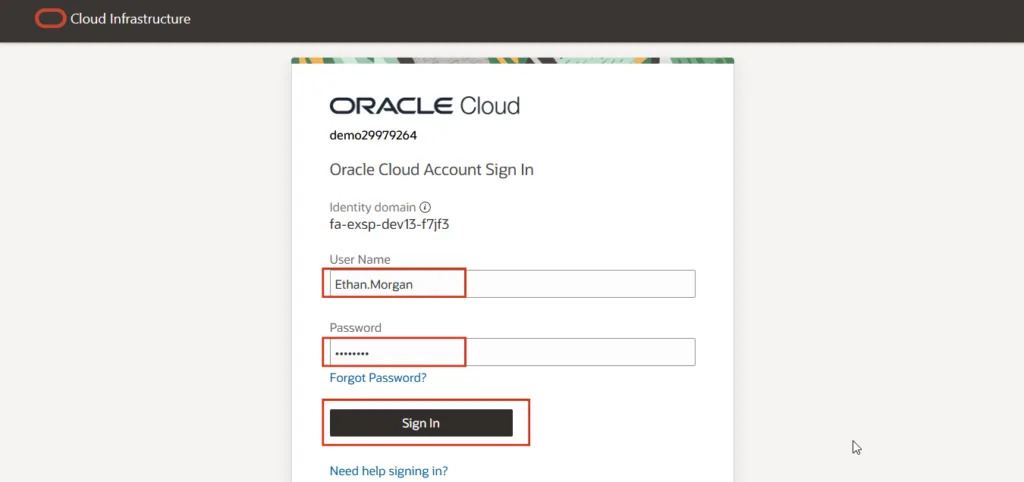
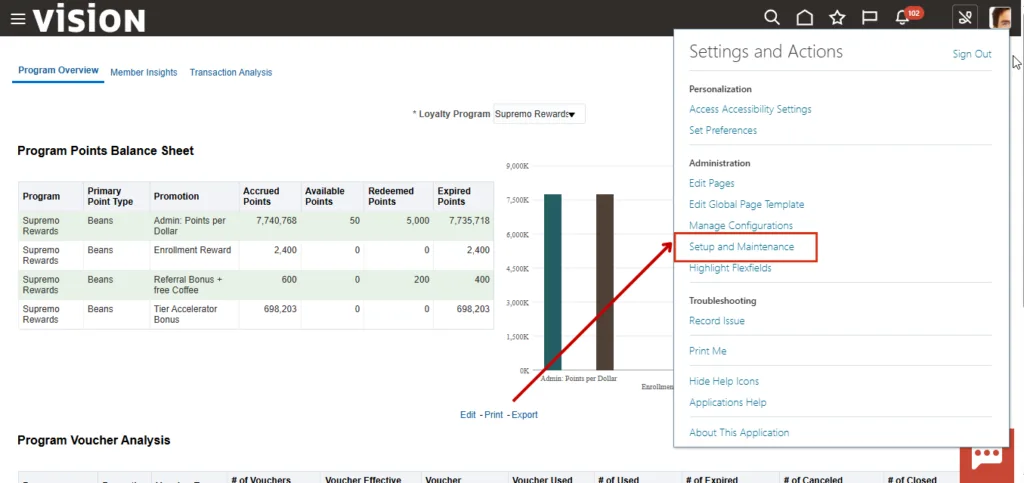
2. Open Setup and Maintenance to begin configuring the offering.
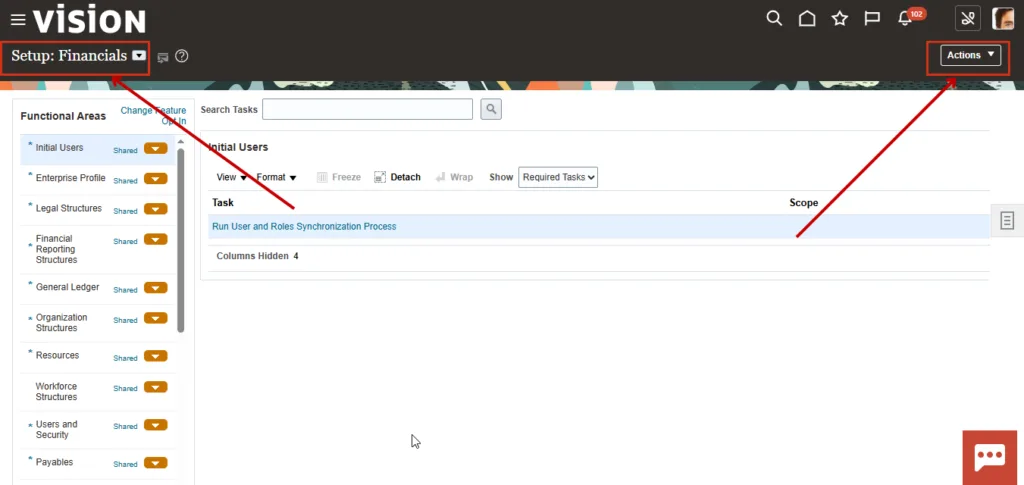
3. Select the Financials setup offering and click the Actions button.
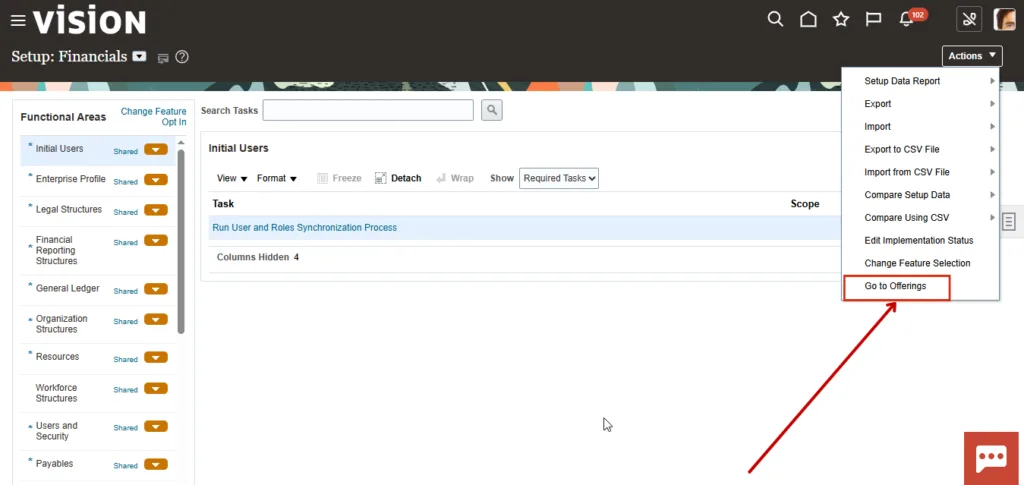
4. Click Go to Offering to enable the feature.
5. Open Opt In Features.
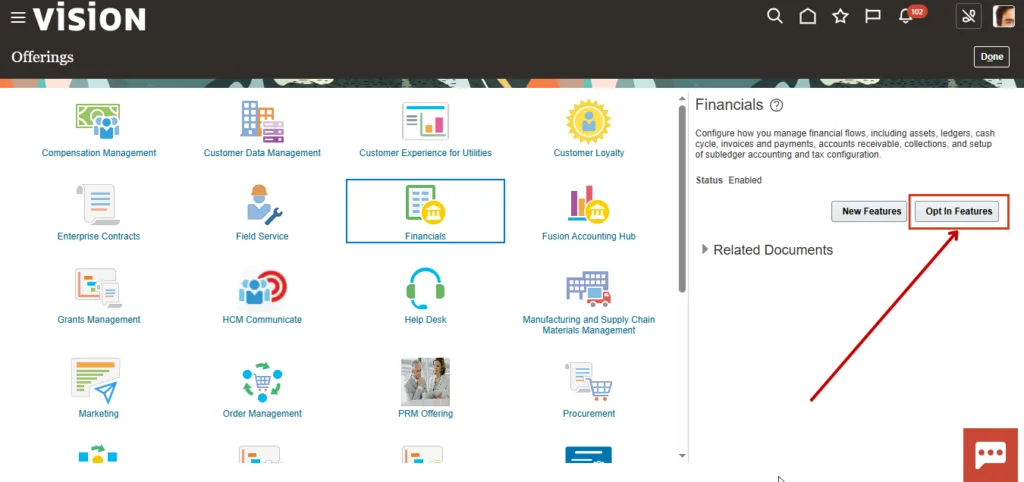
6. Enable the implementation-related functions required for this setup.
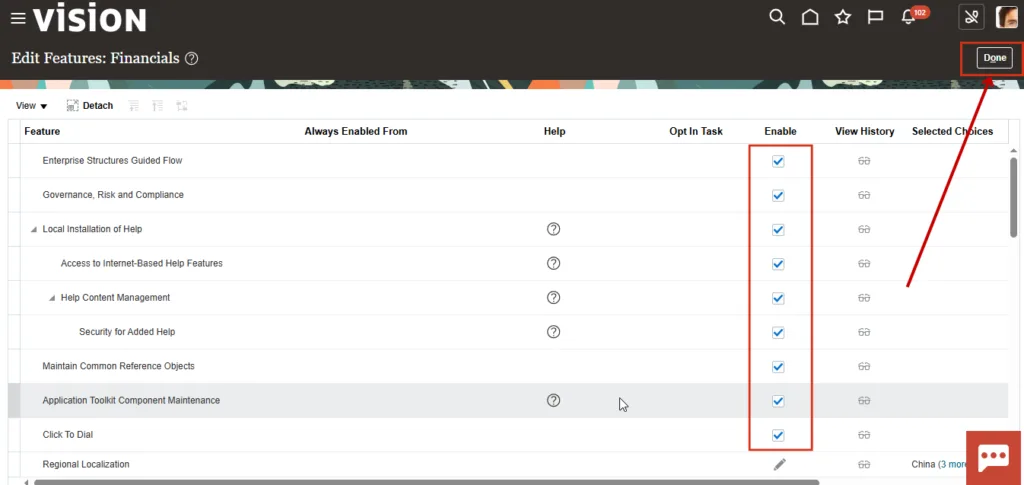
Create the Implementation Project
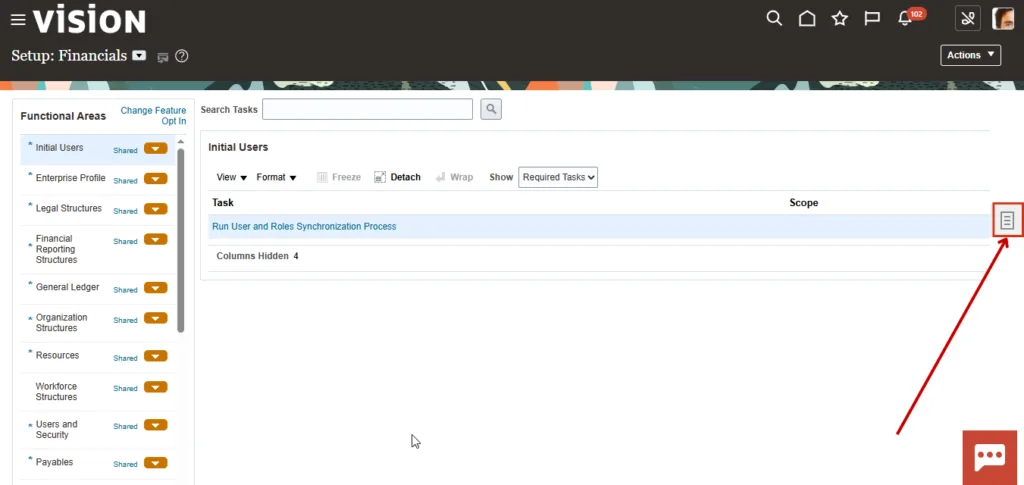
7. Go to the Task menu to start a new implementation project.
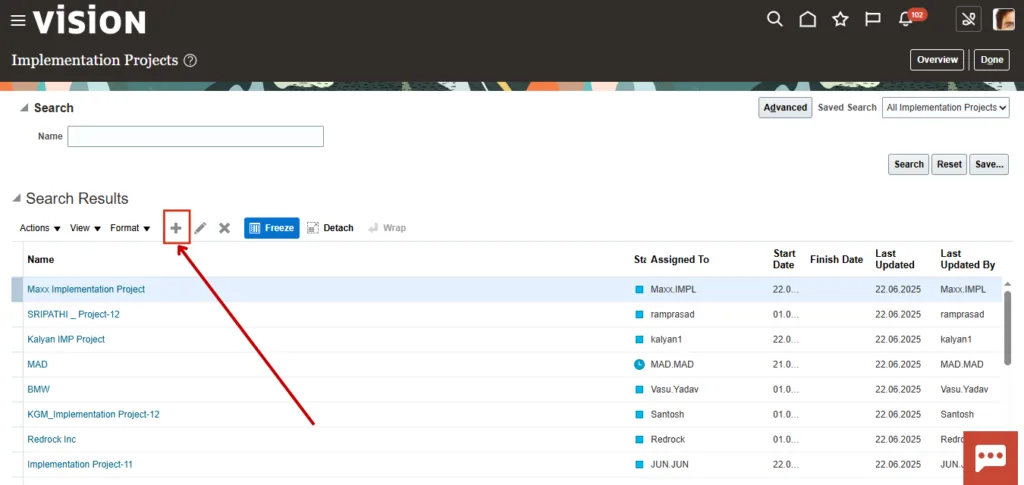
8. Click the plus icon to create the implementation project.
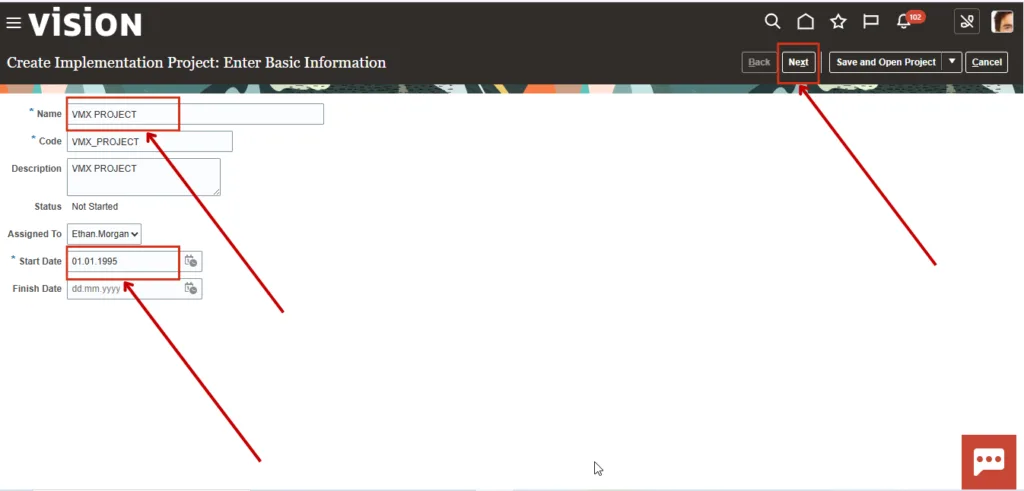
9. Enter the project name as VMX Project. The Code and Description fields populate automatically. Set the start date to 01/01/95, then click Next.
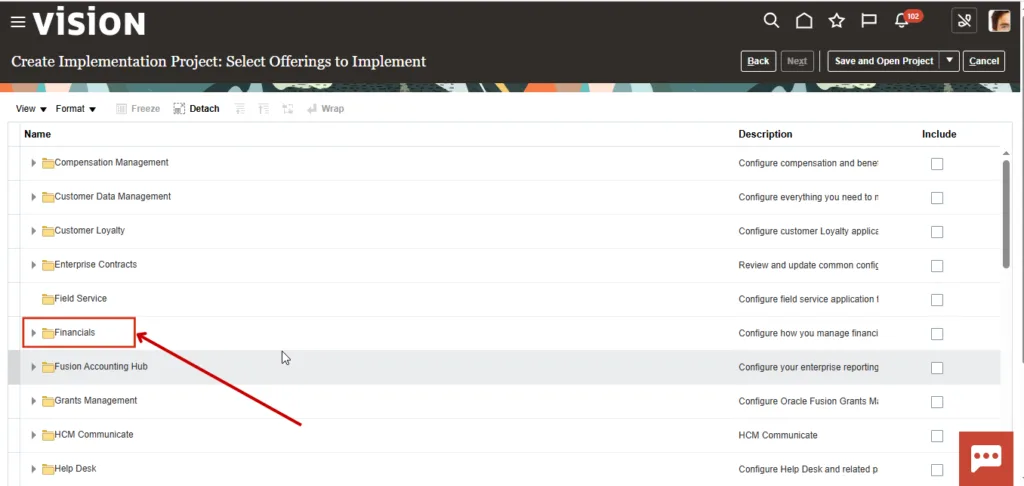
10. Select the offering to include in the implementation project. For this walkthrough, expand the Financials section.
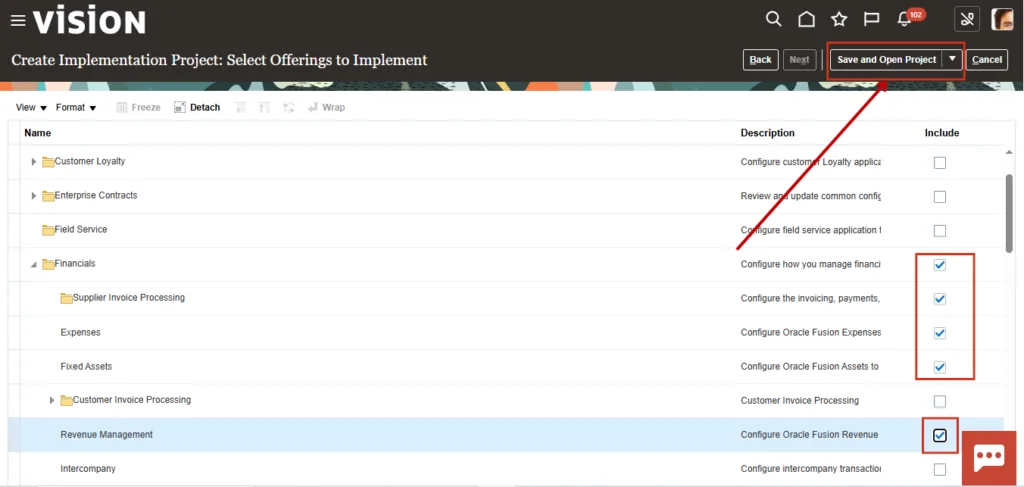
11. Choose the tasks related to Financials, then click Save and Open Project.
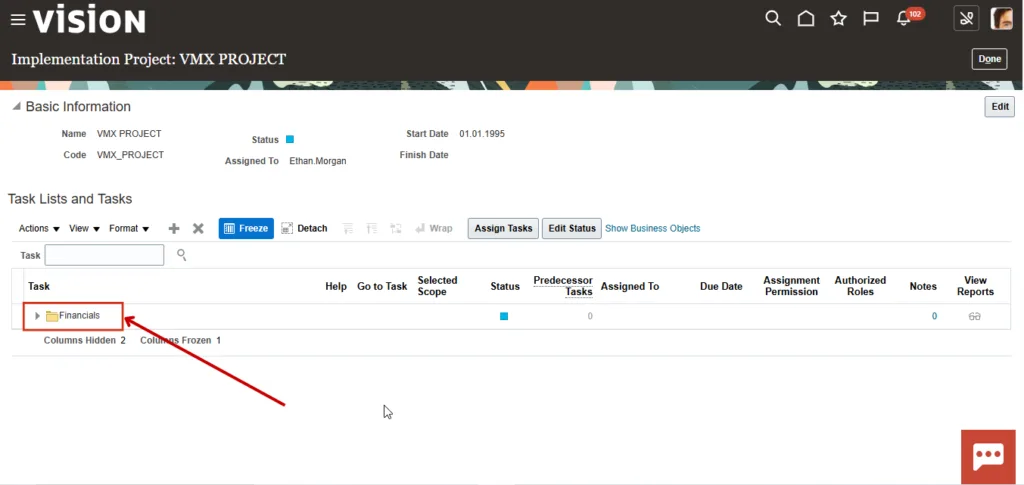
12. Inside the implementation project, expand the Financials task list.
Search for and Assign a Task
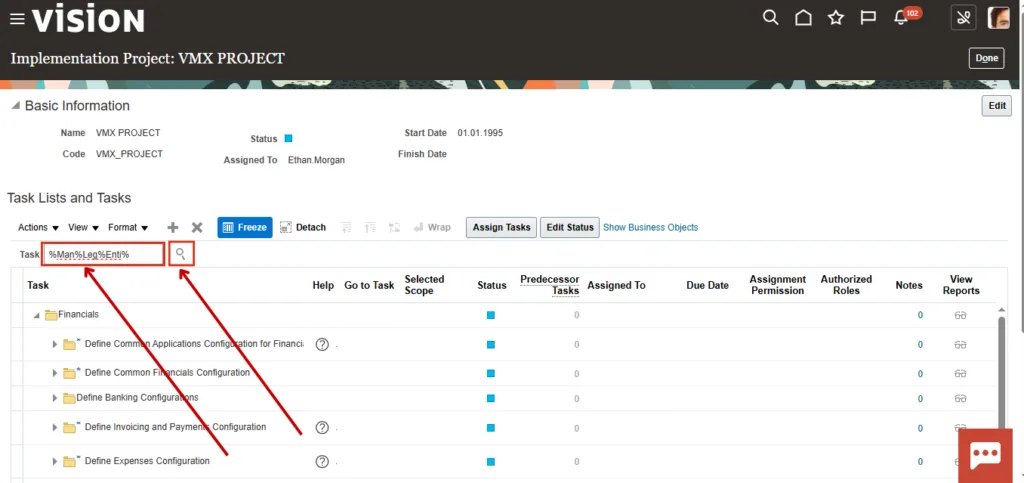
13. Use the Task section to search for a specific setup task. For example, to find Manage Legal Entity, search with %Man%Leg%Enti%.
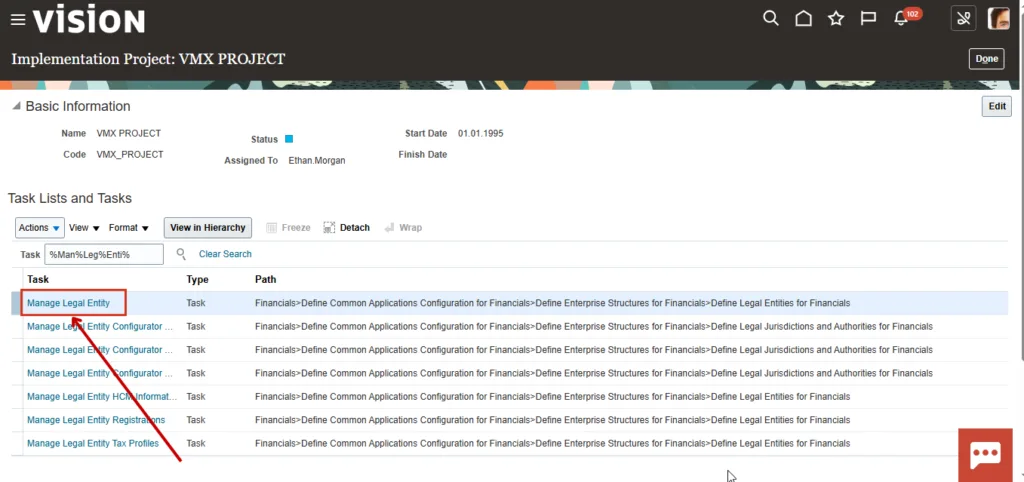
14. Open the Manage Legal Entity task.
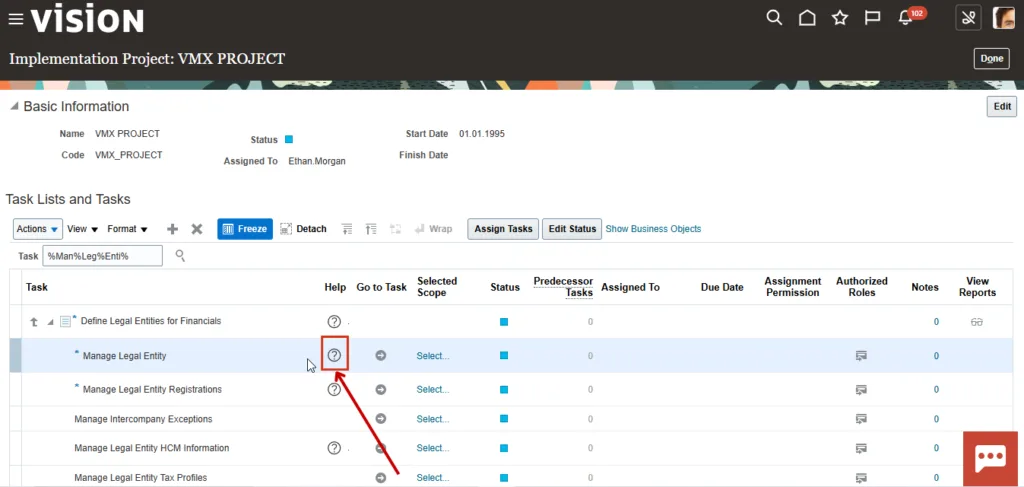
15. Click the Go to Task icon and select Assign Task.
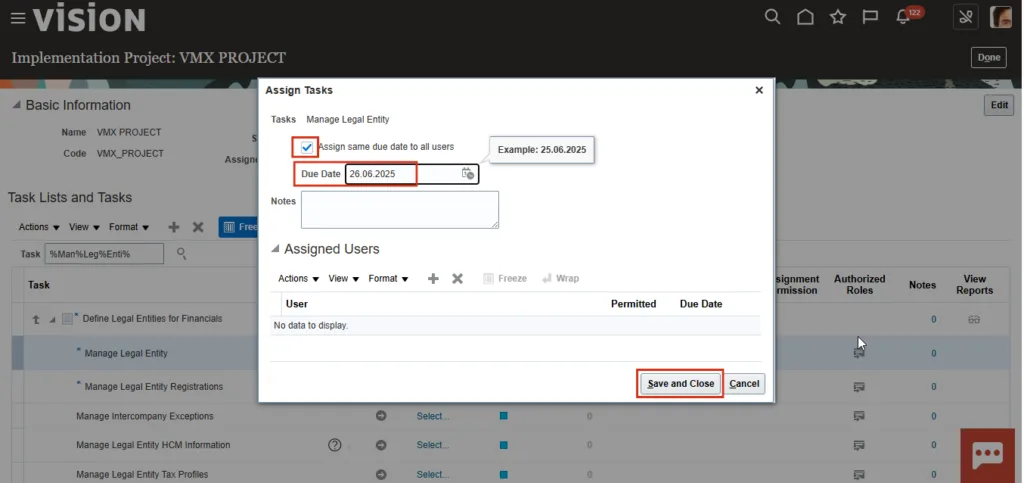
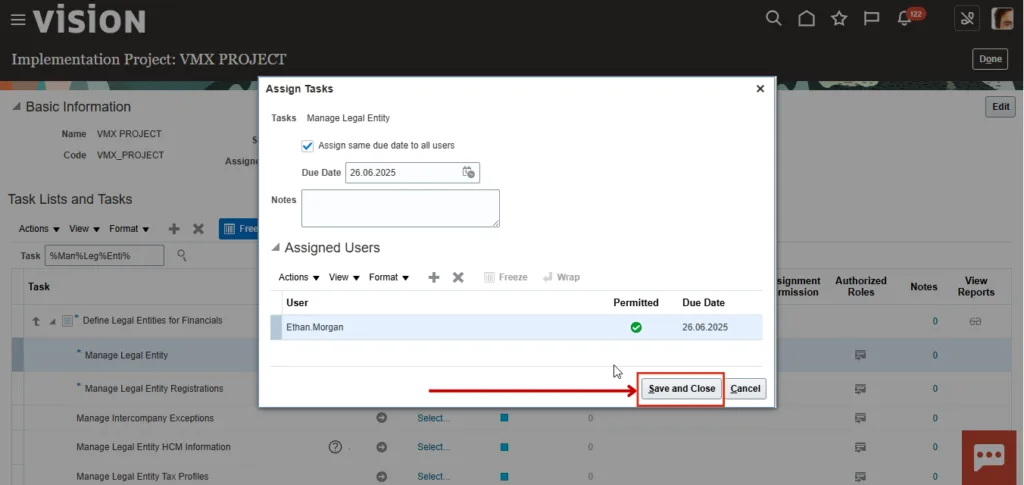
16. In the Assign Tasks popup, complete the following:
- Select Assign same due date to all users
- Set the due date to
26.06.2025 - Add notes if needed
- Click the plus icon under Assigned Users
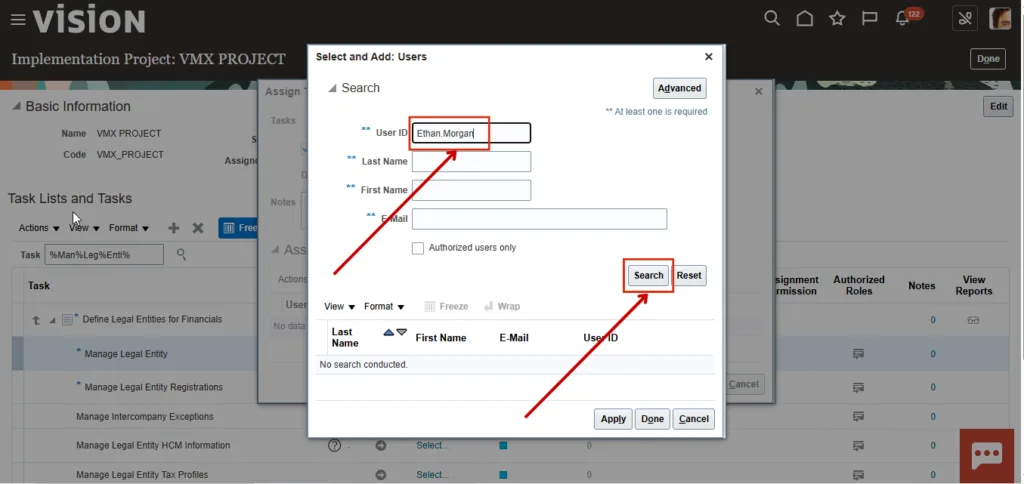
17. Enter the user ID, which matches the login ID, such as Ethan.Morgan, and click Search.
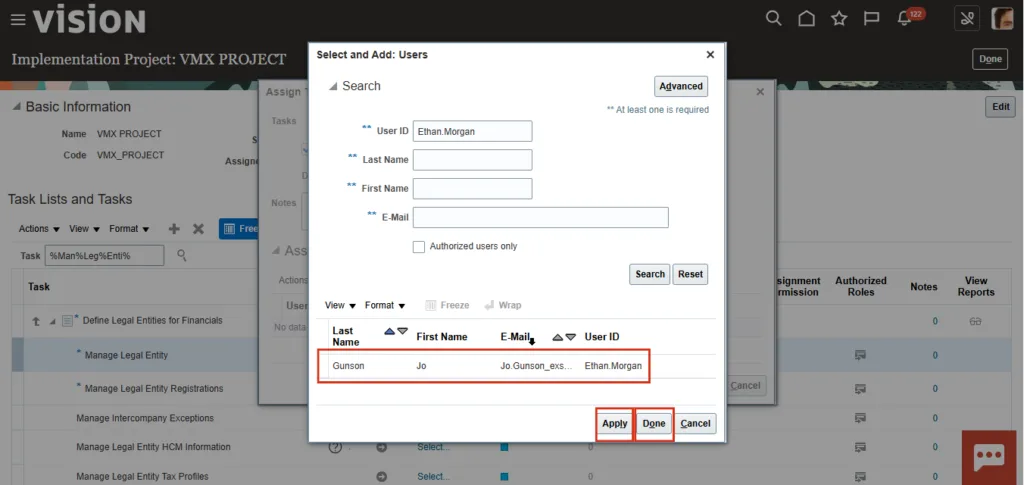
18. When the search results appear, click Apply, then click Done.
19. Click Save and Close.
Track Status and Open the Setup Task
20. After assignment, the Manage Legal Entity task shows the assigned user and due date. Click Edit Status to track task progress inside the Oracle Fusion implementation project.
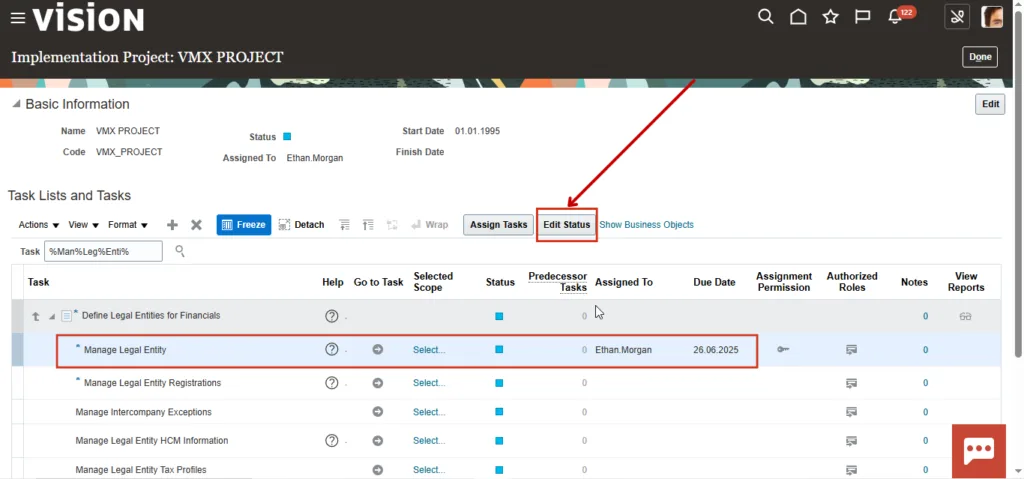
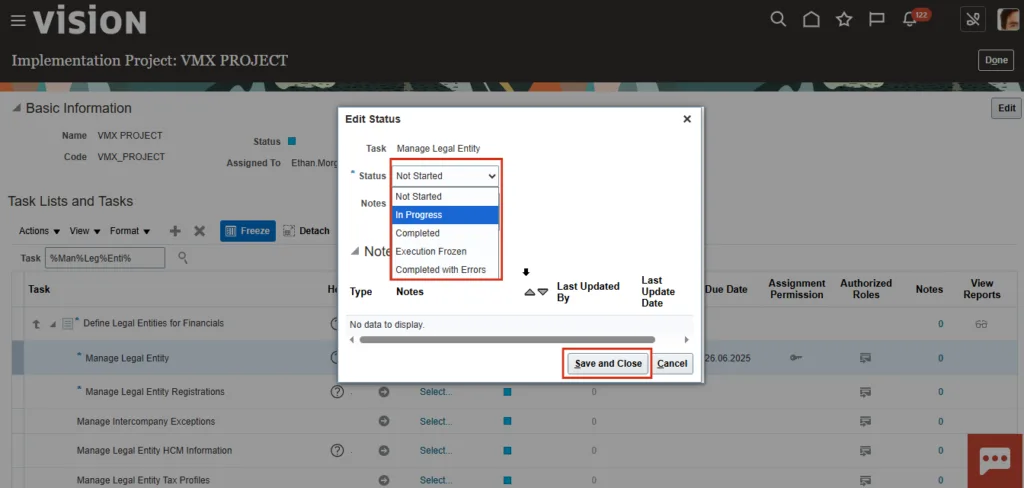
21. Choose the required status from the dropdown, then click Save and Close.
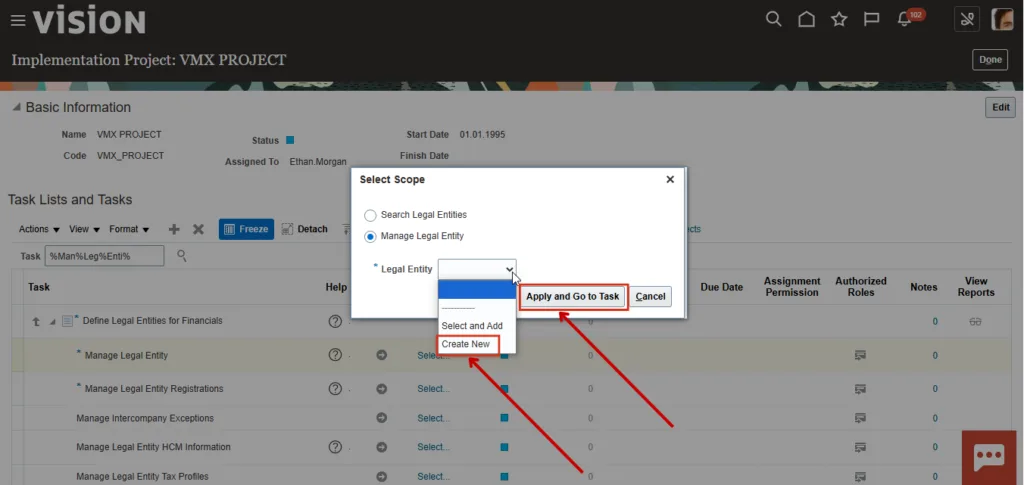
22. To open the setup task itself, select Create New, click Apply, and then click Go to Task.
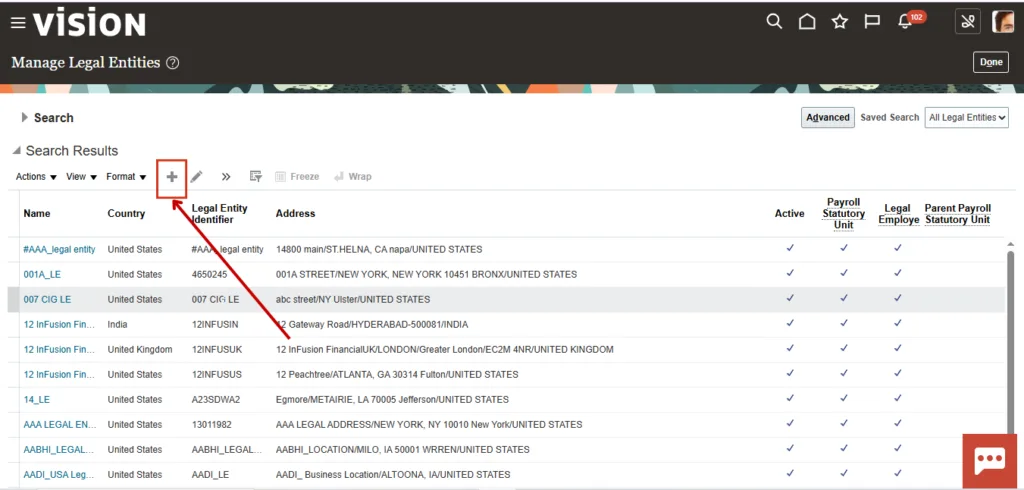
23. To create a legal entity, click the plus icon.
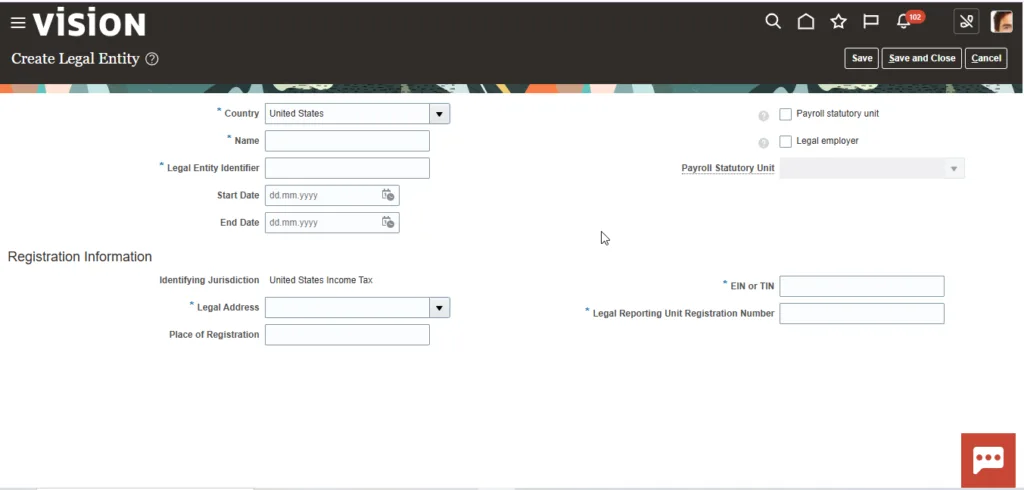
24. Proceed with the legal entity creation flow.
Final Note
The implementation project centralizes setup tasks for different configurations in one place. Once the project is created, you can search for the relevant task, assign it, track progress, and execute the required setup directly from the project.